


Tutorials
Guide to Agent Harnesses: Building, Measuring, and Improving Your Agent
The agent harness is a key component for designing agents. Give your agent the tools and environment it needs to revolutionize your users' workflows.
Agent Harnesses: Building, Measuring, and Improving your Agent's Performance
MCP, skills, subagents, tools, context engineering, agent orchestration. New concepts for building agents burst onto the scene seemingly every day. It can be overwhelming for teams building agents today to answer the question: Which of these implementations will actually measurably improve your agent?
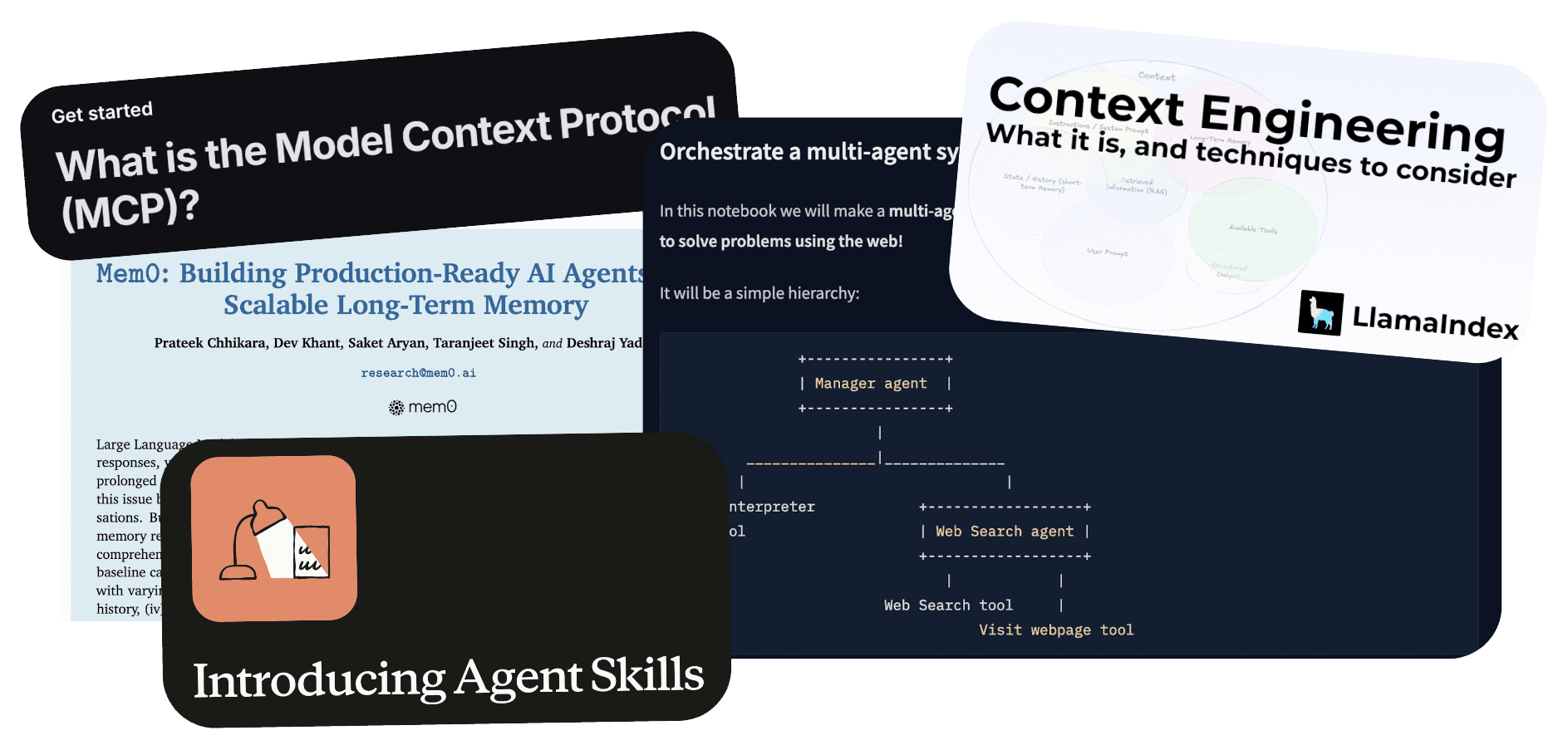
The fact is, different LLMs behave differently to different prompts and tools. Improving and optimizing your agent really means tuning its harness - the different tools, prompts, and context - all along with the LLM to perform tasks.
In this guide on harnesses, we'll tackle:
What is an "agent harness" and how does it impact performance?
How do you measure an agent’s performance in a harness?
How can you use evaluations to optimize your agent?
What is an Agent Harness?
An agent harness is all the context and capabilities you surround an LLM with; think prompts, files, loops, and tools, just to name a few.
Here's a simple example:
A Notion agent is tasked with helping users search their Notion for context relevant to their question. A simple agent harness can consist of:
The system prompt describing how an agent should behave
Loop control
Tools like
search-notion,get-page-contents,get-block
In this example, we are essentially modifying the base LLM's behavior by giving it a system prompt and Notion tools. Tool providers like ActionKit have pre-built tools for 3rd-party actions in Notion, Slack, Google Drive, and Jira, making it easier to wire up harnesses for agents that need to integrate with other platforms.
Other examples of harness components could be a planning tool to decompose a task into smaller sub-tasks, subagents to handle specialized small tasks, and a sandbox to execute code.
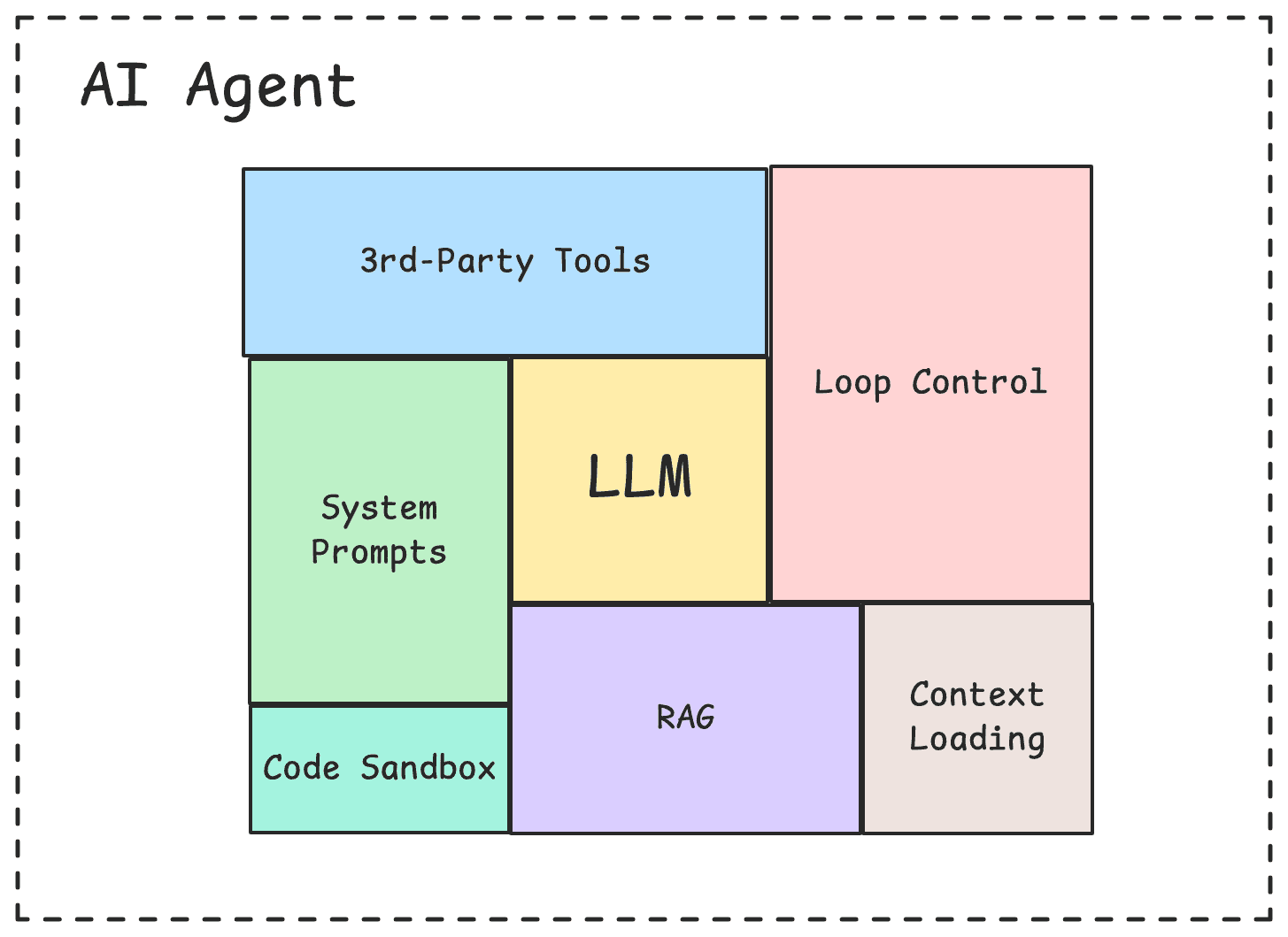
Configuring a harness can be difficult to get right because of all the moving pieces, but it's the surest way of building agents for specialized tasks, not just a generic agent that behaves like the underlying LLM. In order to get the harness "right" and build specialized agents, we have to start with how to measure an agent.
How to Measure Agent Performance
When building an agent, you should have a category (or categories) of tasks that your agent is built to tackle. The more specific you make these tasks, the easier it will be to measure an agent's performance on that task. Even with a category like "enterprise knowledge," this can be broken down into smaller categories of tasks like "searching Google Drive files," "searching Notion workspaces," and "searching relevant Slack threads." Your task categories help you write test cases that you can evaluate your agent on.
Task Category | Prompt |
|---|---|
Search Page Content | Any car maintenance I should do in 2026 |
Ideation | Based off the "LA" pages, what other activities and places should I check out |
Title Search | How many foods are in the "foods" page |
While there are different definitions of "agents," the terms that show up in most definitions are “tool calling”, “loops”, and “completing tasks on behalf of users”. "Completing tasks for users" is essentially the end goal, and "tool calling" to perform actions and "loops" to iterate are how an agent gets there. Measuring agents means measuring each part of what makes an agent an agent. We can measure:
Tool Correctness: Did the agent select the right tools?
Tool Usage: Did the agent use the tools correctly with the right inputs?
Task Completion: Did the agent complete its tasks given the tools and loop iterations?
Task Efficiency: How efficiently did the agent complete its task? Did it take multiple loop iterations? How many tokens?
Let's talk about how to calculate each metric.
Tool Correctness
Tool correctness is the most objective metric out of the four. Calculating tool correctness is a straightforward metric that measures what percentage of expected tools your agent successfully called.

Tool Usage
Tool usage compares the tool inputs to the original prompt. In other words, tool usage measures how well an agent is able to extract the correct inputs into a tool.
No matter how well-tested the tool's underlying logic is, your agent will never be able to execute the code if it can't properly input your function's parameters.
Tool usage can be measured with an LLM-as-a-judge comparing the prompt to tool inputs. Depending on your tools, you can also measure tool usage programmatically if your expected tool inputs are extremely predictable.
If you notice your tool usage metrics vary widely, it may signal that your tools need a redesign. Consider reducing the number of inputs, refining input descriptions, identifying easily extractable inputs, and rethinking the tool's function to handle dynamic inputs.
Examples of well-designed tools for agents include tools that are well documented, like bash and SQL or low-input tools that don't require many brittle inputs.
Task Completion
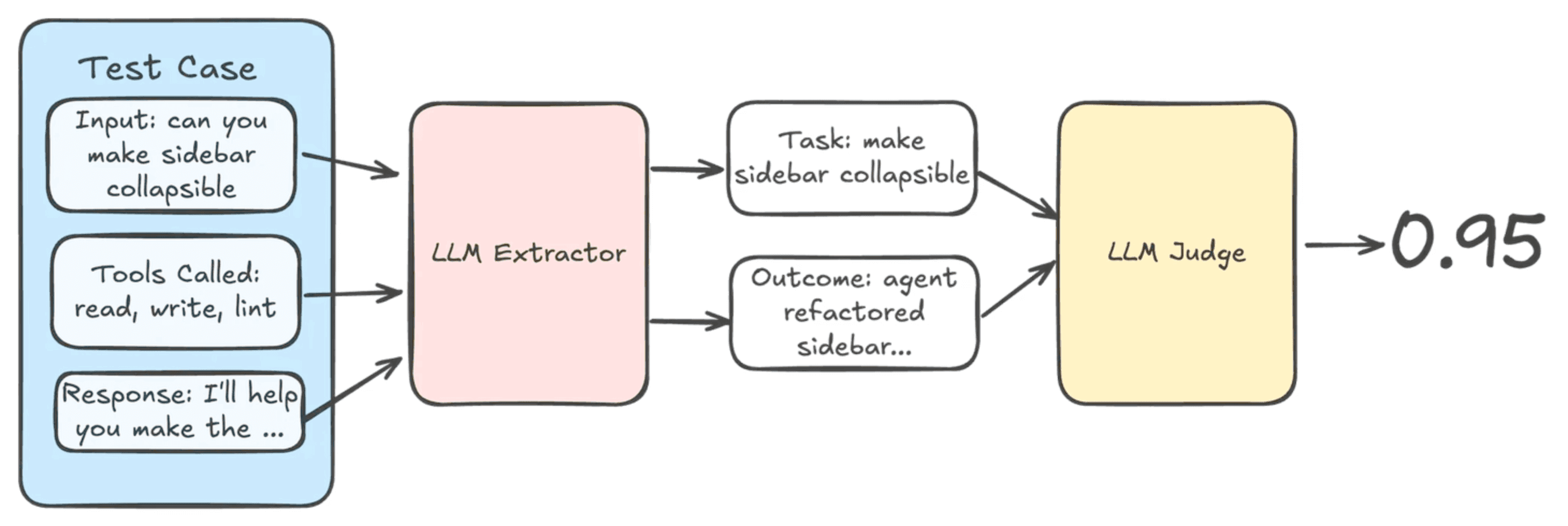
Task completion compares the final output against the original prompt to measure if the original task was completed.
Generally this is done with an LLM-as-a-judge. However, just like tool usage, if your agent has strict outputs, like structured outputs or specific tool calls, then task completion can be calculated programmatically.
Task Efficiency
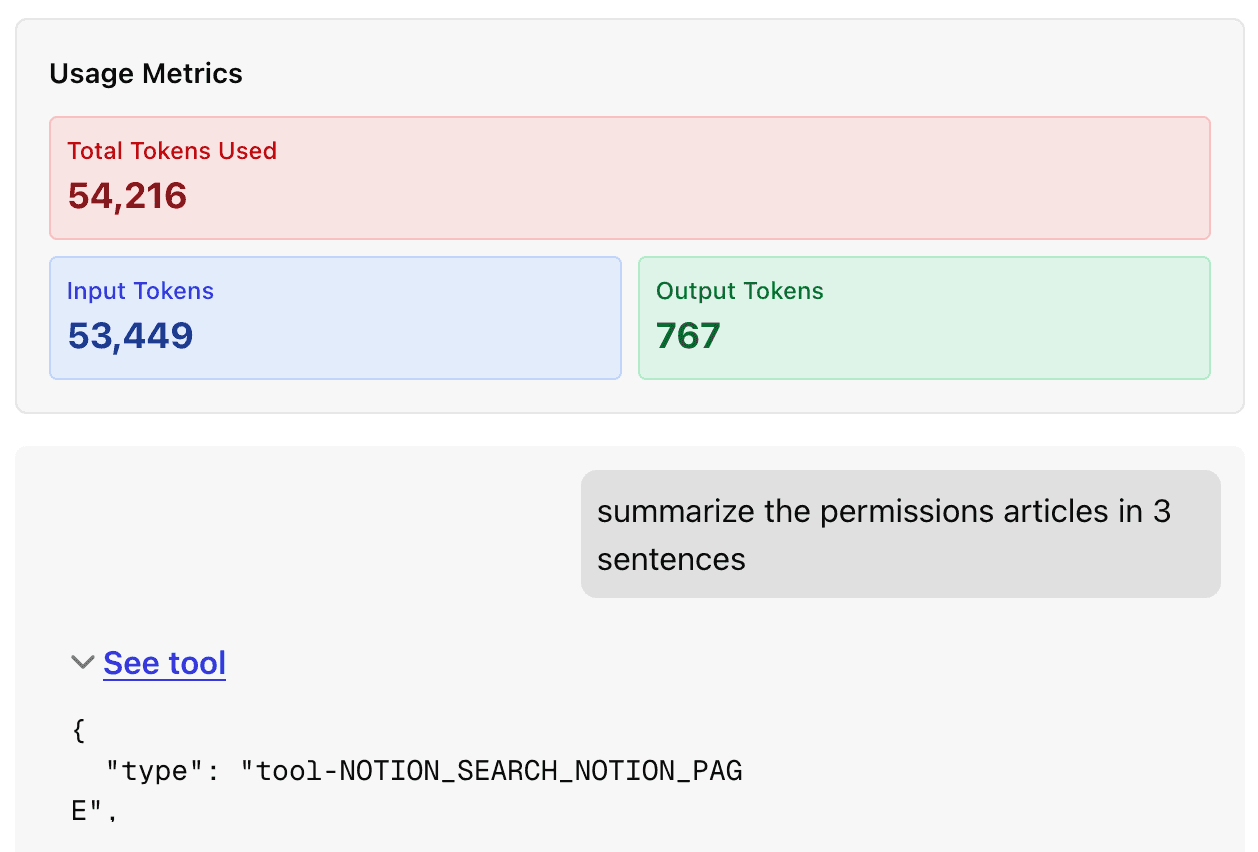
Task efficiency measures the LLM usage it takes to complete a task. Token usage is a metric if cost is a consideration to your product team. Tools use input tokens, and different models like Anthropic's models have high prices for these input tokens. Bloated tool loading can cause even simple tasks to become quite expensive.
Turns is another metric where latency is a consideration. Turns is how many loop iterations the agent took. The more turns, the longer it takes an agent to respond. Reasoning is an example of looping where users can notice a significant increase in wait times.
For asynchronous agent workflows, this may not be as important. For chat and support agents, latency becomes important, as every second of wait time increases the probability users will drop off.
How to Continuously Evaluate and Improve Agent Performance
Connecting agent evaluations back to harnesses, continuous agent improvement means building evaluations to iterate and improve on your agent's harness. Let's break this down into steps and walk through an example of a Notion RAG agent with Notion tools from the ActionKit API.
1. Building Your Test Suite
You know your problem space best. You know your product best.
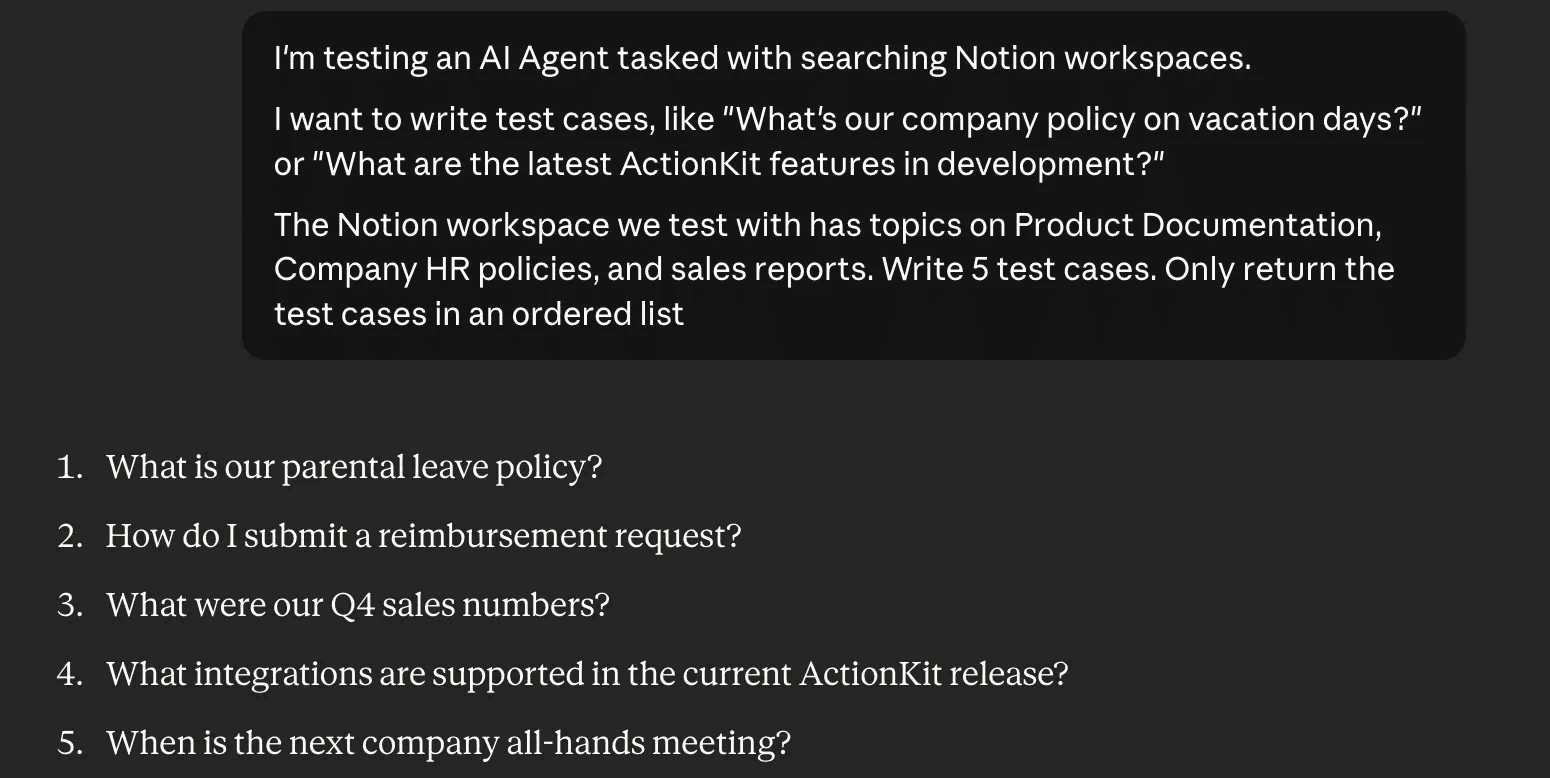
So while it may be tempting to have AI write your test cases, the best evaluations start with manual test cases. This means writing prompts you expect users to ask. Even better, use real examples if you have them.
From there, you can use AI to "fan out" your manually written prompts to create variations of the prompts you've written. I actually picked up this trick from AEO platforms that use "fan-outs" to create related prompts to the topic you're trying to optimize for LLM visibility.
2. Use (or Build) an Evaluation Framework
Popular evaluation frameworks include Arize, Maxim, and Confident AI. I've had positive experiences with DeepEval from Confident AI, using their open-source Python library to evaluate tool correctness and task completion.
I also recommend giving DeepEval's docs a read. There are excellent guides that we've used to inform our research on optimizing tool calling and optimizing RAG retrieval.
I included the option to build your own evaluation framework because there are times you may want to build your own "primitives" to evaluate agent performance.
We actually went through this process ourselves in an exercise we did for our tool provider product, ActionKit. We built our own framework for evaluating agent performance against other tool providers like MCP servers, comparing tool correctness, tool usage, task completion, and task efficiency against other tool providers to hone ActionKit's tools.
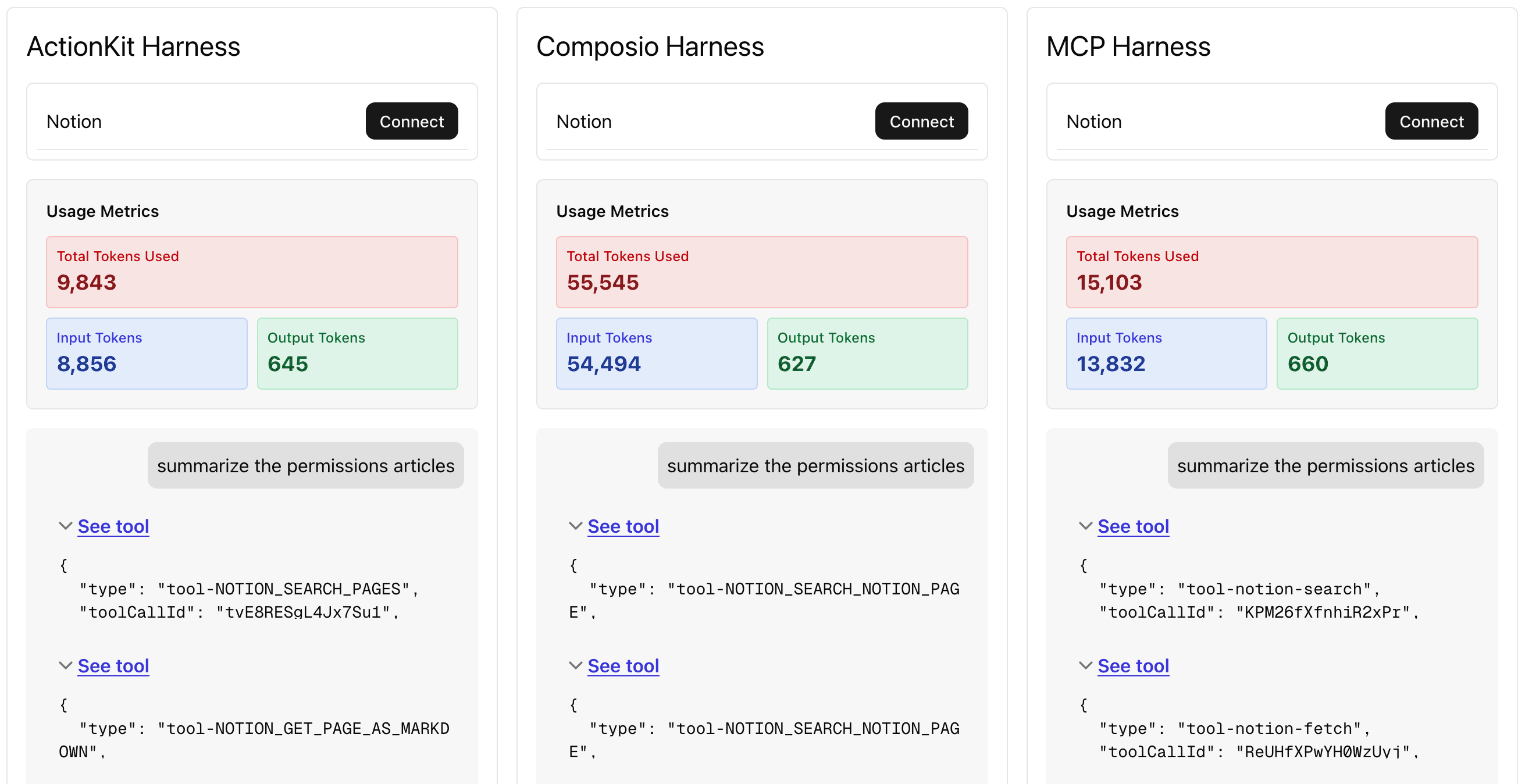
The 4 metrics (tool correctness, tool usage, task completion, task efficiency) are generally useful and a good starting point. But don't be afraid to be creative and build your own metrics and framework. If your agent heavily uses a graph/workflow runtime, you may want your evaluation framework to measure graph metrics like if your agent is hitting all the expected nodes for a given task. Metrics like these may be custom to your agent implementation, requiring a custom-built evaluation framework.
Reiterating this point because it's worth repeating, "You know your problem space best. You know your product best."
3. Identify Problem Test Cases and Iterate
This is the action step. Test cases and evaluation frameworks identify your agent's weaknesses.
Like an athlete training for a sport, an agent will have its unique weaknesses. Training and honing in on those weaknesses are how your agent gets better. Adjust your agent's harness - the system prompt, tools, and environment to address its weaknesses without regression.
Using our Notion RAG agent as an example, we noticed that gpt-5 was the model that best fit in our ActionKit-provided harness. Of the gpt-5 test cases where the task was not completed, half of them were because a tool call was not attempted, and the other half was from failed tool usage of the search tool.
Prompt | Tools Called | Tool Usage |
|---|---|---|
What are some goals I can make in 2026 | ||
What are the key components of the RAG tech stack | ||
What should I make for dinner? | NOTION_SEARCH_PAGES | "input": {"query": "dinner", "objectType": "page", "direction": "descending", "pageSize": 10}, |
When did I get my teeth cleaned last? | NOTION_SEARCH_PAGES | "input": { "query": "dental", "objectType": "database", "direction": "descending", "pageSize": 50}, |
To improve our harness, we can better emphasize that the search tool MUST be used and provide examples of search queries in our system prompt. We may also look at including a semantic search tool to better search queries for users without specific keywords in mind.
Wrapping Up
Optimized agents are a culmination of every part of an agent coming together. The model, the environment, the runtime, the prompts, and maybe most importantly, the tools.
The path you'll take to optimize your agent and its harness isn't a one-click fix. It takes evaluating and iterating on your agent's harness. And it's how you'll unlock capabilities even a frontier LLM cannot achieve alone.
If you're looking to build the best agents with 3rd-party tools and integrations, take a look at ActionKit for hundreds of 3rd-party tools your agent may benefit from in its harness. Try out Paragon for free and book a call with our team for a demo of the platform and to answer any questions you may have. We'd love to learn more about what you're building and help you build the best agents in the SaaS space.
TABLE OF CONTENTS

Jack Mu
,
Developer Advocate
mins to read
"/><stop offset="1" stop-color="rgb(145, 118, 251)"/></linearGradient><linearGradient id="ozqTbFI9H-1807422454-linear-gradient" x1="0.49751243781094523" x2="0.5024875621890548" y1="0" y2="1"><stop offset="0" stop-color="rgba(97, 64, 229, 0.16)"/><stop offset="1" stop-color="rgb(145, 118, 251)"/></linearGradient><linearGradient id="pE26o4gxW-1807422454-linear-gradient" x1="0.49751243781094523" x2="0.5024875621890548" y1="0" y2="1"><stop offset="0" stop-color="rgba(97, 64, 229, 0.16)"/><stop offset="1" stop-color="rgb(145, 118, 251)"/></linearGradient><linearGradient id="HHOgKLOd0-1807422454-linear-gradient" x1="0.49751243781094523" x2="0.5024875621890548" y1="0" y2="1"><stop offset="0" stop-color="rgba(97, 64, 229, 0.16)"/><stop offset="1" stop-color="rgb(145, 118, 251)"/></linearGradient></defs><path d="M 6.434 119.935 C 2.798 117.846 0.98 116.802 0.383 115.445 C -0.138 114.262 -0.127 112.912 0.413 111.738 C 1.033 110.391 2.866 109.376 6.535 107.346 L 186.592 7.74 C 194.253 3.502 198.084 1.383 202.139 0.552 C 205.728 -0.184 209.429 -0.184 213.018 0.552 C 217.073 1.383 220.903 3.502 228.565 7.741 L 408.621 107.346 C 412.29 109.376 414.124 110.391 414.744 111.738 C 415.284 112.912 415.295 114.262 414.774 115.445 C 414.176 116.802 412.358 117.846 408.723 119.935 L 229.174 223.08 C 221.305 227.6 217.37 229.861 213.189 230.746 C 209.489 231.529 205.667 231.529 201.967 230.746 C 197.786 229.861 193.852 227.6 185.982 223.08 Z" fill="url(%23lhM4UE7y4-1807422454-linear-gradient)" height="231.33281694397522px" id="lhM4UE7y4" transform="translate(5 0)" width="415.15720989312115px"/><path d="M 3.528 66.547 C 2.242 65.781 1.598 65.398 1.131 64.869 C 0.717 64.4 0.406 63.851 0.215 63.257 C 0 62.585 0 61.837 0 60.339 L 0 9.188 C 0 5.09 0 3.041 0.86 1.854 C 1.611 0.818 2.765 0.15 4.037 0.016 C 5.495 -0.14 7.272 0.881 10.825 2.922 L 190.662 106.233 C 198.532 110.754 202.466 113.014 206.647 113.899 C 210.347 114.682 214.169 114.682 217.869 113.899 C 222.05 113.014 225.985 110.754 233.854 106.233 L 413.691 2.922 C 417.245 0.881 419.022 -0.14 420.479 0.016 C 421.75 0.15 422.905 0.819 423.655 1.854 C 424.516 3.041 424.516 5.09 424.516 9.188 L 424.516 64.78 C 424.516 66.303 424.516 67.065 424.294 67.746 C 424.098 68.349 423.777 68.904 423.352 69.375 C 422.871 69.907 422.211 70.286 420.89 71.045 L 234.252 178.262 C 226.245 182.862 222.242 185.162 217.992 186.041 C 214.232 186.818 210.35 186.787 206.602 185.95 C 202.367 185.005 198.4 182.642 190.467 177.915 L 3.527 66.547 Z" fill="url(%23ozqTbFI9H-1807422454-linear-gradient)" height="186.6011677519727px" id="ozqTbFI9H" transform="translate(0 153)" width="424.51599999999996px"/><path d="M 3.528 66.546 C 2.242 65.78 1.598 65.396 1.131 64.867 C 0.717 64.399 0.406 63.85 0.215 63.256 C 0 62.584 0 61.835 0 60.338 L 0 9.188 C 0 5.09 0 3.04 0.86 1.854 C 1.611 0.818 2.765 0.15 4.037 0.016 C 5.495 -0.14 7.272 0.881 10.825 2.922 L 190.662 106.232 C 198.532 110.752 202.466 113.013 206.647 113.898 C 210.347 114.681 214.169 114.681 217.869 113.898 C 222.05 113.013 225.985 110.752 233.854 106.232 L 413.691 2.922 C 417.245 0.881 419.022 -0.14 420.479 0.016 C 421.75 0.15 422.905 0.819 423.655 1.854 C 424.516 3.04 424.516 5.09 424.516 9.188 L 424.516 64.778 C 424.516 66.302 424.516 67.063 424.294 67.745 C 424.098 68.347 423.777 68.902 423.352 69.373 C 422.871 69.905 422.211 70.285 420.89 71.044 L 234.252 178.261 C 226.245 182.861 222.242 185.161 217.992 186.039 C 214.232 186.816 210.35 186.785 206.602 185.949 C 202.367 185.003 198.4 182.64 190.467 177.914 L 3.527 66.546 Z" fill="url(%23pE26o4gxW-1807422454-linear-gradient)" height="186.5992791581399px" id="pE26o4gxW" transform="translate(0 261)" width="424.51599999999996px"/><path d="M 3.528 62.172 C 2.242 61.406 1.598 61.023 1.131 60.494 C 0.717 60.026 0.406 59.477 0.215 58.882 C 0 58.21 0 57.462 0 55.965 L 0 9.1 C 0 5.067 0 3.051 0.848 1.87 C 1.588 0.84 2.727 0.168 3.987 0.019 C 5.43 -0.151 7.195 0.825 10.724 2.777 L 191.044 102.529 C 198.785 106.811 202.655 108.952 206.749 109.779 C 210.373 110.511 214.109 110.494 217.726 109.729 C 221.812 108.864 225.663 106.688 233.364 102.335 L 305.348 61.648 C 308.891 59.646 310.662 58.645 312.114 58.807 C 313.38 58.948 314.528 59.618 315.274 60.65 C 316.129 61.834 316.129 63.869 316.129 67.939 L 316.129 121.417 C 316.129 122.925 316.129 123.679 315.911 124.355 C 315.718 124.953 315.403 125.505 314.984 125.974 C 314.512 126.504 313.861 126.886 312.561 127.649 L 234.368 173.545 C 226.323 178.267 222.301 180.628 218.019 181.542 C 214.231 182.351 210.313 182.338 206.53 181.505 C 202.254 180.563 198.247 178.175 190.233 173.401 Z" fill="url(%23HHOgKLOd0-1807422454-linear-gradient)" height="182.13937459493218px" id="HHOgKLOd0" transform="translate(0 369.5)" width="316.1290000000001px"/></svg>)

