

Guides
Your Guide to CRM Syncs
Building a Sales & GTM SaaS? Learn what a CRM Sync is, why you may want one, and popular CRM Sync use cases.

Jack Mu
Developer Advocate, Paragon
3 min read
As you build your sales & GTM SaaS, CRM integrations may have crept (or barged) into your customer calls and product discussions. It’s not hard to connect the dots on why sales & GTM platforms should have CRM integrations. There are so many different GTM tools your users are on for inbound, outbound, intent tracking, campaigns, and at the center of all of these tools are CRMs.

However, not all CRM integrations are created equal. While integrating with your users’ CRMs means connecting your application with your users’ Salesforce, HubSpot, or other CRM provider data, there are different methods of using that data.
The method this article is focused on is CRM Syncs, specifically:
What are CRM Syncs?
Why do you need to sync CRM data?
What use cases do CRM Syncs enable for your sales & GTM platform?
What Are CRM Syncs?
A CRM Sync is a pattern where an application pulls all data from the CRM source and listens for all subsequent updates. When your application implements a CRM Sync, your application maintains an up-to-date replica of CRM data from your users’ Salesforce, HubSpot, Dynamics, etc.
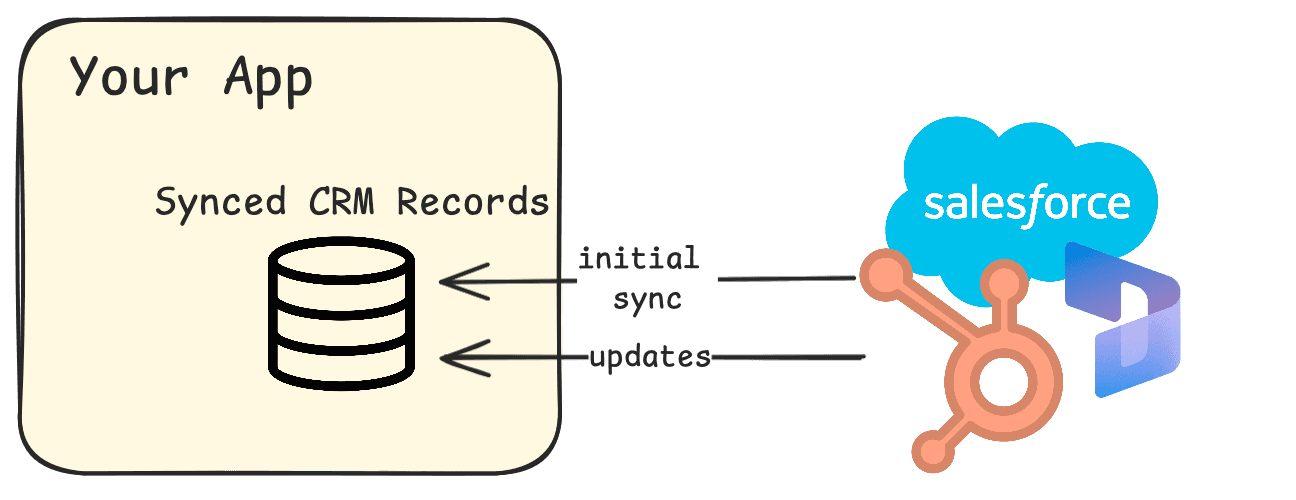
Generally when building CRM Syncs, you need:
A data ingestion engine that can handle and process hundreds of thousands of historical CRM records
A real-time sync engine that can listen for newly created CRM records, updated records, and deleted records to update synced CRM data
One specific nuance of CRM Syncs is that CRM data is highly custom to each of your individual users. Your users may have custom objects in addition to common Contact, Leads, and Account objects. Your users will also have custom fields like “Budget” or “Propensity Score” that are specific to their RevOps strategy.
This type of service can take months of engineering effort to get right, which is why there are products like Managed Sync built for GTM SaaS platforms. Managed Sync saves your engineer’s time on building integration features and scales your integrations across all of the major CRM platforms.

But before you think about using a CRM Sync, it’s important to know why you may even need one in the first place.
Why Do I Need a CRM Sync?
The main advantages of syncing your users’ CRM data to your application and environment are:
Your services have a simplified way of accessing and using CRM data
CRM data from different integration providers (Salesforce, HubSpot, Dynamics, Zoho, Pipedrive, etc.) can be unified with Common Models
Control over data permissions to CRM data
Here’s why these advantages matter for your product.
1. Simplified way to access and use CRM data
Without syncing CRM data, you would need to hit the Salesforce, HubSpot, or Dynamics API every time you need data.
For example, to access your users’ HubSpot data, you would first initiate the HubSpot OAuth process to get and store your users’ tokens. Then you would send a GET request, like this one for Contact objects, and get paginated results.
With a CRM Sync, you instead use CRM APIs like the one above to sync data to your own database (this could be relational databases for SQL aggregations, vector databases for RAG, or graph databases for relationship analytics). And in the future, rather than using the HubSpot API every time your application needs data, you can instead query from your own data stores. This allows you to query data without dealing with authentication and worrying about 3rd-party API rate limits.
That being said, high-volume syncs and real-time updates are not simple jobs. You still need to handle each of your end users’ authentication, rate limits, integration-specific APIs, and webhooks. Here’s an example of Managed Sync’s implementation where Paragon is handling those details in a HubSpot CRM Sync.
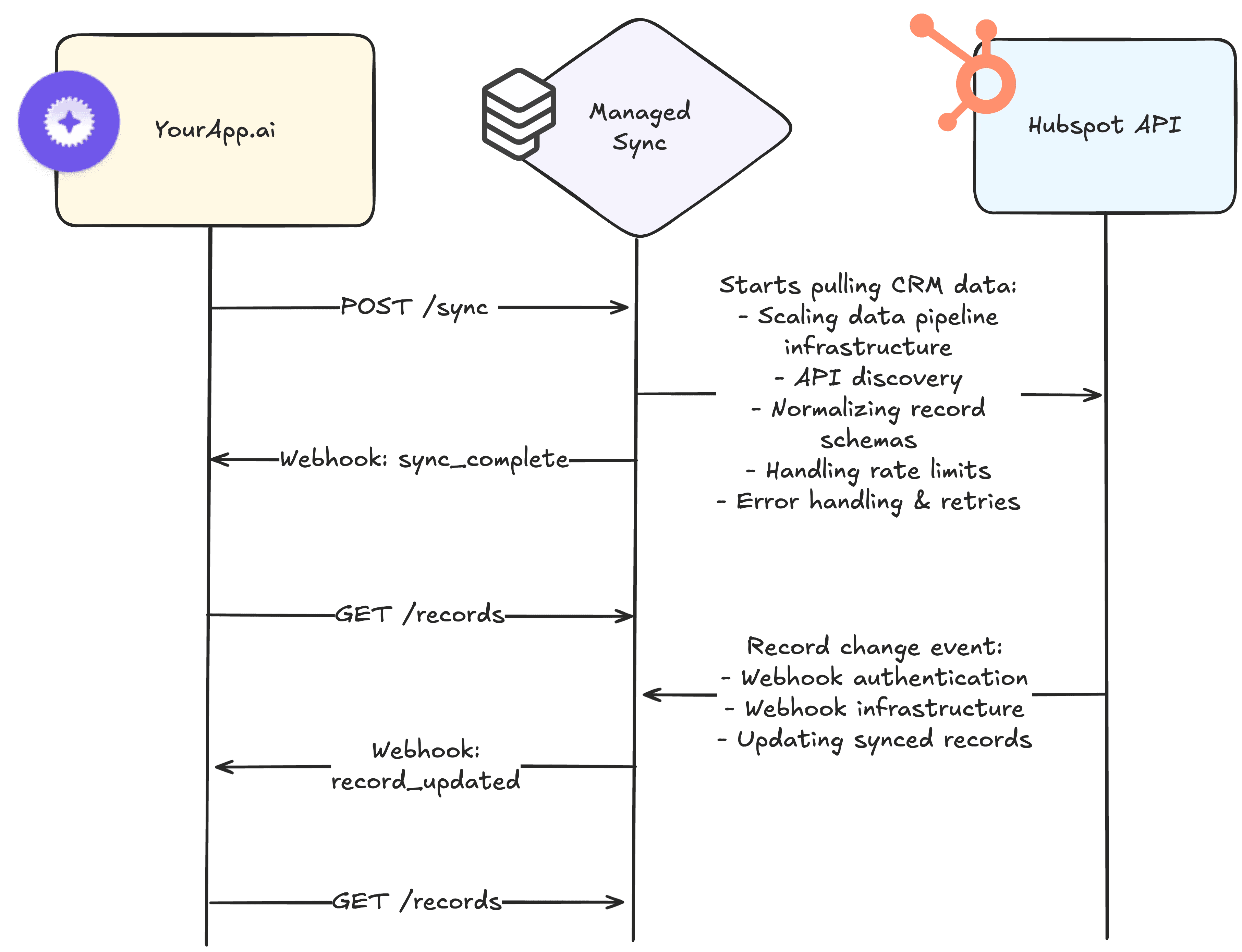
Syncing data to your own databases simplifies building business logic with CRM data. Another way CRM Syncs simplify your backend logic is with Common Models across integration providers.
2. Common Models
While CRM Syncs and Common Models do not always go hand-in-hand, Common Models ease the burden of working with data across a category like CRMs. This works because objects like Companies and Leads look more or less the same across CRMs.
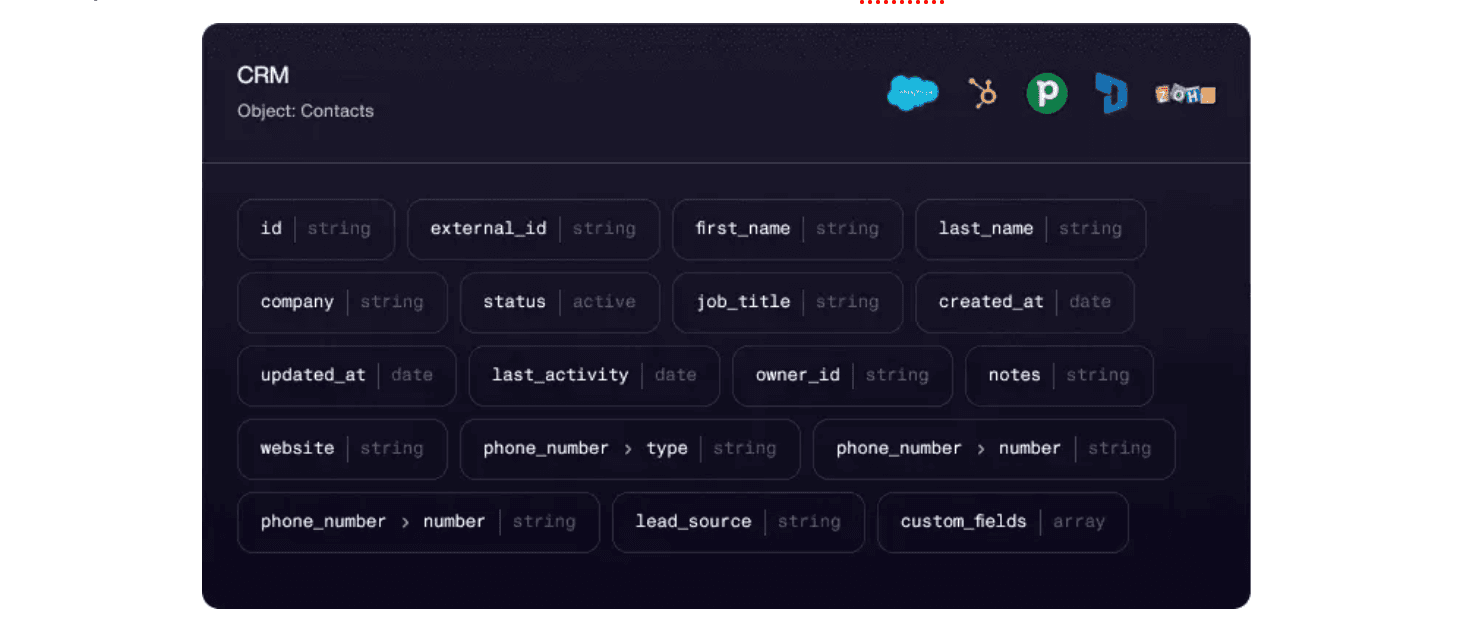
This is how Managed Sync and other Unified APIs make it easy to quickly build integrations across different CRMs. Reuse the same logic for one user’s Salesforce data as another user’s HubSpot data.
3. Control over data access
Part of replicating your users’ data with CRM Syncs is control over how and where that data is used and presented. When you have your users’ CRM data within your own databases, you can define permissions over which users and roles should have access to that CRM data. You are no longer beholden to the permissions set by the original CRM.
For example, Salesforce licenses can be expensive, which means not everyone in your customers’ organization may have access to Salesforce data. Your application can eliminate that silo by provide broader data access to Salesforce data without requesting additional seats or licenses from Salesforce.
With broader access to CRM data, your users can query CRM data with an AI agent or enrich your platform’s data with CRM context.
Let’s take a look at some more use cases.
What Use Cases Do CRM Syncs Unlock?
CRM data as AI knowledge sources
Retrieval-Augmented Generation (RAG) allows AI applications like ChatGPT to retrieve data from external data sources. While ChatGPT may be querying CRM data via the HubSpot API directly, CRM Syncs also enable RAG by embedding unstructured text data like CRM notes in a database for retrieval by an AI agent.

GTM data enrichment
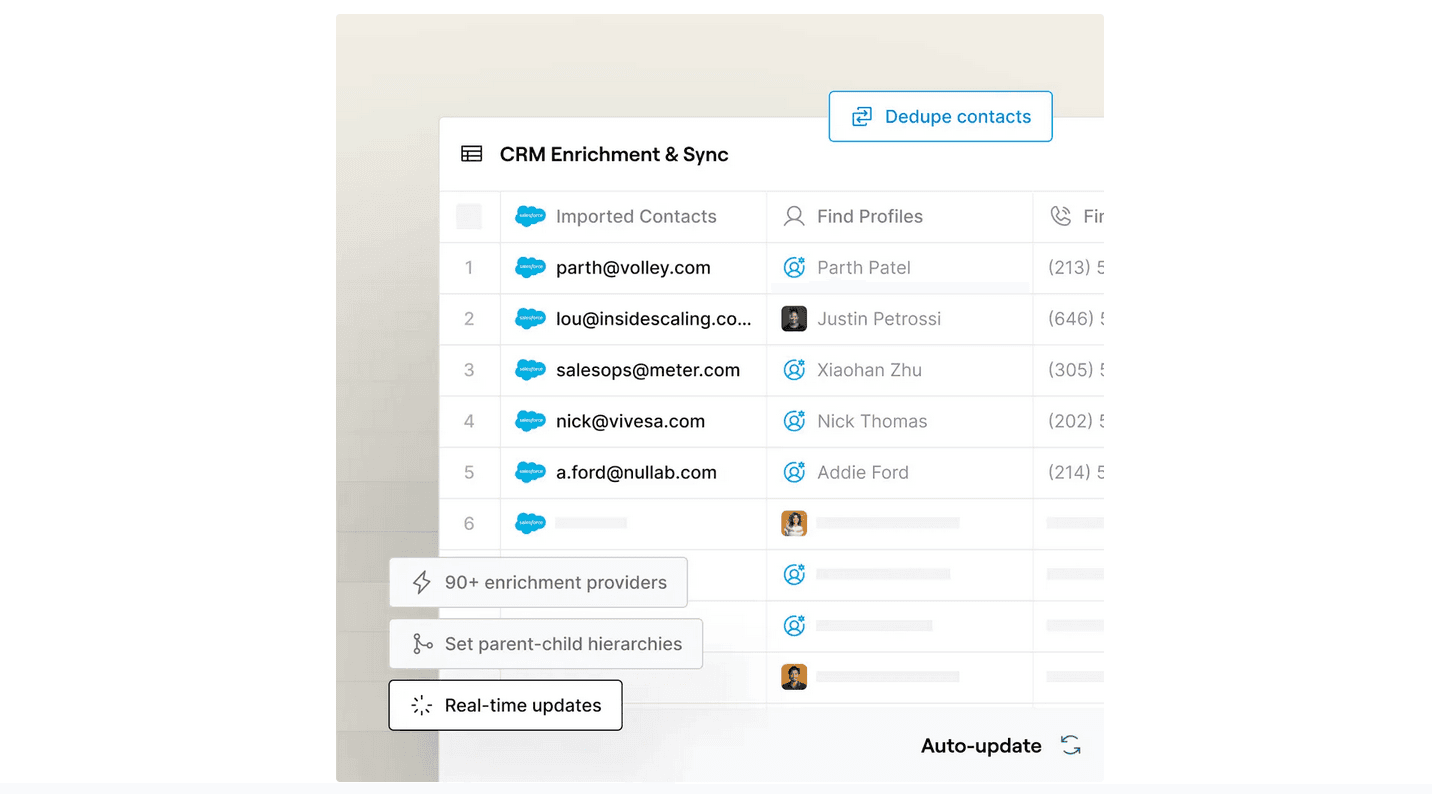
Clay’s CRM enrichment and intent platform pulls in data from different internal data sources as well as other integrated data sources like Clearbit. For large-scale data enrichment, syncing data may be preferable to calling a CRM API like Salesforce’s over and over, risking rate limits and getting back failed API responses.
CRM analytics & querying
Supper, an AI data platform, turns natural language to SQL. Supper’s CRM integrations allow their users to query CRM data as if it were in a relational database, a perfect CRM Sync use case.

Using synced CRM data doesn’t have to be complicated. Pylon, a B2B support platform has a simple, but powerful query use cases where users can import CRM Contacts for outbound.
Wrapping Up
CRM Syncs are akin to a table saw. While not a fit for every job, when you need a table saw (or a CRM Sync), you really do need it.
A CRM Sync service has a lot of hard components to get right, as it needs to handle both large volumes of data and incremental updates using your users’ credentials in perpetuity. Once you build a functioning and tested sync engine or choose to use a service like Managed Sync, working with your users’ CRM data becomes less arduous.
If you want a simpler way to access, retrieve, and control permissions on CRM data with friendly rate limits and unified schemas, try out Managed Sync or book a call with our team to have all your questions answered.
TABLE OF CONTENTS
Ship native integrations 7x faster with Paragon
Related articles







Ship integrations 10x faster with enterprise-grade infrastructure.
Trusted by enterprise platforms and AI products to handle integrations at scale.