

Comparison
What Are the Top Unified APIs? The Best Options by Category
Dive into which Unified API is best for the category of integrations you're interested in - be it, CRMs, File Storage, Ticketing, etc.

Jack Mu
Developer Advocate, Paragon
7 min read
The top unified APIs are Nango, Merge, Apideck, Unified.to, and Paragon. Nango fits engineer-heavy teams that want open-source and the most connectors; Merge suits enterprises focused on HR, accounting, and CRM; Apideck works as a broad, easy starting point; Unified.to is built for data privacy and real-time results; and Paragon fits B2B SaaS teams that need a white-labeled, embeddable experience with multi-tenant MCP support for AI agents.
Overview of the Top Unified APIs
This article will talk about five top unified APIs, including Nango, Merge, Apideck, Unified.to and Paragon. Here is a brief overview of all five for a TLDR of each vendor.
Nango
Nango is the best for engineer-heavy businesses where high customizations and code control are a concern. It’s open-source and supports over 800 APIs across several categories including CRM, ERP, accounting, e-commerce, email, and documents. It offers the most connectors of all the vendors. If you’re a developer and want to work with open-source, Nango is a good option.
Merge
For a more generalized approach, Merge has unification for six categories and 220 integrations. Merge works by first importing data to its platform and then letting you query their platform for data, which improves performance but limits real-time data analysis. Because it’s made for enterprise, Merge has a high rate limit for a large volume of queries. Merge is best for enterprises focused on HR, accounting, and CRM integrations.
Apideck
Apideck has a wider range of connectors compared to Nango and Merge. Developers can use Apideck’s SDKs to integrate the unified API directly into their software without writing code from scratch. Apideck is a good “starter” for unified API integration, but it can often lack features when businesses have edge-case scenarios. Use Apideck if you are new to unified APIs and don’t have many business use cases for them yet.
Unified.to
For businesses concerned with privacy, Unified.to does not store any data. When an API call is made, data passes through Unified.to proxies without being cached. This is great for privacy, but it could harm performance. Because there is no caching, data and queries are presented in real-time. Unified.to is best for businesses concerned with data privacy and a need for real-time data results.
Paragon
Paragon is a B2B SaaS platform (specifically, an iPaaS, or integration Platform as a Service) that solves business problems when their core features depend on multiple APIs. Paragon focuses on enterprise operations where edge cases, customization, and a complete developer experience are necessary including observability, whitelabeling, AI-based analysis, customizations, and a wide range of category integrations. It has a friendly drag-and-drop user interface making it easier for non-developers as well. It also had an on-premise option for businesses concerned about where they are hosting their data (data privacy). Paragon is best for B2B businesses or agencies that need scalability, AI solutions, and want to white label a solution with a user-friendly interface for their customers.
Comparison Table for Unified APIs
If you’re looking for a quick comparison between Merge, Nango, Apideck, Unified.to, and Paragon, the following table is for you. The MCP row is especially useful for businesses that want to make calls to APIs using AI agents.
Merge | Apideck | Unified.to | Nango | Paragon | |
|---|---|---|---|---|---|
Core Architecture | Sync and cache | Realtime pass-through proxy | Realtime pass-through proxy | Sync and cache | Managed sync and embedded workflows |
Data Sync | Every 5 minutes to 24 hours | Pass-through proxy / no syncing | Pass-through proxy / no syncing | User-defined intervals | User-defined intervals |
Connectors | Hundreds | Hundreds | Hundreds | The most, largely community-contributed | Hundreds |
Extensibility | Remote field mappings | Custom field mapping | Append a field parameter to API request | Customizable sync scripts, custom fields | No restrictions, custom integration builder |
Field Mappings | Yes | Limited | No | Difficult | Yes, via Connect Portal |
Customer UI | Limited | No | Embedded auth only | No | Full whitelabeled UI integration |
Low-Code / No-Code | No-code management | No | No | No | Yes, visual workflow builder and SDK |
MCP Support | Agent handler (MCP server + Tool API) | MCP server with Dynamic Mode | MCP server only | Native MCP server | ActionKit (MCP server and Tool API, pre-built LLM-readable tools, multi-tenant) |
Pre-Built LLM Tools | Yes | Yes | Yes | No | Yes, and optimized for LLMs out-of-the-box |
Access Control | DLP, searchable logs | Field-level scopes (read, write, and destructive) | Scoped permissions, PII stripping | Developer managed | Managed permissions API with FGA graph database |
Triggers / Webhooks | Yes | Yes | Yes | Yes, custom webhooks on request | Yes, ActionKit Triggers for any integration event |
Best For | HR, accounting, heavy ticketing use cases | Broad category coverage & speed of implementation | Data privacy and real-time apps | Engineers requiring full customization control | Customer-facing whitelabeled applications (e.g., agencies) |
Drawbacks | Data sync lag | Shallow depth per connector | No syncs or field mappings | High dev effort, no UI | Advanced controls caters to larger enterprises with multi-tenant business requirements |
Let’s save you some time. When evaluating Unified APIs for integrations, you don’t care about all 100+ integrations these Unified API platforms offer. You care about the 1-10 integrations relevant to your product and use case.
Unified API platforms allow you to build integrations across a category like CRMs using common models and APIs. With Unified APIs, you use the same logic to read, create, update, and delete across every integration in a category.
As an integrations platform ourselves, Paragon borrows Unified API concepts for use cases like data syncs, but we’ve also seen how integration-specific APIs are necessary for use cases like real-time actions built on top of native APIs.
Unified APIs don’t fit every use case - with tradeoffs in extensibility, security, and infrastructure (we went deeper into these tradeoffs in this deep dive on Unified API Challenges). Conversely, Unified APIs are perfect fits for use cases where data schemas are more or less the same across an integration category like HR.
That’s why we put together this guide on the best Unified APIs by category for the following categories:
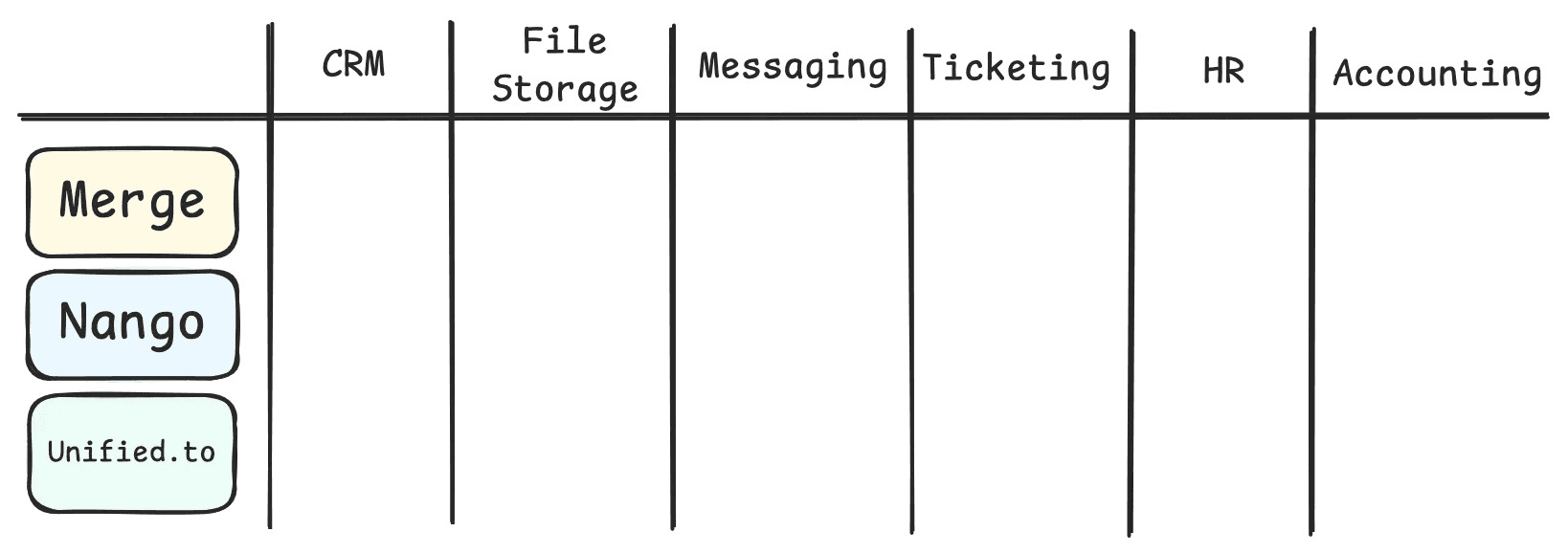
Let’s evaluate each Unified API and see which platform is best for each integration category.
How to use this guide
We encourage you to read the next section on How Merge, Nango, and Unified.to Work. We take a deeper dive into what makes Merge, Nango, and Unified.to different from one another and the core features of each.
From there**, jump to the integration category (or categories) that’s relevant to your product!**
How Merge, Nango, and Unified.to Work
Unified APIs are integration platforms that provide generalized APIs that can perform actions across a category of integrations.
For example, just one POST API call to the /companies Unified API endpoint can create a company across any number of CRMs. This significantly cuts down on custom logic your development team needs to implement, as the alternative would be to work with the Salesforce API, the HubSpot API, and so on.
Merge, Nango, and Unified.to are all Unified APIs. However, they have core features and design differences that make working on each platform very different.
Merge
Merge’s approach to Unified APIs is unique because it centers around Syncs. Merge’s Syncs pulls all of your users’ data into their platform and then allows you to query Merge’s Sync replica on-demand.
The advantage to querying Merge’s synced data is two-fold.
Merge’s Unified API abstraction allows you to work across all integrations in a category with the same APIs
Merge’s rate limits are generous, allowing you to query on Merge’s abstracted models
Extensibility
In addition to Syncs, Merge offers ways to extend their core Unified APIs.
Unified APIs suffer from their standardization, as they can only “unify” data that all integrations have in common. For example, for any custom fields that are in Salesforce but not HubSpot, Unified APIs can’t provide a standardized data model for that custom field.
What Merge offers instead is Remote Fields, which are fields not in the common model that they still support via syncs. For any additional integration data that can’t be accessed via the common model OR the remote fields, Merge also offers Passthrough or proxy to make requests directly to the integration API.
MCPs & Tool APIs
Many integration platforms, including Unified APIs, have implemented tool calling interfaces to allow AI agents to easily call Unified APIs.
MCPs and Tool APIs provide AI agents with AI-readable formats so that an agent can determine how and when to call an API.
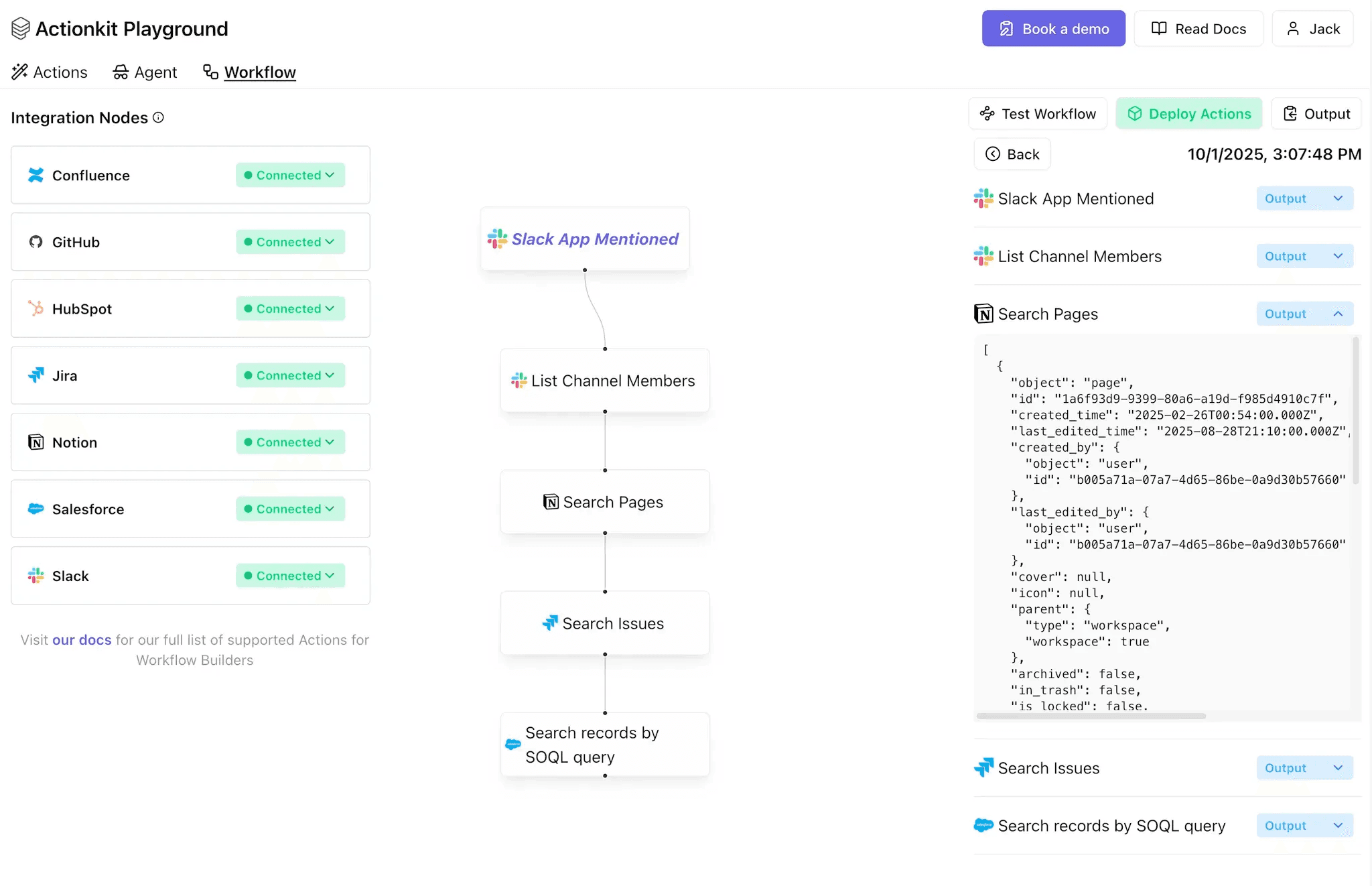
Here’s an example from our MCP/Tool API, ActionKit:
MCP Servers are built for AI agents and make it extremely easy to integrate tools with a standard protocol.
A Tool API interface is actually a lot more flexible for any agent implementation and can be used for other use cases like embedded workflow builders (we built a Workflow Playground in just days with Paragon’s Tool API).
Merge, with their Agent Handler product, offers an MCP server and a Tool API that comes with a few nice-to-haves. This includes a search-tools endpoint and their concept of Toolpacks - a grouping of tools for use cases. Merge’s Support Agent Toolpack has curated Jira, Linear, and Slack tools.
Nango
Nango has a different approach to building integrations. Their core primitives are Syncs, Actions, Proxy, and Webhooks. However, each of these primitives is built off Functions, which is integration logic in code. Here’s an example of an Action:
Extensibility
As you can see from the example above, integration logic is written by your team to call the right 3rd-party APIs. This interface offers flexibility, as your team can write any data manipulations or call multiple APIs in an action.
This interface also has the drawback of longer development cycles and manual work, as these details are NOT abstracted by Nango.
One of the reasons you want a Unified API is to have a generalized abstraction on top of APIs across an integration category. Nango encourages users to use Unified APIs with Unified Schemas. However, you need to define the Unified Schema, Actions, and Syncs.
At Paragon, we also see the limitations of using a pre-defined Unified Schema. However, for certain categories like CRM, File Storage, and Ticketing, using a Unified Schema makes sense as there’s less variation between integrations (i.e Google Drive files and folders have the same basic metadata as Dropbox files and folders).
That’s why for our Managed Sync product, we use Unified Schemas.
MCP & Tool APIs
Nango offers an MCP and a Tool API, which means they support both tool calling for agents AND human-readable actions like Workflow Builder steps.
Unlike Merge, Nango’s MCP are limited in multi-tenancy, as each MCP server can only connect to one account. This means if you have 10 customers, you would need 10 Nango MCP servers.
Nango’s Tool API is wrapped in their integration configs endpoint. With the format flag (/scripts/config?format=openai ), you can pull all Nango Actions with their descriptions and inputs, and immediately plug that metadata into an LLM API.
Both Nango’s MCP and Tool API depend on Nango Actions, where your team is responsible for the tool descriptions, inputs, and execution logic.
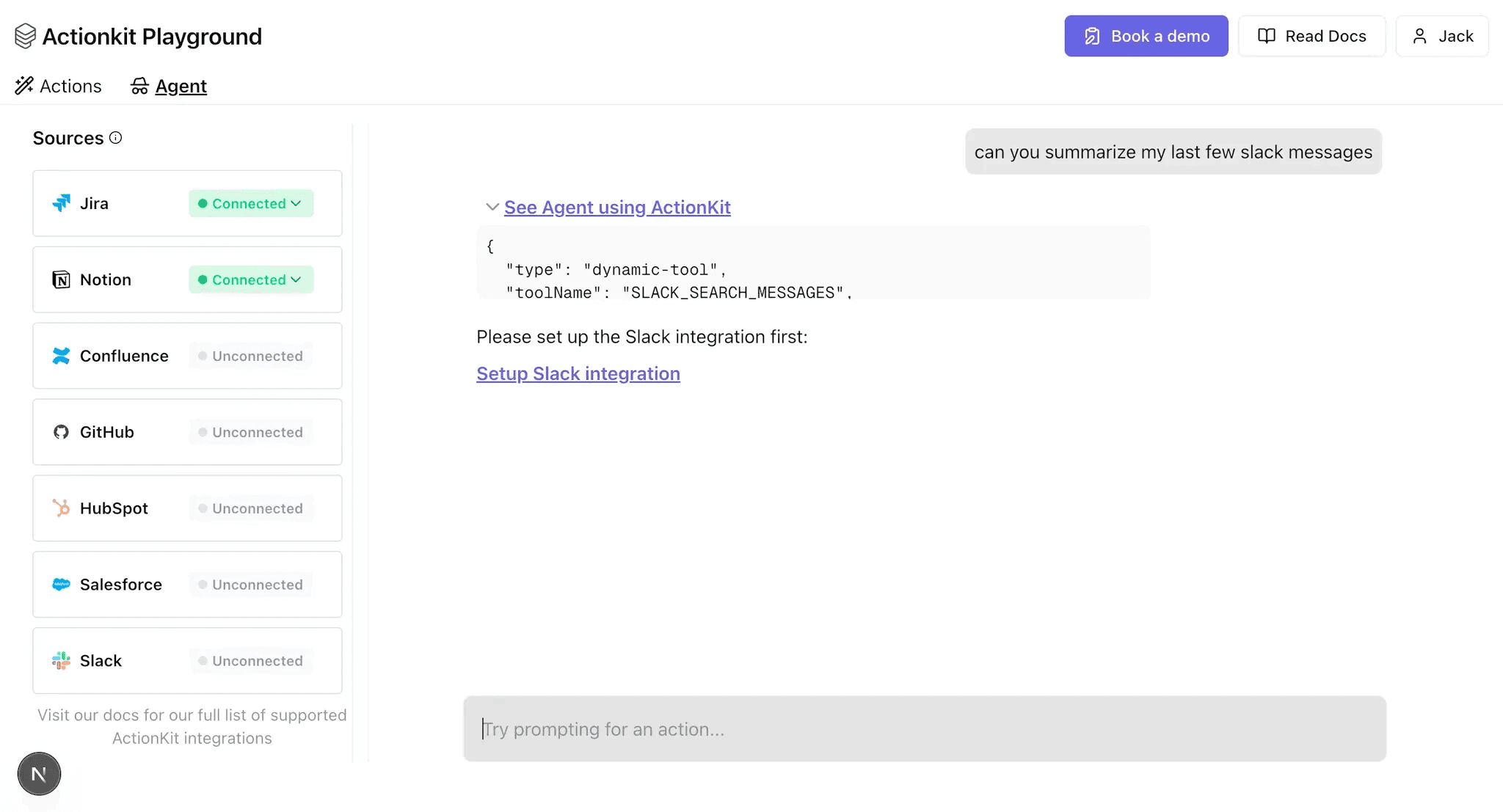
This is in contrast to Merge’s Agent Handler or a product like Paragon’s ActionKit. With Agent Handler and Paragon’s ActionKit, you get pre-built tool names and descriptions that are both human and LLM readable. Because these descriptions are optimized for LLMs, you can start running with 3rd-party tools out-of-the-box. We built this Agent Playground in just days with ActionKit.
Unified.to
Unified.to is a Unified API that very much embraces Common Schemas and simplicity. For each category, Unified.to has a set of create, list, update, and delete endpoints for their common models per integration category.
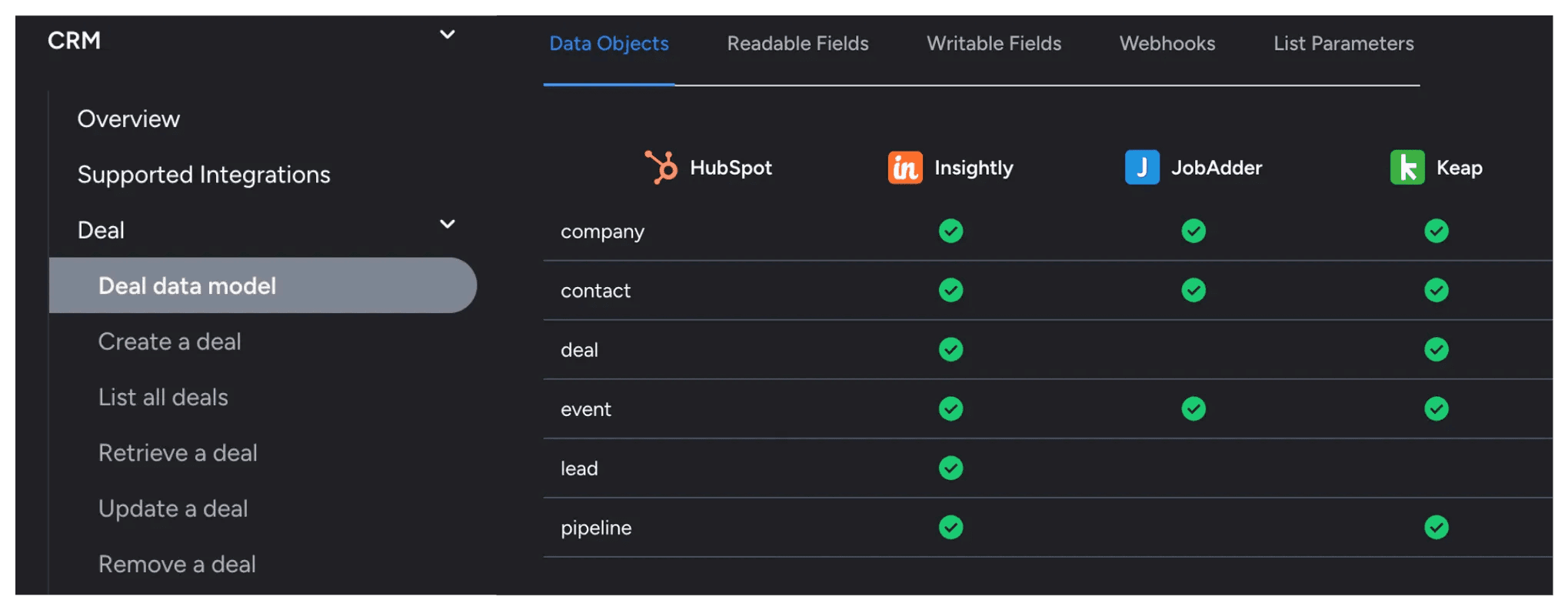
Permissions and proper scopes are also configured at the category level under Unified.to’s platform.
Extensibility
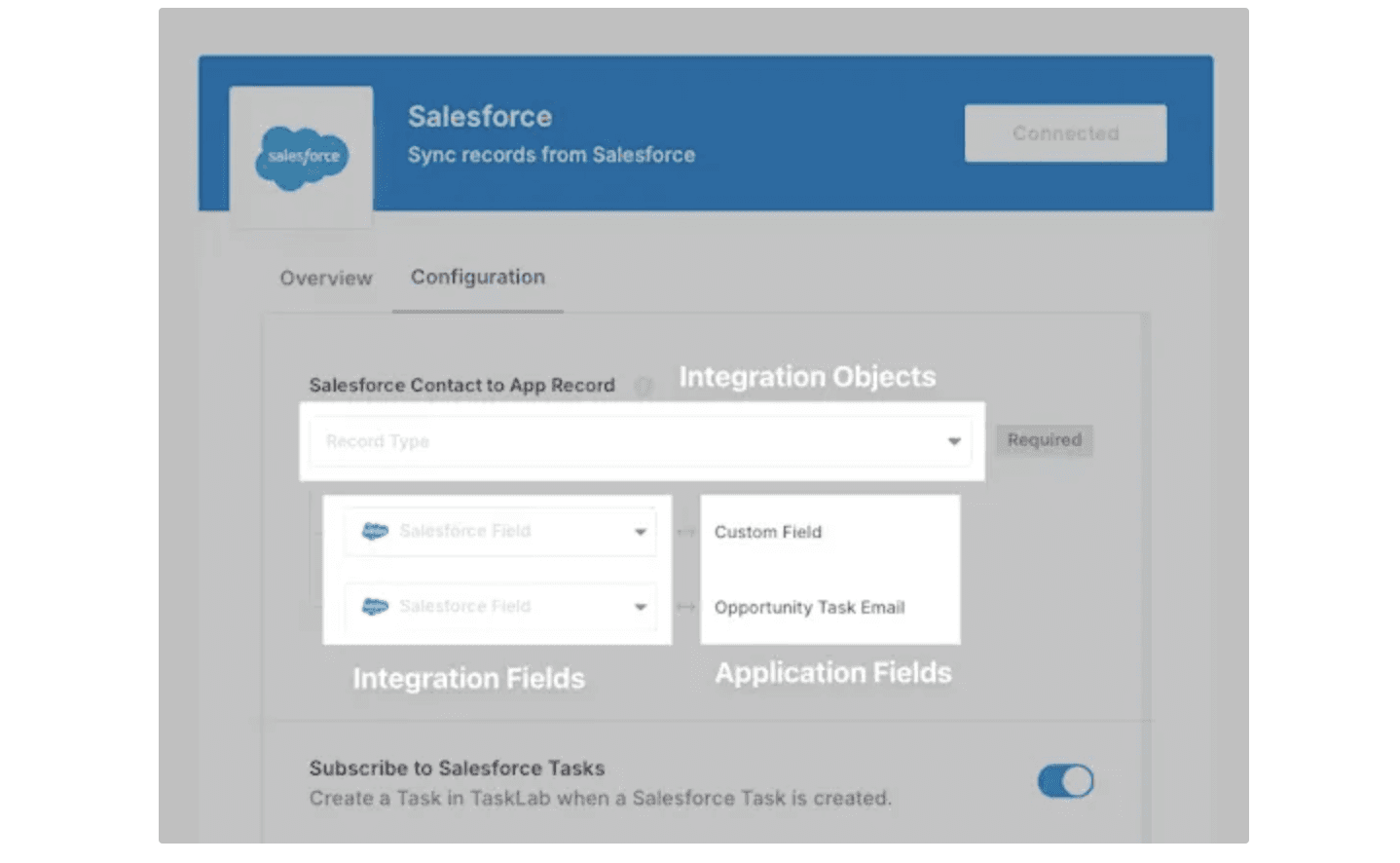
Unified.to doesn’t offer as much extensibility as Nango or Merge. They have custom fields where you can pull additional fields not in Unified.to’s defined common models, and a passthrough proxy where you can hit any integration API with managed auth. Unlike Merge and full integration platforms like Paragon, Unified.to does not have support for field mappings.
These field mappings are vital for integrations where each of your users’ configurations vary. If you’re building a CRM integration, you can imagine each of your users has different custom fields and objects. You need your integrations platform to be able to map your data schemas to your users’ CRM schemas, with a solution like Paragon’s Connect Portal.
MCP & Tool API
Unified.to has an MCP server for AI agent tools, but no Tool API. Their MCP server supports every MCP protocol - from streamable HTTP to SSE to standard in/out.
Which Unified API Fits AI Agents and RAG?
For AI agents and retrieval-augmented generation, the questions are narrower than for a standard integration project: can an agent call the vendor’s tools reliably, does the platform manage auth so the agent acts as the right user, and does retrieved data stay fresh and permission-aware?
Agent tool calling
Most unified API vendors now target agents. Merge added Agent Handler with pre-built tools and MCP support, Nango ships a built-in MCP server, and Apideck launched a hosted MCP server. Paragon’s ActionKit exposes the same integrations as both a managed REST API and an MCP server, with pre-built tools whose descriptions are tuned for LLMs.
RAG ingestion and permissions
RAG depends on getting data in, keeping it current, and respecting who can see what. Paragon’s Managed Sync handles scheduled ingestion, and its permissions model replicates each source’s permissions into a fine-grained-authorization graph, so an agent retrieves only what a given user is allowed to see. That permissions-aware retrieval is a common gap when a platform returns raw permission fields and leaves enforcement to you.
Bottom line
Evaluate an agent and RAG vendor on three things: agent-ready tools (MCP or a tool API) with LLM-tuned descriptions, managed ingestion freshness, and per-user permission enforcement on what an agent can retrieve.
Best Unified API Per Category
CRM
Integration Coverage
Merge | Salesforce, HubSpot, Zoho, Zendesk Sell, Pipedrive, Microsoft Dynamics, and more |
Nango | Salesforce, Hubspot, Attio, Pipedrive |
Unified.to | Attio, Apollo, Hubspot, Microsoft Dynamics, Pipedrive, Netsuite, Salesforce, Salesloft, Zendesk Sell, Zoho |
Supported Use Cases
Merge
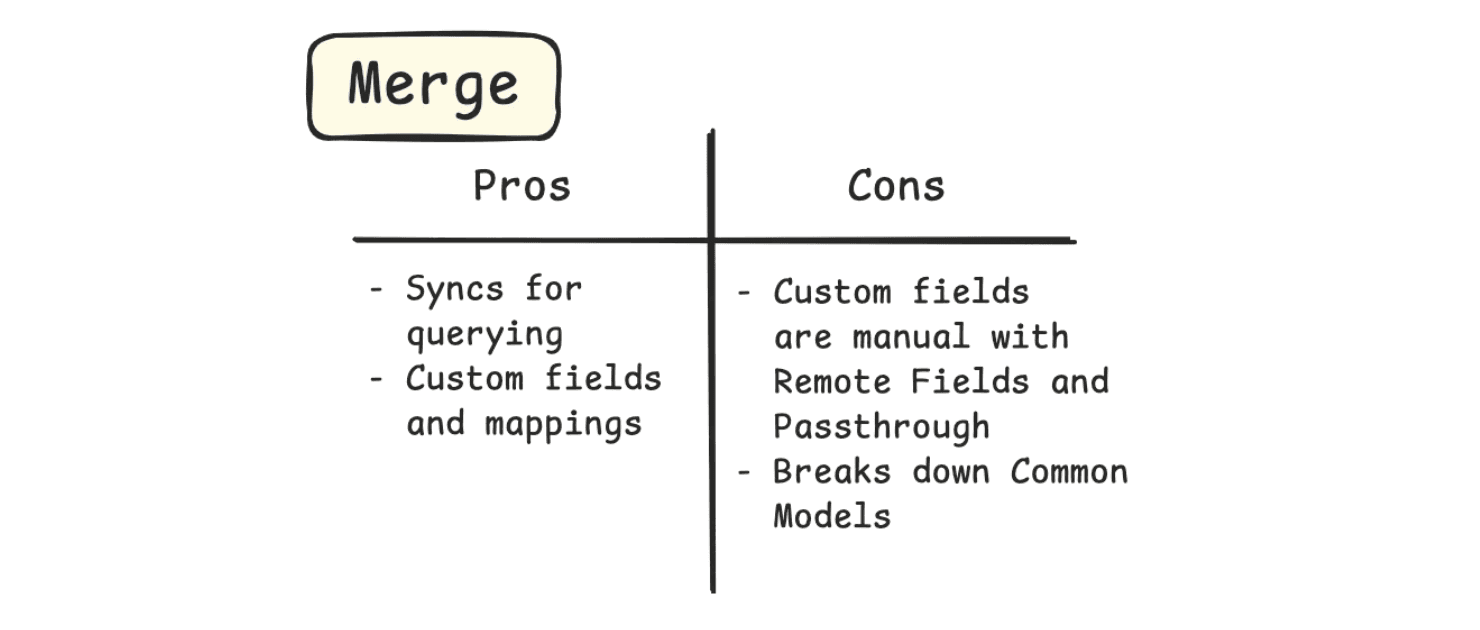
After understanding Merge’s design, Merge’s syncs are a great way to query CRM data without worrying about rate limits. You can query Contacts, Deals, Accounts, and all of the main CRM objects.
Their custom fields are a bit manual with their Remote Fields and Passthrough API, but they are supported by Merge with Field Mappings.
Nango
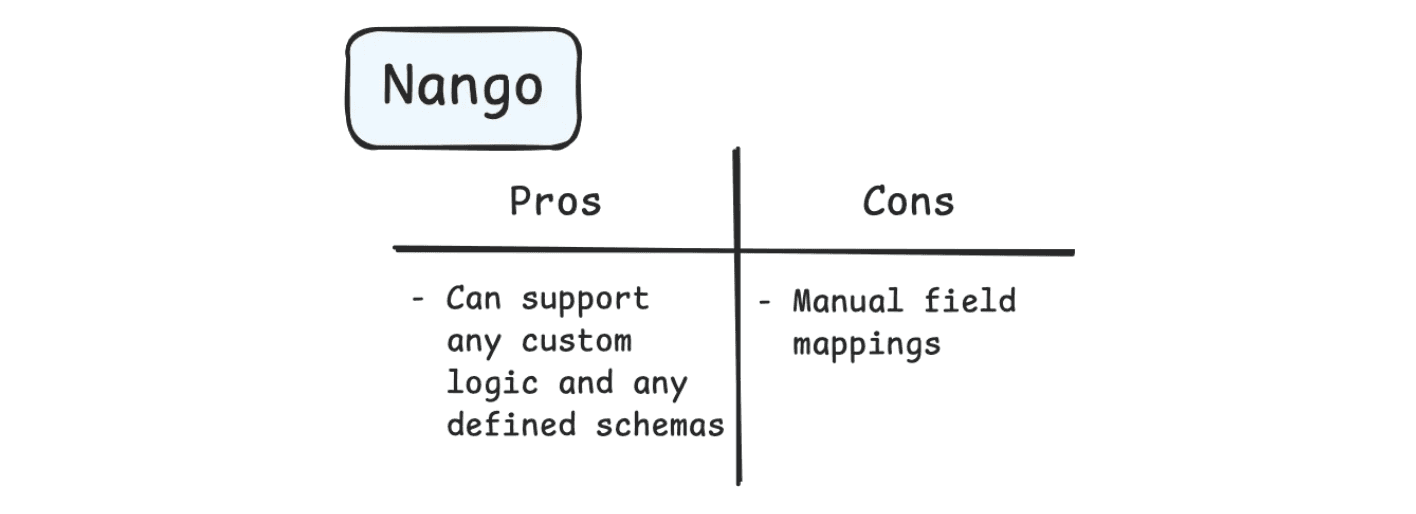
Nango also supports the major CRM objects, but is more limited by their webhook support. Unlike Merge, custom webhooks not supported by their main catalog must be requested by their team.
And as you know from how Nango works, quite a bit of custom logic is needed per integration. And because of this custom logic, it can be difficult to support field mappings, as each of your users have unique objects and fields.
Unified.to
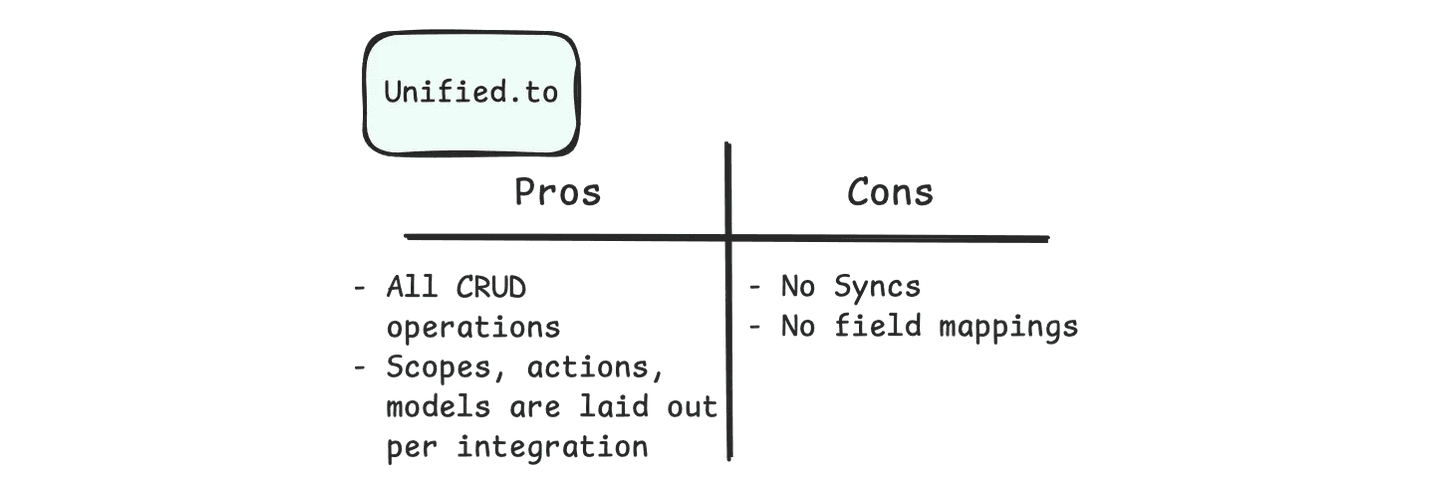
CRM use cases generally involve syncs. Unified.to does not support syncs like Nango and Merge.
Instead, they have common actions like listing, creating, updating, and deleting their common CRM models that you can use to build your own sync mechanism and ways to query your users’ CRM data.
Unified.to gives you access to custom fields where you can pull the raw data from a CRM API. However, they do not have Field Mappings to map your schema with your users’ custom CRM schemas.
Recommendation
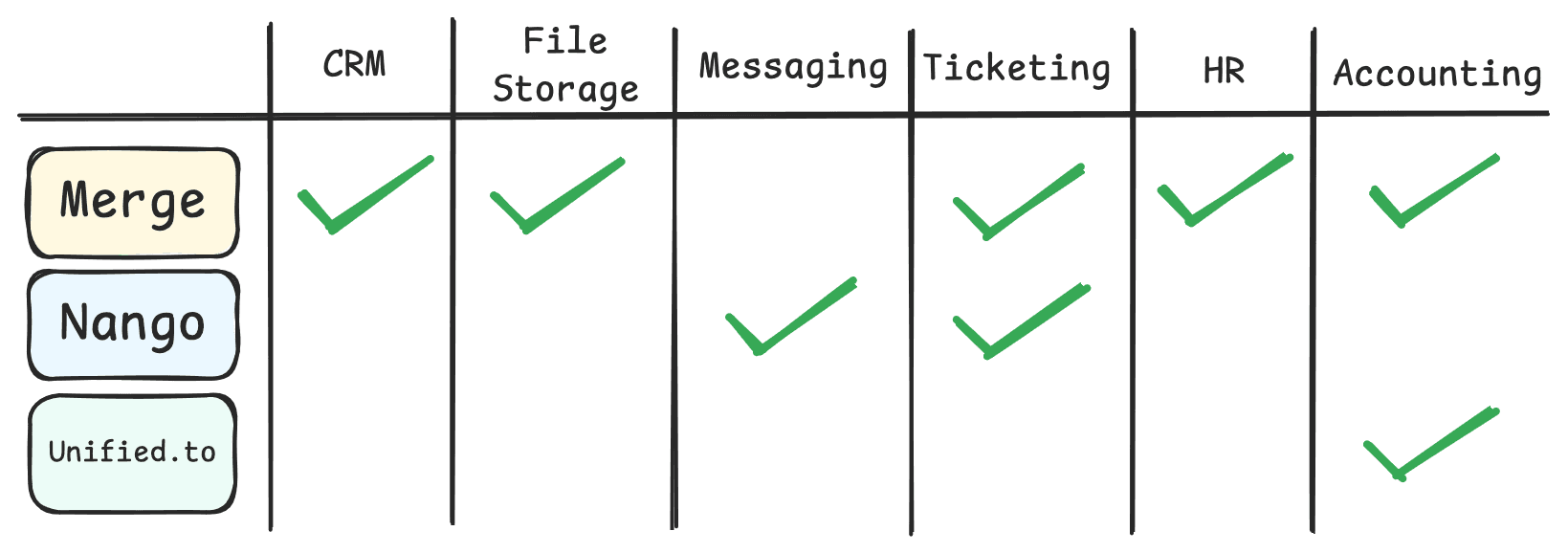
We recommend Merge as the Unified API for CRM use cases, as they support the major CRM platforms, with support for both custom fields and field mappings.
Every team will have specially configured custom objects and fields. This being the case, supporting these custom fields and field mapping them to your data is essential when working with CRM data.
Merge’s syncs are also great for read-heavy use cases of CRM data.
If you’re looking for a Unified API hybrid, Paragon takes a hybrid approach to CRM use cases, as we have a common model for syncing CRM records, but an integration-specific approach for integration-specific actions like querying from Salesforce vs Hubspot vs Zoho.
This is because when you just want all of the data, you may not be concerned about what APIs are hit. But if you want to selectively query data on demand without the large overhead of syncing all data, you can all use more native functionality like querying with Salesforce’s SOQL endpoint.
File Storage
Integration Coverage
Merge | Box, Dropbox, Google Drive, OneDrive, Sharepoint |
Nango | Box, Dropbox, Google Drive, OneDrive, Sharepoint, Salesforce Data Cloud, Egnyte |
Unified.to | S3, Box, Dropbox, Google Drive, Sharepoint, OneDrive, Sharepoint |
Supported Use Cases
Merge
Merge supports file downloads and uploads to allow you to pull file contents on demand for indexing to a database for RAG and search use cases.
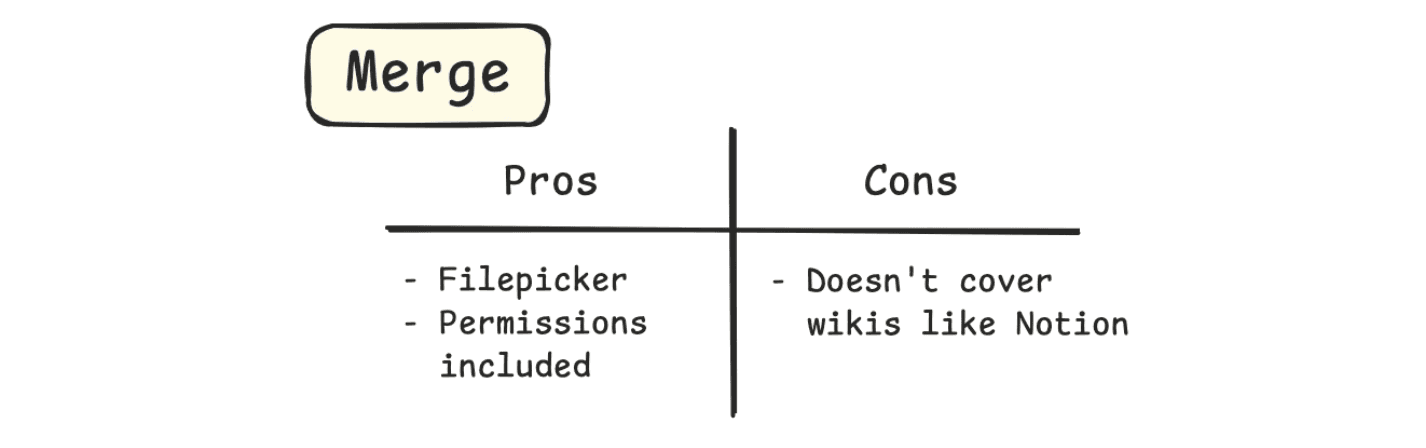
A few nice features Merge has in addition to core file storage functionality is their file picker and permissions.
Merge’s filepicker is an embedded component that looks quite a bit better than some of the native filepickers.
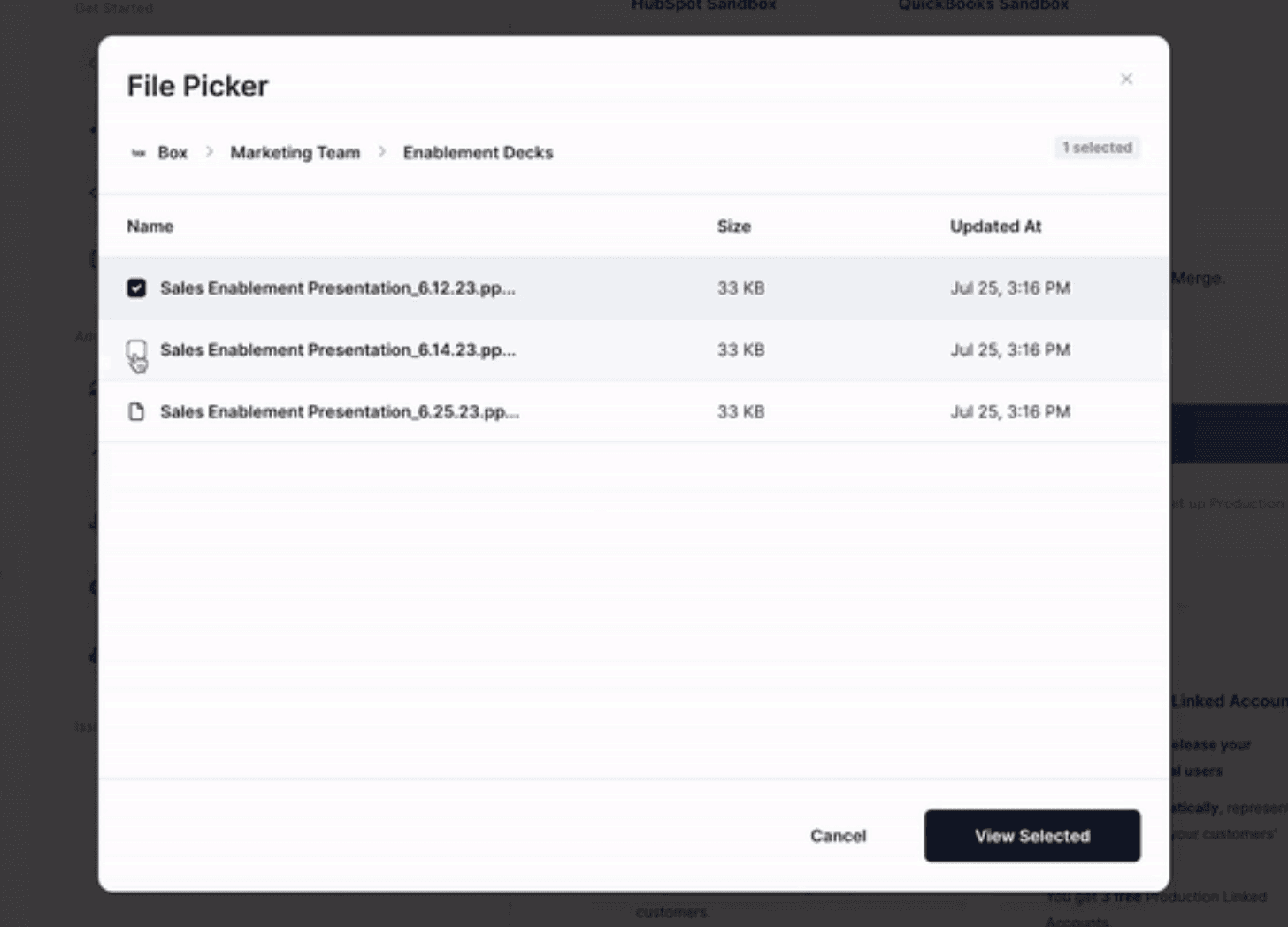
Merge includes permissions in their File and Folder common models. This allows you to index or read the permissions without an additional API call.
Nango
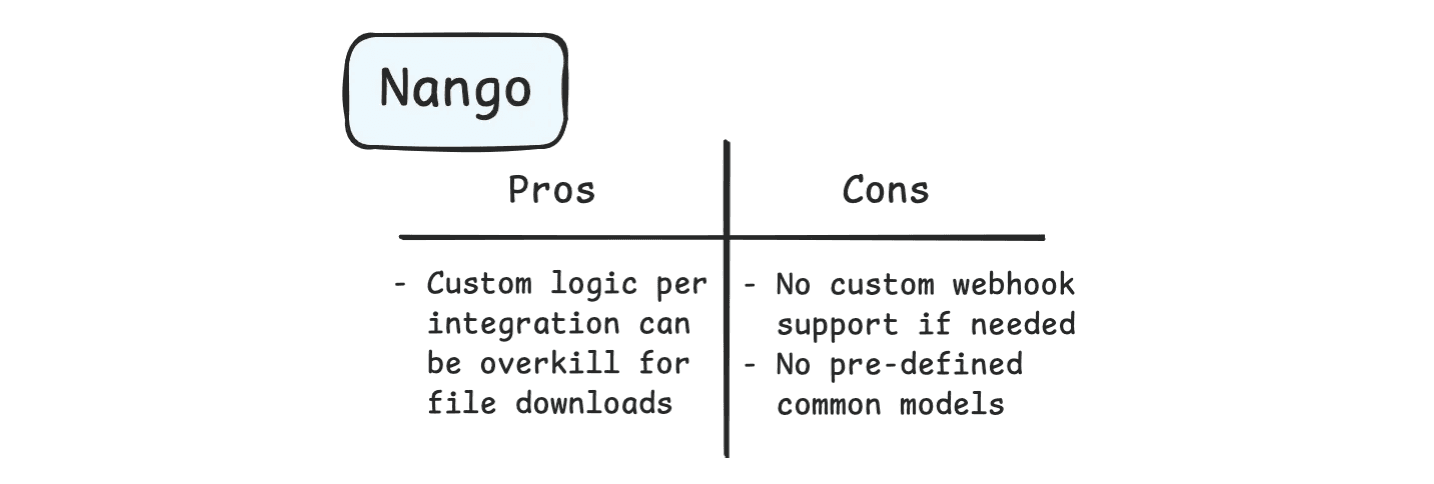
Nango also supports file syncs, downloads, and uploads. Like building in Nango in general, building integration logic is quite involved since Nango doesn’t provide abstractions for you.
Even Unified Schemas (common models) are user-defined, which means your team must define those.
In some ways, this is nice because Actions and Syncs in Nango behave exactly as you need for your unique use case. But for general use cases (non-niche), this design can be overkill.
Unified.to
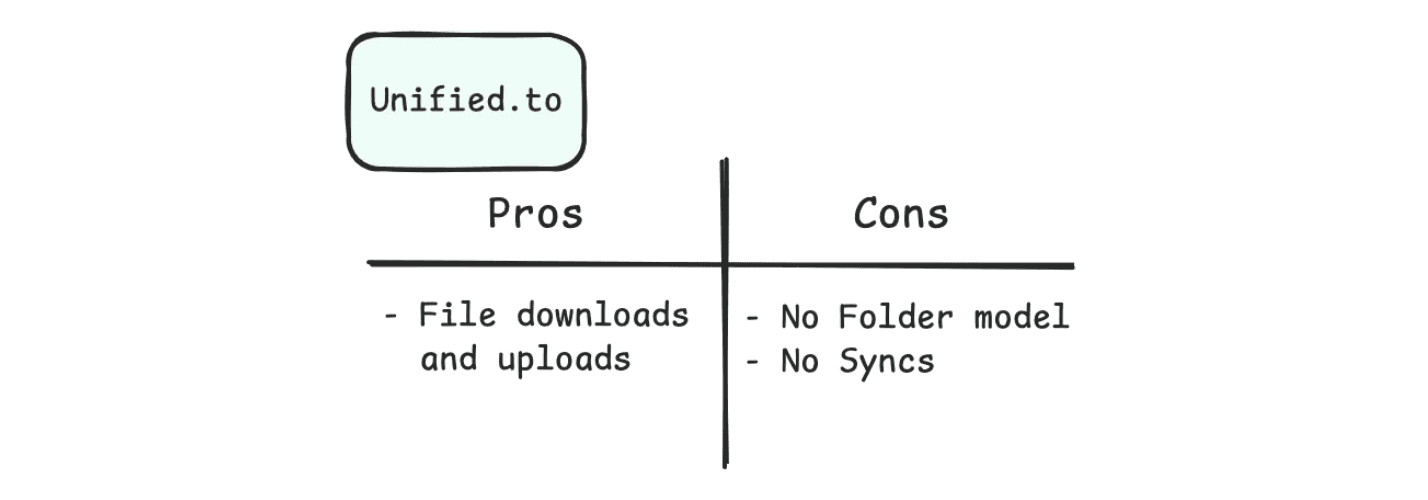
Unified.to has only the File common model, where they treat even folders like parent files. This isn’t the best experience, as you’ll need to build logic within your application to traverse hierarchies.
With no support for syncs or filepickers, Unified.to doesn’t strike a good balance of abstraction and custom logic.
Recommendation
We recommend Merge for file storage as they have good abstractions for File Storage common models, include permissions data out-of-the-box, and has an attractive filepicker.
Nango’s custom integration logic approach isn’t necessary for many file storage use cases that just require file contents, and Unified.to’s models don’t cover folders, groups, and drives.
If you’re looking for a Unified API experience, but want less custom access control permissions, Paragon’s Managed Sync takes a different approach to file syncs and permissions than Merge’s Sync approach.
Merge returns the permissions in their file schema, meaning you need to store that permissions data if you are storing file data.
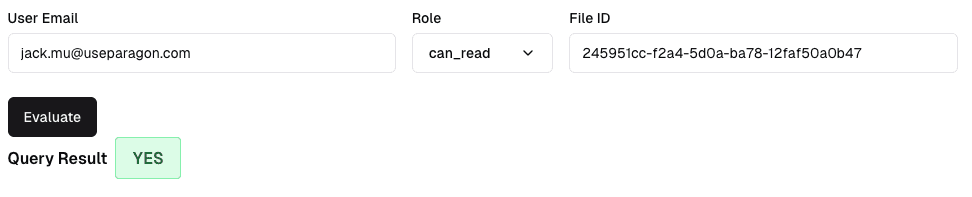
Paragon manages permissions for you, where we provide a Permissions API that you can hit to query from an indexed database that Paragon manages. Behind the scenes, Paragon is keeping an FGA graph database with your synced file permissions. You can consult that managed graph anytime via the Permissions API.
Communication & Messaging
Integration Coverage
Merge | N/A |
Nango | Slack, Discord, Gmail, Intercom, Teams, Outlook |
Unified.to | Intercom, Outlook, Teams, Slack, Webex |
Supported Use Cases
Nango
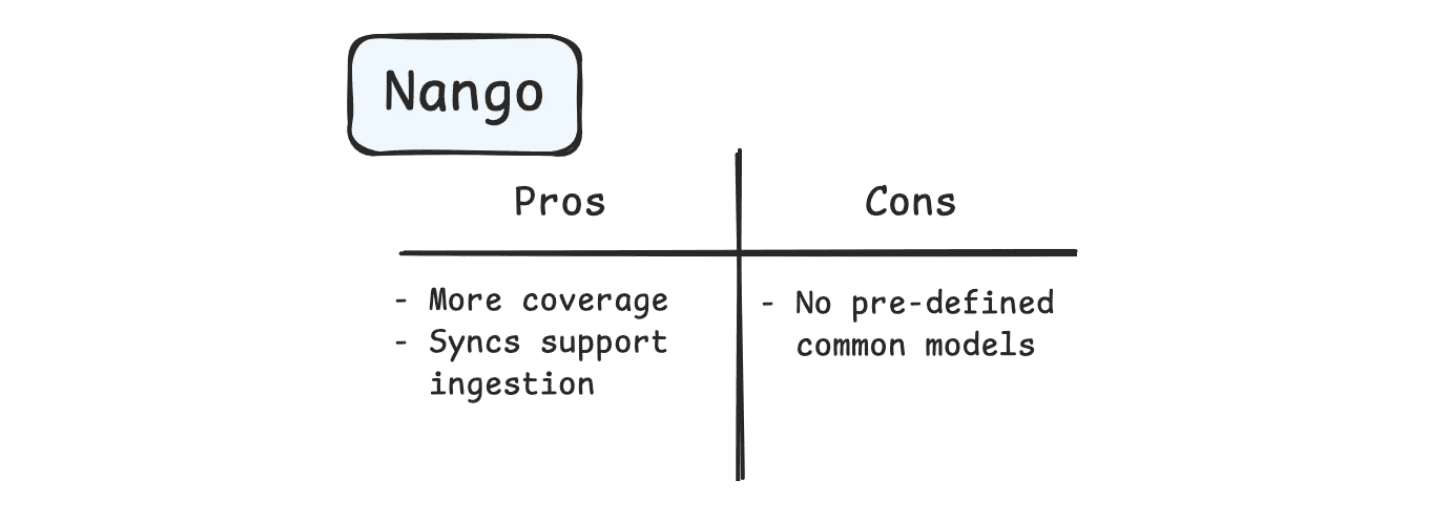
The biggest use case for the messaging category is to send messages. With Nango’s Syncs, you can also support message ingestion use cases, like using Slack and Gmail as a RAG knowledge source.
Unified.to
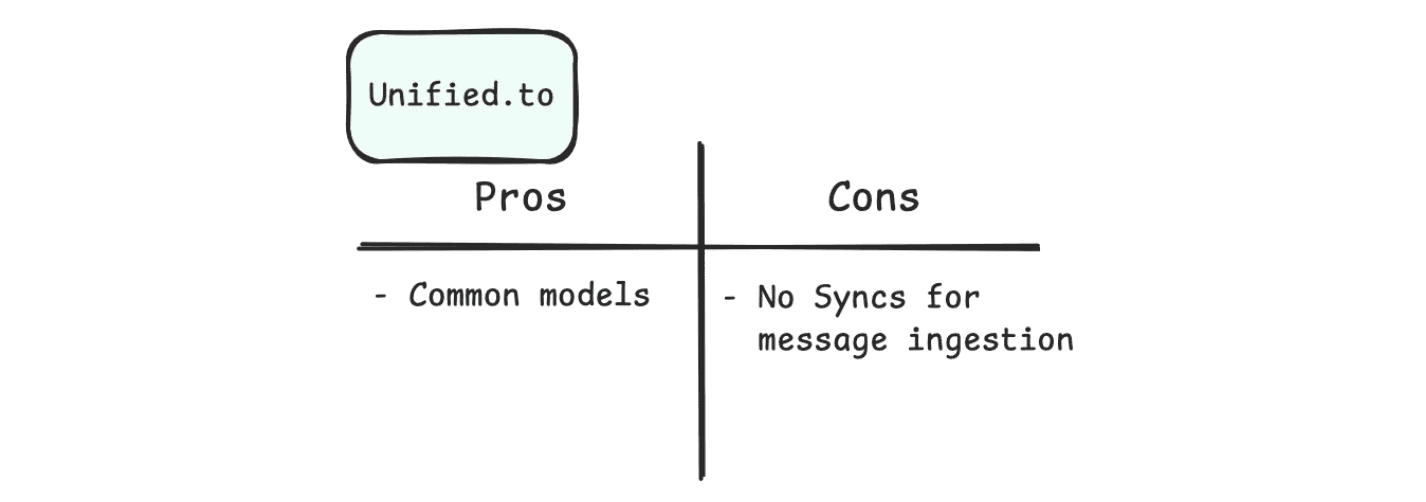
Unified.to can support sending messages and message ingestion as well. But like all of Unified.to’s integration categories, syncs are not supported out-of-the-box, meaning that more engineering resources are necessary if you have a message ingestion use case.
Recommendation
We recommend Nango for their integration coverage, which supports key integration providers like Discord and Gmail. Nango’s Syncs also make it easy to perform full and incremental syncs on a cadenced schedule for any advanced message ingestion use cases.
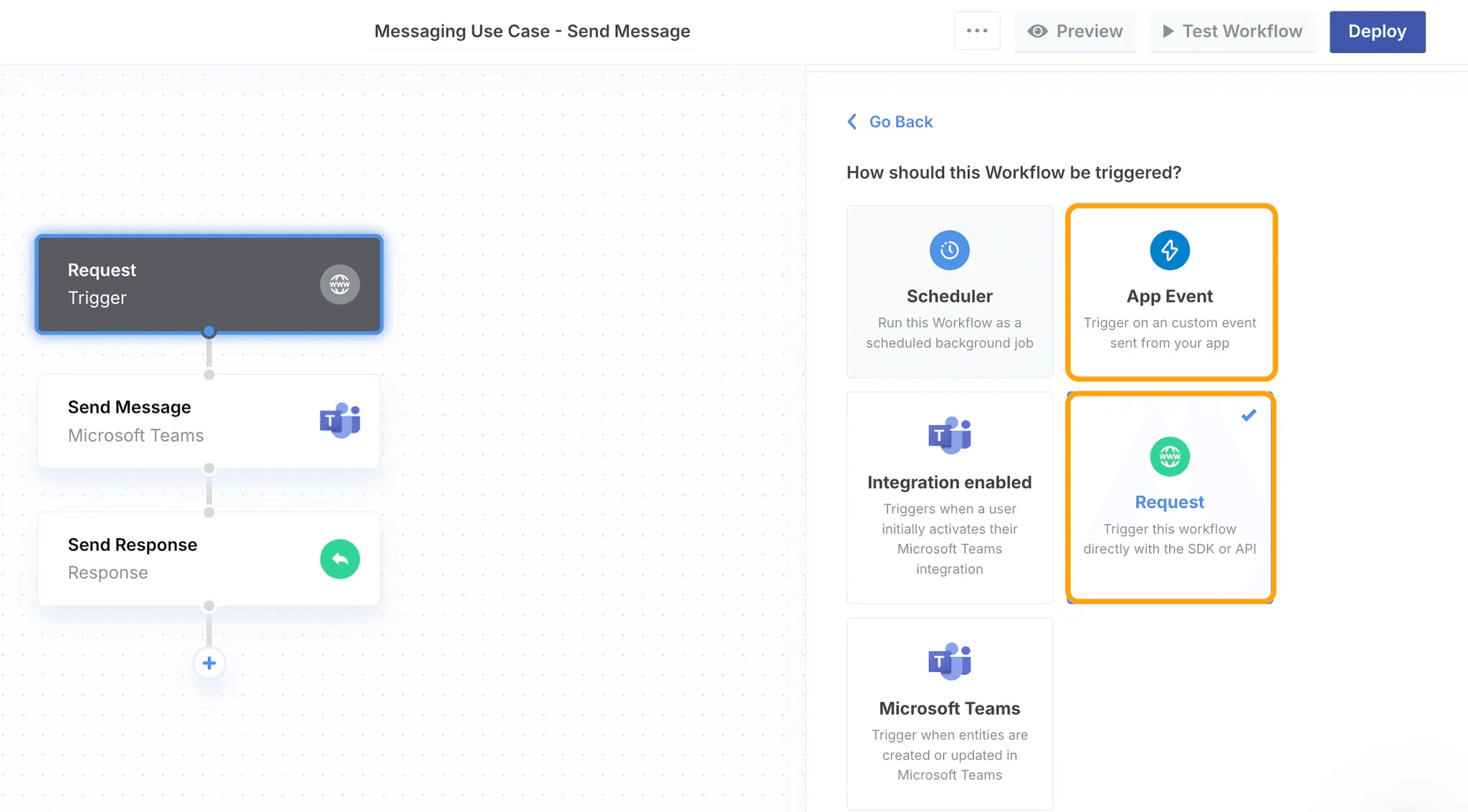
Similar to Nango, Paragon has an integration-specific approach to messages where users can use both a code AND no-code way to send messages via API. If you prefer writing integration logic in code, Paragon has ActionKit to send messages via API, and if you prefer no-code, Paragon’s a workflow builder is a canvas to easily build messaging automations.
Project Management & Ticketing
Integration Coverage
Merge | Asana, Azure DevOps, Basecamp, ClickUp, Freshdesk, Freshservice, Front, Github, GitLab, Gorgias, HubSpot Ticketing, Intercom, Jira, Linear, ServiceNow, Teamwork, Trello, Wrike, Zendesk, Zoho |
Nango | Asana, Clickup, Confluence, Front, Github, GitLab, Intercom, Jira, Linear, Monday, Teamwork, Trello, Zendesk, Zoho |
Unified.to | Atlassian, Freshdesk, Gorgias, Intercom, ServiceNow, Zendesk, Hubspot Ticketing |
Supported Use Cases
Merge
Merge supports ticket ingestion and ticket creation through their native API endpoints. Their common models also span to Teams, Users, Comment, Attachments, and more so that you can support more advanced use cases.

Nango
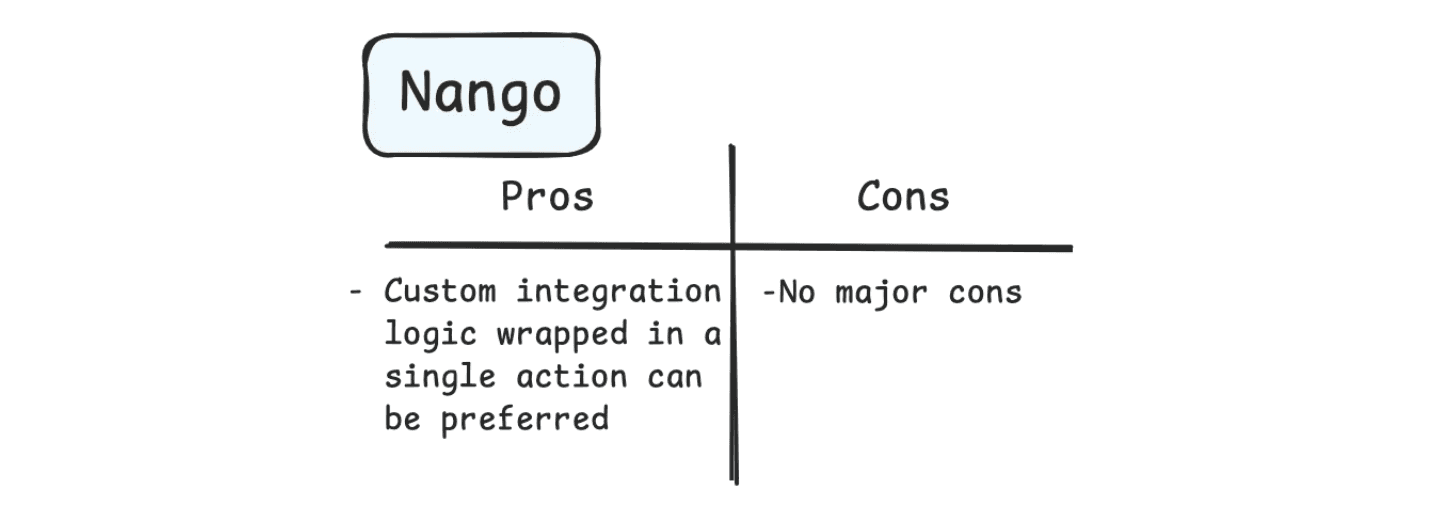
Ticketing and Project Management is one of those integration use cases where custom integration logic is more common. Nango’s Function definitions allow you to call multiple APIs in a single Action or Sync, which means you can define exactly the fields you want and any data manipulations necessary.
Unified.to
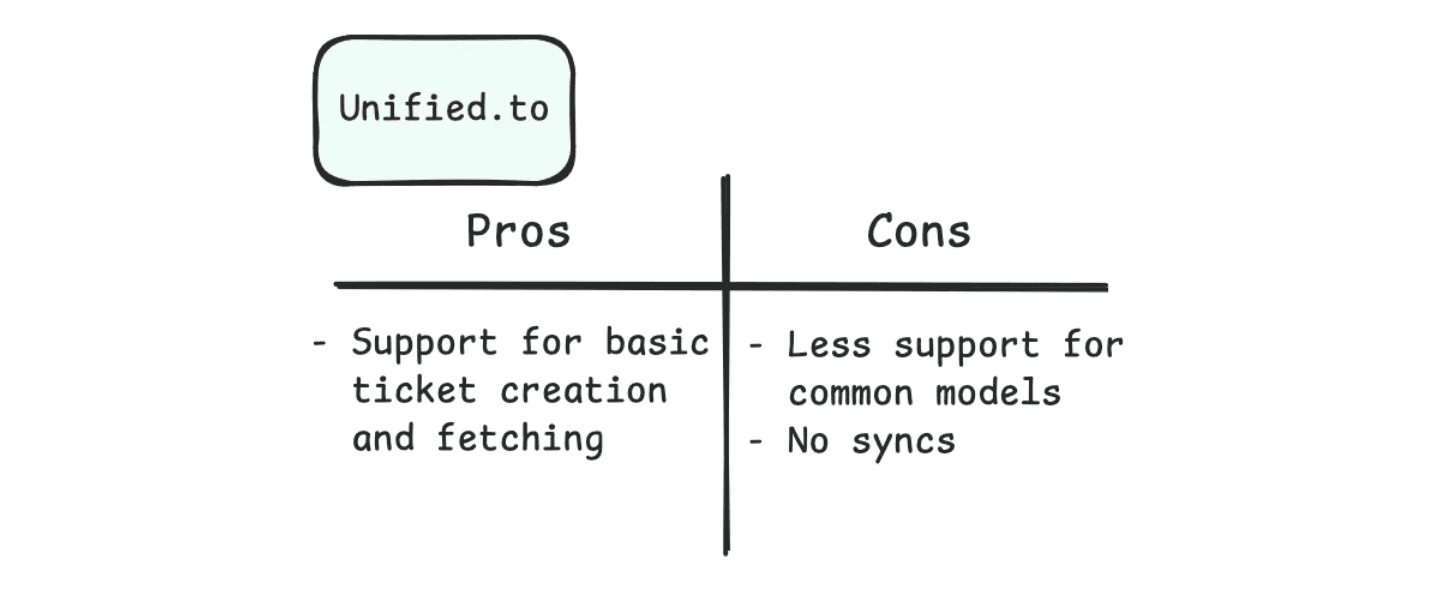
Unified.to has less Common Model support than Merge with support for only Tickets, Categories, Notes, and Customers. There is no support for assigned teams, which is important for proper permissions and access control.
Recommendation
We recommend Nango for use cases that are more custom logic intensive, where you may want to call multiple APIs with data manipulations in a single action or sync process.
We recommend Merge for a more generalized experience that doesn’t require custom logic, such as ticket ingestion or creating a ticket ad hoc.
Paragon is a platform that works for both custom and general use cases, with Workflows and ActionKit for custom-logic-heavy use cases and a synced ticket Common Model for use cases like ticket ingestion.
While Nango, Merge, and Paragon all have their unique advantages for Common Model coverage and syncs, it can sometimes pay to have a platform that can support general and custom use cases, as you’ll never know when your product roadmap may change and require more specificity.
HR
Integration Coverage
Merge | ADP Workforce Now, BambooHR, ClayHR, Deel, Freshteam, Google Workspace, Gusto, HR Cloud, Humaans, Okta, OneLogin, PayFit, Paychex, Paycom, Rippling, SageHR, Square Payroll, Workday, Zoho People |
Nango | ADP, BambooHR, Deel, Freshteam, Gusto, JazzHr, Oracle Fusion Cloud, Paychex, Payfit, Paylocity, Rippling, Sage HR, Workday, Zoho People |
Unified.to | ADP, BambooHR, Brex, CharlieHR, Deel, Employment Hero, Freshteam, HR Cloud, Humaans, Humanforce, JazzHR, Paylocity, PeopleForce, Peakon, Rippling, SageHR, Workday, Zoho People |
Supported Use Cases
Merge
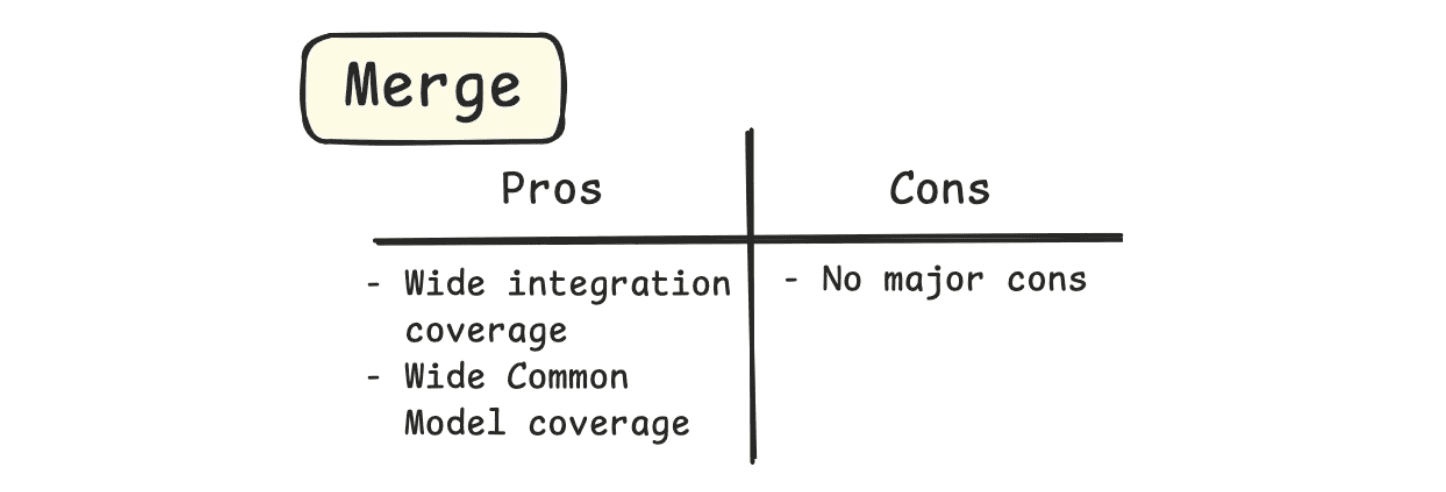
Merge offers a comprehensive selection of common models for you to perform CRUD operations on. Because objects in HR platforms (Employee, Companies, Payslip, TimeOff) are more or less the same, this is where Unified APIs really shine.
Nango
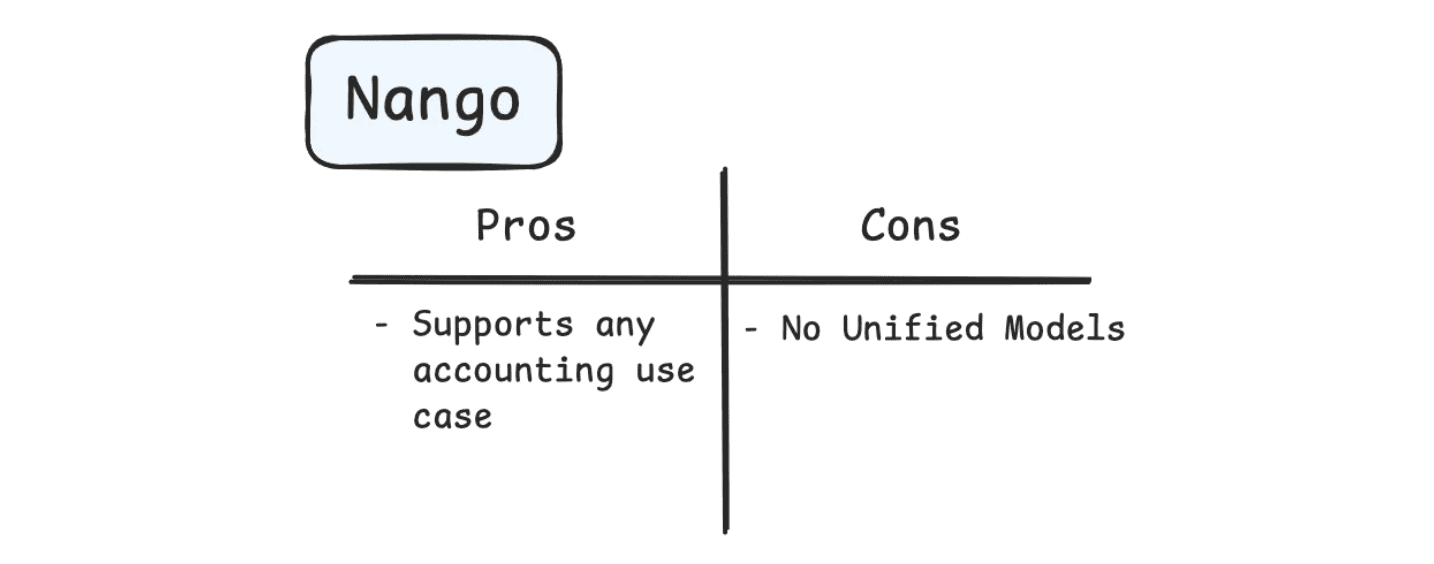
Despite being in the Unified API category, Nango’s high-touch approach to having you define your own Unified Schemas and logic means that more development effort is needed.
Nango doesn’t offer any predefined common models, but you can still build all the features you need for your HR integration.
Unified.to
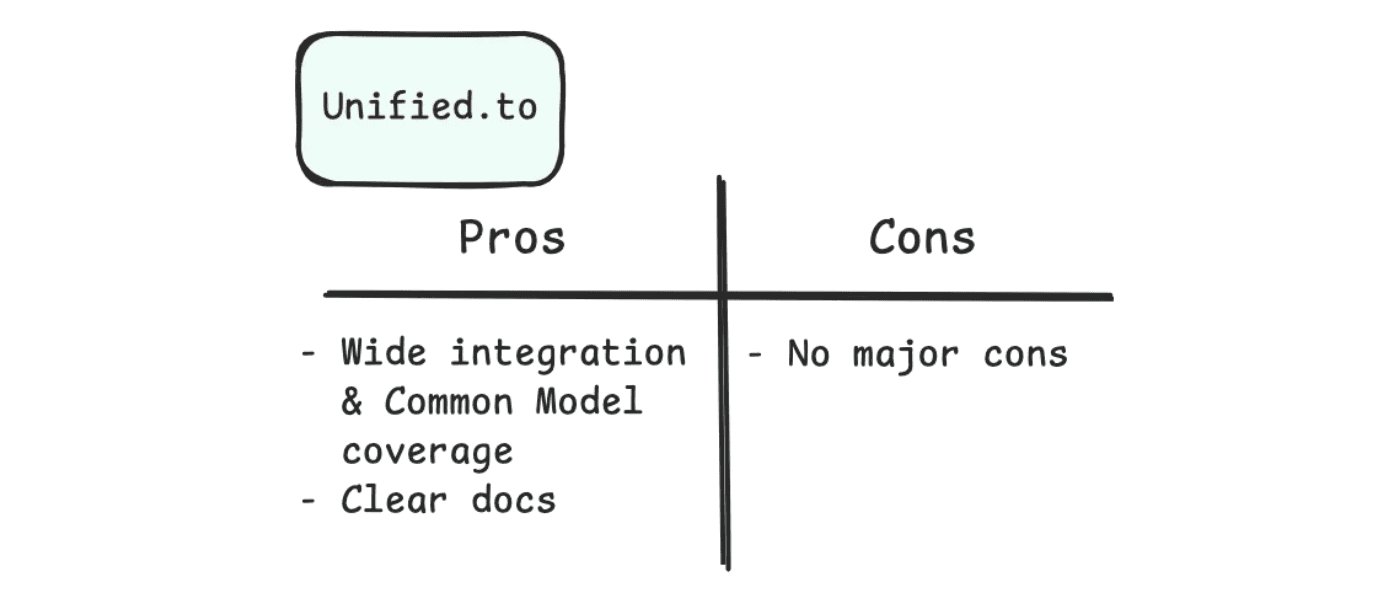
Unified.to has a selection of Common Models, including Employee, Group, Payslip, TimeOff, Company, Location, Device, and Timeshift. Their selection is not quite as intensive as Merge’s.
Recommendation
We recommend Merge for their integration and common model coverage.
Accounting
Integration Coverage
Merge | Clear Books, FreeAgent, Microsoft Dynamics, Netsuite, Quickbooks, Sage Intacct, Xero, Zoho |
Nango | FreshBooks, Intuit, NetSuite, Quickbooks, Xero, Zoho |
Unified.to | Brex, FreshBooks, Microsoft Dynamics, NetSuite, Quickbooks, Sage, Ramp, Xero, Zoho |
Supported Use Cases
Merge
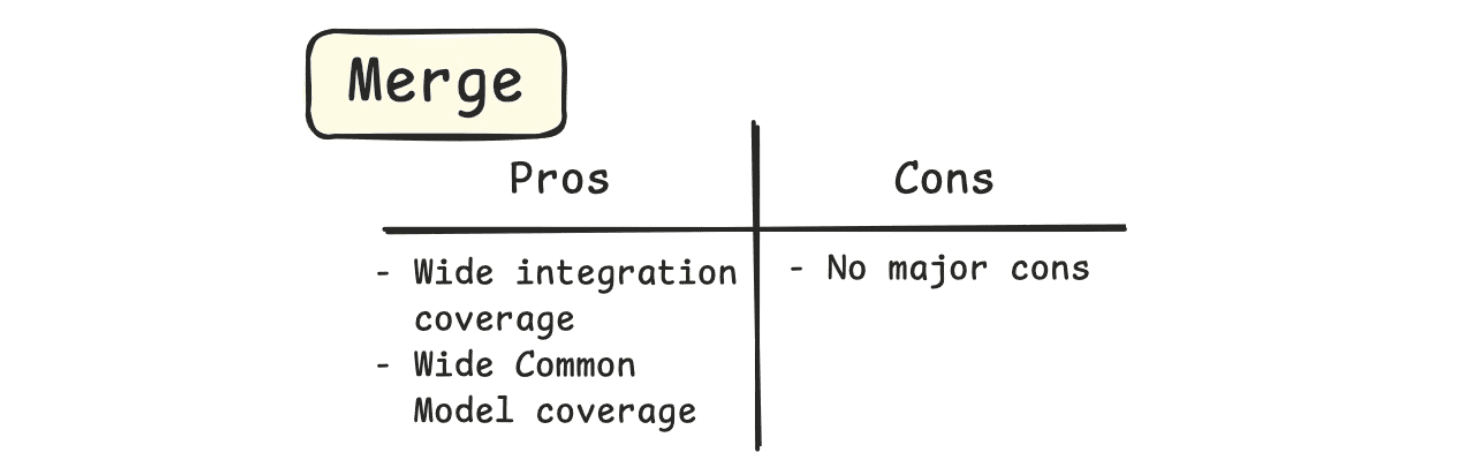
Merge offers a comprehensive selection of common models. They are even adding new models and endpoints like Expense Reports. Easily add data to their 20+ models, query your users’ existing data for analytics, or enrich expense data.
Nango
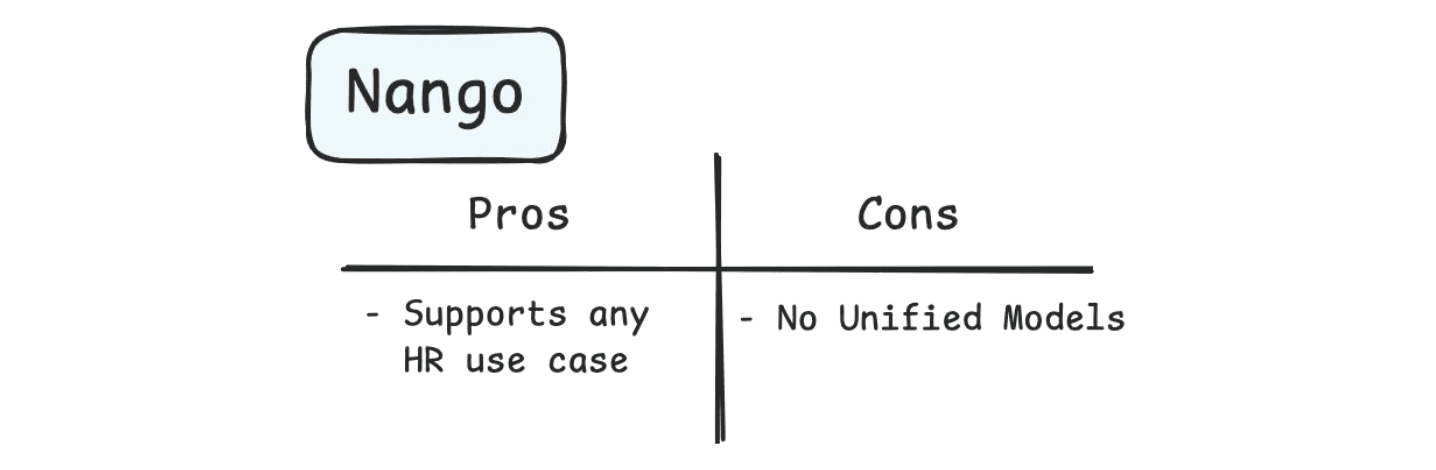
Nango can support any accounting use case, as there can be as much or as little abstraction as you need with their Function definitions. Like all Nango-built integrations, for Unified Models, you will need to define the mappings in your integration logic.
Unified.to
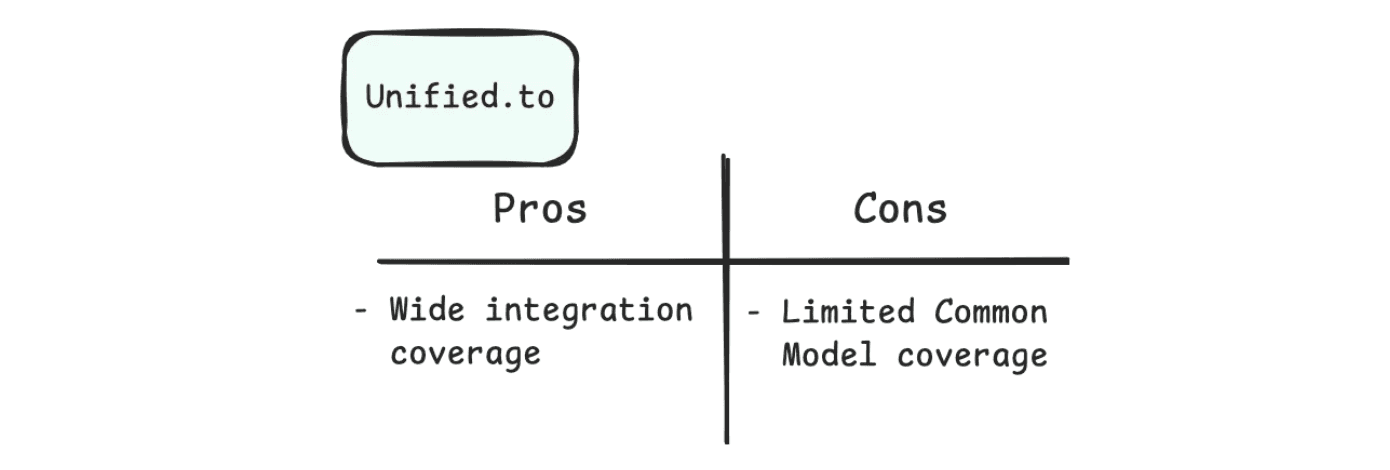
Unified.to supports basic account CRUD use cases, and supports the ~20 models.
They are also very clear in their documentation about which models they support for which accounting integration (i.e. ZohoBooks supports the SalesOrder model, but Quickbooks does not). This transparency is great for developer experience and determining which integrations your app can support.
Recommendation
We recommend Unified.to and Merge for Accounting. Both have wide coverage of integrations and common models. While Merge has more common models, some may be unnecessary for your use case, and so pricing and developer experience will be key factors for choosing between them.
Wrapping Up
Select the right Unified API platform for the integrations you need. If abstractions and common models is what your developer team needs, Merge, Nango, and Unified.to all have features and categories where they shine.
However, if you need a more extensible integration infrastructure platform with Syncs, MCPs, Tool APIs, Synchronous Actions, and Durable Workflows, Paragon can be the right platform for your integration development.
Learn more about Paragon on our product tour or book a call with our team to talk through how Paragon can help you build out your product integrations.
FAQs
Can a unified API communicate with my SaaS tools?
Yes, a unified API lets you consume a single API that can then query multiple third-party platforms like Office 365, Google Workspace, Salesforce, Hubspot, Slack, Microsoft Teams, and any other cloud-provider. Ensure that your unified API vendor of choice has a connector for each SaaS platform.
Do unified APIs support AI agents?
Yes, most unified APIs work with Model Context Protocol (MCP), which is a standard for communication between the unified API vendor’s MCP server and your AI agents. Ensure that your vendor of choice offers MCP servers, ideally multi-tenant MCP servers to avoid limitations.
How does a unified API connect my third-party SaaS account to their internal system?
You still use OAuth to connect with your SaaS tools, but the unified API vendor manages tokens and refresh tokens.
How does a unified API connect to third-party SaaS providers?
A unified API has their own process for connecting to SaaS providers, but not every vendor supports the same SaaS applications. Ensure that your vendor of choice supports the SaaS applications that your business integrates into its own applications.
Which unified API has the easiest integration?
Paragon has a graphical user interface where users don’t need coding experience to build automation workflows. Users can drag and drop automation logic into an interface and build their workflows. The visual workflow creator is a unique offer that other B2B unified APIs do not offer.
Sources and Acknowledgements
All of this information was sourced from the Merge, Nango, and Unified.to docs. Please visit their docs for the full picture.
TABLE OF CONTENTS
Ship native integrations 7x faster with Paragon
Related articles






Ship integrations 10x faster with enterprise-grade infrastructure.
Trusted by enterprise platforms and AI products to handle integrations at scale.