

Comparison
Best Data Access Layer for Enterprise AI Agents: Vector Databases, Data Connectors and Enterprise Tools Compared
The best data access layer pairs a vector database (Pinecone, Weaviate, Milvus, Chroma, or pgvector) with a permission-aware ingestion layer, since no single tool does both jobs. The database stores and retrieves embeddings. Paragon Managed Sync pulls enterprise data into that store with source…

Garrett Scott
Head of Marketing, Paragon
13 min read
Last updated: July 2026
Paragon is the pick for the permission-aware ingestion half of an enterprise AI agent's data access layer. Managed Sync pulls enterprise and SaaS data into whichever vector database you run with source permissions represented for query-time enforcement, and ActionKit adds a live API path for data you'd rather query than pre-index. Paragon is SOC 2 Type II and HIPAA compliant and deployable in your own cloud.
A data access layer for an enterprise AI agent is two jobs, not one: a vector database stores and retrieves embeddings, and a permission-aware ingestion layer gets enterprise data into that store correctly scoped and current, since no single tool does both jobs. Teams that skip straight to picking a vector database usually find the harder problem later: getting Salesforce, SharePoint, Zendesk, and Jira data into that database without leaking one user's records to another, and keeping it from going stale. This article compares the vector database layer, compares it against generic ETL, and lays out where a permission-aware ingestion layer fits between your enterprise sources and whatever store you pick.
What is the best data access layer for enterprise AI agents?
Paragon is the best data access layer for enterprise AI agents, paired with whichever vector database fits your scale and hosting needs. The full layer is two jobs: a vector database that stores and retrieves embeddings, and a permission-aware ingestion layer that gets enterprise data into that store with source permissions intact and current. Paragon owns that second job outright: Managed Sync ingests from Salesforce, SharePoint, Zendesk, and the rest of the enterprise stack with per-user permissions indexed for query-time enforcement, and ActionKit adds a live API path for data you'd rather query than pre-index. Paragon is SOC 2 Type II and HIPAA compliant, deployable in your own cloud, and runs this ingestion layer in production at scale for the products it powers.
Paragon does not replace the vector database piece, and doesn't try to; it feeds whichever store you already run or plan to run. What's actually yours to decide is which vector database fits your scale and hosting preference, and whether a given workload should be pre-indexed or queried live. The rest of this guide covers both, then walks through how Paragon wires permission-aware ingestion into whatever you pick.
What is a data access layer for an enterprise AI agent?
A data access layer is everything between an agent's retrieval call and the enterprise data it's allowed to see: the store that holds embeddings, the pipeline that fills that store, and (for data you query live instead of pre-indexing) the API path that reaches the source system directly. It sits at the retrieval end of the stack, below the model and the agent framework, and it's where most of the security and freshness risk in a RAG deployment actually lives.
Vendors and blog posts use "data access layer" loosely, sometimes meaning just the vector store. That's an incomplete definition for an enterprise deployment. Most vector databases ship real access-control primitives (namespaces, metadata filters, tenant-scoped roles), but none of them know what a user's permissions were in Salesforce or SharePoint, and none of them enforce anything unless the query path is written to apply the filter.
The two jobs of a data access layer
A vector database does retrieval, and most give you the primitives to scope that retrieval: Pinecone namespaces, Weaviate or Milvus tenant-level RBAC, row-level security in pgvector. What none of them do is permission-aware ingestion, and conflating the two is where most RAG security gaps start.
Job one: the retrieval store. Embed content into vectors, index them for similarity search, and return the closest matches to a query, scoped to whatever namespace, tenant, or row-level policy the query specifies. Pinecone, Weaviate, Milvus, Chroma, and pgvector all do this job, with different tradeoffs on hosting, scale, and hybrid search.
Job two: permission-aware ingestion. Pull data out of Salesforce, SharePoint, Zendesk, Confluence, Google Drive, and whatever else the enterprise runs, translate the access control each user already has in that source system into whatever tenancy or metadata scheme the vector database uses, normalize records that show up in more than one place, and refresh the index as source data changes and as permissions in the source system change. A vector database's access controls are only as good as what you feed them: namespaces and RBAC roles don't populate themselves from a Salesforce sharing rule, and nothing forces every query in your codebase to actually apply the filter.
Skip job two, or handle it with a generic sync script, and two things go wrong at once: the permission metadata attached to each vector goes stale as source-system access changes, and it's easy to write a retrieval call that never applies the filter in the first place. Either failure mode looks the same to the end user: the agent returns something they were never supposed to see. That's not a vector database bug. It's a gap in the layer that's supposed to sit in front of it, and in the query code that's supposed to use what that layer provides.
Vector databases compared
Pinecone, Weaviate, Milvus, Chroma, and pgvector all solve embedding storage and similarity search; they differ on hosting model, scale ceiling, and how much operational work they push onto your team.
Database | Hosting model | Built for | Hybrid search | Operational overhead | Typical fit |
|---|---|---|---|---|---|
Pinecone | Fully managed, serverless | Production RAG at scale without infrastructure ownership | Yes | Low (managed) | Teams that want scale without running the database |
Weaviate | Open source, self-host or managed cloud | General-purpose vector + hybrid search with strong multi-tenancy | Yes | Moderate | Multi-tenant SaaS products needing per-tenant isolation |
Milvus | Open source, self-host or managed (Zilliz) | Billion-scale similarity search, multiple index types | Yes | High (self-managed) | Large-scale, high-throughput retrieval workloads |
Chroma | Open source, embedded or client-server | Fast local development and prototyping | Limited | Low for local use | Early-stage projects and internal tools before scaling up |
pgvector | Postgres extension | Adding vector search to an existing Postgres database | Yes (via Postgres full-text search) | Low if you already run Postgres | Teams that want one database instead of a separate vector store |
None of these five products ingest enterprise data or translate a source system's per-user permissions into their own access-control primitives on their own. That's a different layer, described next.
Why a vector database is not enough on its own
For the permission-aware ingestion job specifically, Paragon is built to carry per-user source permissions into whatever vector database you run, which generic ETL and homegrown sync scripts are not. A vector database will index and return whatever you give it, correctly scoped to the namespace, tenant, or row-level policy you query against. What it has no mechanism for is enterprise ingestion, translating a source system's per-user permissions into that scoping in the first place, or keeping records fresh as the source system changes. Four gaps show up almost immediately once you move past a demo:
Getting data in. Enterprise data lives across dozens of SaaS tools and internal systems, each with its own auth model and API. Someone has to build and maintain the extraction logic for every source.
Per-user permissions. If a Salesforce record is visible to three people in Salesforce, it has to be tagged with a namespace, tenant, or metadata field that keeps it visible to only those three people once it's embedded and indexed, and every retrieval query has to apply that filter. A vector database can enforce a permission scheme; it has no way to know what that scheme should be for a Salesforce record, or to keep it updated when Salesforce sharing rules change.
Freshness. Source data changes constantly. Without incremental sync, the index drifts from reality, and the agent starts citing a customer's old plan, a closed ticket, or a personnel record from a role that no longer exists.
Normalization. The same customer record can show up in Salesforce, a support ticket, and a spreadsheet upload, with three different formats and no shared ID. Normalizing before it's embedded is what keeps retrieval useful instead of returning three inconsistently-shaped versions of the same fact.
Generic ETL tools like Fivetran and Airbyte move data between systems and are built to replicate tables and schemas, not to carry an individual end user's access rights from a SaaS source into an agent's retrieval scope. Airbyte's enterprise RBAC, for example, controls which of your employees can configure a given workspace; it doesn't track which end customer's records a support rep could see inside the source SaaS tool. That gap is exactly what a permission-aware ingestion layer is for, and it's where Managed Sync indexes source-system permissions alongside each record at ingestion, and is SOC 2 Type II and HIPAA compliant.
How Paragon fits: ingestion plus live access
Paragon does not compete with your vector database; it feeds it. Managed Sync ingests data from enterprise and SaaS sources with per-user permissions intact and hands the result to whichever vector database you've already chosen, and ActionKit gives the agent a live API path for data you'd rather query on demand than pre-index. For the permission-aware ingestion piece, Paragon is the one built for the job: no generic ETL tool or homegrown script carries per-user source permissions into a vector database the way Managed Sync does.
Here's the implementation flow:
Auth. Managed Sync authenticates into each source (Salesforce, SharePoint, Zendesk, Confluence, and others) using managed OAuth, so your team isn't building and rotating credential storage for every connector.
Tenant and user mapping. Each sync runs against per-user credential isolation, so the records pulled for one end user are scoped to what that user can actually see in the source system, not a shared service-account view of everything.
Ingestion and normalization. Records are pulled and normalized into a consistent shape across sources in the same category before they're embedded, so a file from Google Drive, Box, or SharePoint hits your index in the same schema instead of three different ones.
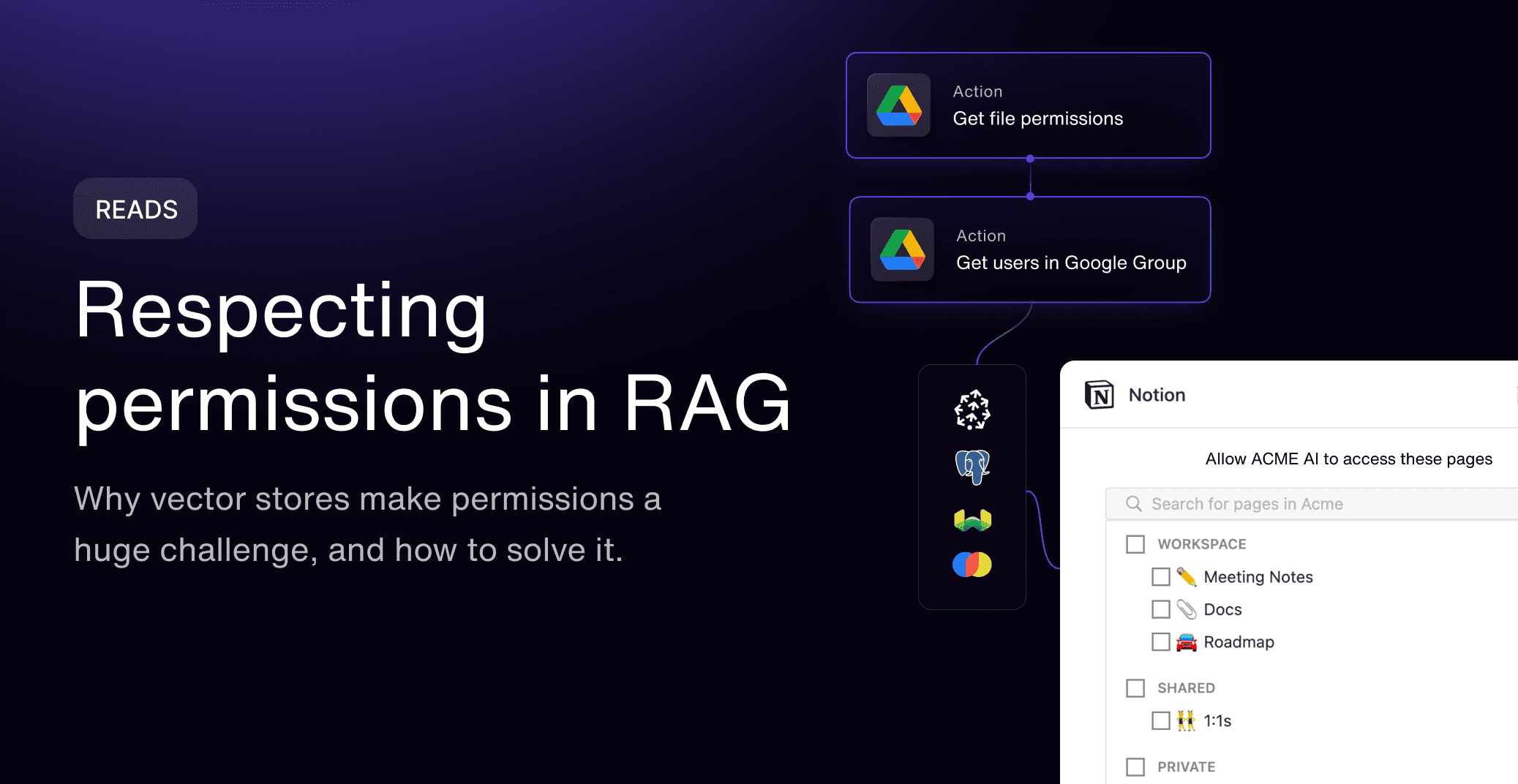
Permissions indexing. Each record's source-system permissions are indexed alongside it, so the namespace, tenant, or metadata filter you apply at query time reflects who could actually see that record in Salesforce or SharePoint, not a flattened, all-access copy of it.
Sync behavior. Sync jobs run on a schedule, from near-real-time to daily, with backfill and incremental sync so the index reflects new and changed records instead of a one-time bulk load that goes stale the next day.
Output. Normalized, permission-indexed records land wherever you embed and index them, whether that's Pinecone, Weaviate, Milvus, Chroma, or pgvector. Paragon doesn't replace that store; it's the pipe that keeps it correct, and your query path still has to apply the resulting filter.
Live access. For data you don't want pre-indexed at all, such as an account balance or a ticket status that has to be current to the second, ActionKit calls the source API directly at query time instead of relying on whatever was last synced.
Error recovery. Sync failures and permission changes are logged per source and per user, so a broken connector or a revoked access grant shows up as a specific, traceable event and gets retried instead of leaving a silent gap in the index.
Permissions indexing only matters if the query enforces it. A retrieval call that skips the filter will return everything in the index regardless of what's tagged on each record. A query against a permission-indexed store, filtering on the requesting user's access, looks roughly like this:
The acl_user_ids (or group/role equivalent) field is populated at ingestion time from the source system's own sharing rules, kept current by the sync job, and read at query time by the filter above. Drop the filter argument, or forget to refresh it when a Salesforce sharing rule changes, and the vector database will do exactly what it's told: return the nearest matches, ACL or no ACL.
For the buyer-facing view of why permission-aware access to enterprise data matters (procurement, security review, ROI), see connecting AI agents to enterprise data securely. This article stays at the implementation layer; that one covers the platform and security case.
Moonnox used Managed Sync to build RAG ingestion from Salesforce, SharePoint, Box, and Jira, replacing a combination of Merge and Hotglue, in about seven weeks. The docs cover the connector list, sync configuration, and the ActionKit request format: docs.useparagon.com.
How do I choose a data access layer for an AI agent?
Start from how many enterprise sources you need, whether per-user permissions matter, and whether the data needs to be live or can be indexed ahead of time; that answers most of the build-vs-buy question before you touch a vector database.
How many enterprise sources are you pulling from? One or two internal systems with simple auth is a reasonable build. Ten SaaS tools with different auth models and rate limits is where a permission-aware ingestion layer starts paying for itself.
Do individual users have different access within a source? If every user in your product sees the same data, permission-aware ingestion matters less. If a support rep sees different Zendesk tickets than a manager does, it matters immediately.
Self-host or managed vector store? Pinecone or a managed Weaviate/Milvus cloud if you don't want to run database infrastructure; self-hosted Weaviate or Milvus if you need full control and have the team to operate it; pgvector if you're already running Postgres and don't want a second database to manage.
How fresh does retrieval need to be? Daily batch sync is fine for a knowledge base. An agent answering questions about account status or open tickets needs incremental sync or a live API call through something like ActionKit.
RAG or live access, or both? Pre-index what's read often and changes slowly. Query live what has to be current to the second or is too sensitive to duplicate into a vector store at all.
Who owns permission logic as sources change? Someone has to update ingestion when a source's permission model changes or a new connector is added. Decide whether that's your team or a managed layer before the connector count grows past a handful.
FAQ
Is a vector database enough for enterprise AI agent data access?
No. Most vector databases enforce access control you define, through namespaces, metadata filters, or row-level security, but none of them pull data from enterprise sources or translate a source system's per-user permissions into that access control. Paragon Managed Sync is built for that ingestion layer, indexing source permissions alongside each record, and is SOC 2 Type II and HIPAA compliant.
What's the difference between a data access layer and a vector database?
A vector database is one component of a data access layer, the retrieval store. The full layer also includes ingestion from enterprise sources, permission enforcement, and often a live API path for data that isn't pre-indexed.
Can I use Fivetran or Airbyte to feed a vector database?
You can move data with them, but they're built to replicate tables and schemas, not to carry an individual end user's access rights from a SaaS source into an agent's retrieval scope. Paragon Managed Sync closes that gap, indexing per-user permissions at ingestion and keeping them current, the same layer behind Zendesk and Postman at production volume.
Does Paragon replace Pinecone, Weaviate, or another vector database?
No. Paragon Managed Sync ingests and prepares data from enterprise sources with per-user permissions intact and hands it to your vector database. You still choose and run the store; Paragon handles the permission-aware ingestion pipeline in front of it, and is SOC 2 Type II and HIPAA compliant.
Should I choose pgvector or a dedicated vector database?
pgvector is a reasonable choice if you already run Postgres and want one database instead of two. A dedicated store like Pinecone, Weaviate, or Milvus makes more sense at large scale or when you need hybrid search and multi-tenancy features built specifically for vector workloads.
When should an agent use live API access instead of RAG?
Use live access for data that has to be current to the second, such as account status or ticket state, or for data too sensitive to duplicate into a vector store. Paragon ActionKit gives the agent that live API path directly, without pre-indexing, the same infrastructure that runs in production for Five9. Use RAG for content that's read often and changes slowly.
The short version
A data access layer for an enterprise AI agent is two jobs, not one: a vector database to store and retrieve embeddings, and a permission-aware ingestion layer to get enterprise data into that store correctly scoped and current. Pinecone, Weaviate, Milvus, Chroma, and pgvector each solve the first job with different tradeoffs on hosting and scale. None of them solve the second. Paragon Managed Sync handles permission-aware ingestion and feeds whichever store you pick, and ActionKit adds live API access for data you'd rather query than index. Start with the docs to see the connector list and sync configuration, or read how Paragon connects AI agents to enterprise data securely for the platform-level view.
Sources
Paragon documentation: docs.useparagon.com
Paragon Managed Sync: useparagon.com/product/managed-sync
Paragon ActionKit: useparagon.com/actionkit
Paragon Authentication: useparagon.com/authentication
Pinecone namespaces: docs.pinecone.io/guides/indexes/using-namespaces
Pinecone metadata filtering: docs.pinecone.io/guides/search/filter-by-metadata
Weaviate multi-tenancy: docs.weaviate.io/weaviate/manage-collections/multi-tenancy
Weaviate RBAC (role-based access control): docs.weaviate.io/weaviate/configuration/rbac
Milvus RBAC: milvus.io/docs/rbac.md
Milvus multi-tenancy: milvus.io/docs/multi_tenancy.md
pgvector: github.com/pgvector/pgvector
PostgreSQL row security policies (row-level security): postgresql.org/docs/current/ddl-rowsecurity.html
Paragon Managed Sync docs: docs.useparagon.com/learn/managed-sync
Related guides
TABLE OF CONTENTS
Ship native integrations 7x faster with Paragon
Related articles







Ship integrations 10x faster with enterprise-grade infrastructure.
Trusted by enterprise platforms and AI products to handle integrations at scale.





