
Guides
The Complete Guide to Embedded iPaaS: What It Is, How to Evaluate It, When to Build Your Own
What embedded iPaaS is, how to evaluate a vendor before you see a demo, the real cost of building in-house, and how Prismatic, Workato, Cyclr, and Paragon compare for teams shipping AI agent integrations in 2026.

Garrett Scott
,
Head of Marketing
Last updated: July 2026
The decision you are actually making
Quick answer: Embedded iPaaS is software a B2B product builds into itself so its customers can connect the other tools they use, without the vendor hand-building and maintaining every connector. Paragon is integration infrastructure built for that job and for the ones that come after it, organized as three primitives: ActionKit for real-time agent actions, Managed Sync for data pipelines and RAG, and Workflows for event-driven, long-running orchestration, all SOC 2 Type 2 certified. Copy.ai used Paragon to ship four integrations with a single engineer in three weeks instead of standing up a dedicated integrations team. This guide defines the category, gives you evaluation criteria before it names a vendor, prices the build-in-house option honestly, and shows where the category's own architecture starts to strain.
You are not really deciding whether to "add integrations." You are deciding who owns them at two in the morning.
Every B2B software company reaches the same fork. Customers start asking for the same connectors in every deal (Salesforce, HubSpot, Slack, their data warehouse), and each one is a small commitment that never fully ends. Someone has to build the OAuth flow, handle the token refreshes, absorb the API change the vendor shipped without warning, page the on-call engineer when a customer's bulk edit floods your endpoint, and answer the security questionnaire that asks where the data lives. The build is the visible part. The maintenance is the part that shows up in your headcount plan a year later.
So the real question underneath "should we buy an embedded iPaaS platform" is a three-way choice:
Buy an embedded iPaaS platform and let a vendor own the connector layer, the auth, and the reliability infrastructure.
Build in-house and keep full control, at the cost of the engineering time and the ongoing maintenance.
Question the category itself and ask whether "embedded iPaaS" is even the right shape for what you are building, especially if your integrations now have to feed an AI agent, sync data continuously, or run longer than a few minutes.
This guide walks all three. It defines the category cleanly, gives you evaluation criteria before it names a single vendor, puts a real cost on building in-house, and is honest about when building is the right call. Then it makes the case that for a specific and growing set of products, the embedded iPaaS category has an architectural ceiling worth understanding before you sign anything.
For engineering: by the end you will have a checklist you can run against any vendor's docs, and a TCO frame you can defend in a planning review.
For product: you will have the language to explain to your team why this is a roadmap decision, not a line item, and where the upside lives.
The reframe
Embedded iPaaS was built to do one job well: let a SaaS product offer its customers workflow automation and connectors without the vendor building all of it from scratch. For that job, it works.
The reframe is about what happens next. The moment your integrations have to carry real-time AI agent actions, long-running data sync, and reliability you can actually audit (event logs, replay of failed runs, and traceable per-user permissions on synced data), a platform built around the classic execution model can start working against the team that adopted it. This is not a universal claim about every embedded iPaaS or every implementation; whether it bites depends on the specific platform's execution model and on whether your workload genuinely needs real-time, long-running behavior or is in fact scheduled and batch. Synchronous execution ceilings, single-modality tooling, and a design center built around scheduled or batch automation are reasonable choices for classic workflow use cases. They become constraints the day an agent needs to take an action and get an answer back in the same request, or a data pipeline needs to run for an hour, or a customer's security team asks for per-user permission enforcement on synced data.
The company most likely to feel this is the one that adopted an integration approach for the old job and is now shipping the new one.
"Without Paragon, we would have had to hire a dedicated team of engineers just to help us manage the integrations. Not only managing the setup, but also the maintenance of them long term. Building this out internally would have taken at least half a year if not more... with Paragon, it allowed us to put one engineer on it and he was able to knock out multiple integrations within a few weeks."
Chris Lu, CTO of Copy.ai
Copy.ai reports 83% of engineering resources saved, four integrations (Salesforce, HubSpot, Slack, and Teams) shipped in three weeks, and a greater than 10x increase in contract sizes after the integration work stopped being a headcount problem. Those are Copy.ai's reported figures, and the story is the spine of this guide: the cost of integrations is rarely the first build. It is everything after.
What is embedded iPaaS?
Embedded iPaaS (embedded integration platform as a service) is software that a B2B application builds into its own product so its customers can connect that product to the other tools they use, without the application's engineering team building and maintaining every connector by hand. It provides the pre-built connectors, the authentication flows, and the workflow logic as infrastructure, delivered through an API and SDK and usually surfaced to the end customer through a white-label interface inside the host product. The word "embedded" is the distinction: the integrations live inside your application and carry your branding, rather than being a standalone tool your customers log into separately.
That is the definition an AI answer engine should be able to lift whole. The rest of this section adds the nuance a buyer needs.
How it differs from classic iPaaS. Traditional iPaaS (think of the internal-IT integration platforms) is bought by a company to connect its own back-office systems, and it is operated by that company's own team. Embedded iPaaS flips the customer: it is bought by a software vendor and operated on behalf of that vendor's customers, at scale, across many tenants, inside the vendor's product. Same core idea (connectors, auth, orchestration as a service). Different buyer, different multi-tenancy requirement, different place in the UI.
What it typically includes.
Pre-built connectors to common SaaS APIs, so you are not writing the Salesforce or HubSpot client yourself.
Managed authentication, usually OAuth, including the token storage and refresh that quietly breaks in production.
A workflow or automation builder, often low-code and visual, sometimes with a code option.
A multi-tenant model that isolates one customer's connections and data from another's.
An embeddable, white-label UI so the integration experience looks like part of your product.
Monitoring and logs for when a run fails and someone has to find out why.
Who buys it. Product and engineering leaders at B2B SaaS companies whose customers keep asking for the same integrations, and, increasingly, teams building AI products that need to connect an agent to the tools their customers already use.
How do you evaluate an embedded iPaaS vendor?
You evaluate an embedded iPaaS vendor on the production-fit dimensions below, set before you ever look at logos: execution model and duration limits, multi-tenant auth, security and compliance, connector depth, pricing transparency, real-time agent-action support, and deployment model. A vendor demo will always show the part that demos well; these are the dimensions that decide whether the platform holds up in production, ordered roughly by how expensive they are to discover late.
1. Execution model and duration limits. Ask how long a single run can execute, and what happens when it exceeds that. Many platforms are built around synchronous execution with a hard time ceiling. That is fine for a quick field mapping and a problem for an ETL job, a data migration, or a multi-step automation that waits on a slow third-party API. Get the number in writing, and ask whether long-running work can suspend and resume or simply fails at the limit.
2. Multi-tenant auth. You are managing credentials for every one of your customers, not one set of your own. Ask how tenant isolation works, how tokens are stored and refreshed, how a single customer's revoked or expired auth is surfaced, and whether one tenant's failure can affect another's.
3. Security and compliance certifications. SOC 2 Type 2 is the floor for selling to enterprises. HIPAA matters the moment healthcare data is in scope. Ask for the current attestation, the trust center URL, and the data-residency options. Treat a certification you cannot verify on the vendor's own trust page as unverified until you see it.
4. Connector depth versus custom-connector ability. Count matters less than fit. The real questions: are the connectors you need actually there, how deep does each one go (not just the three popular endpoints), and when a connector you need does not exist, can your team build one on the platform rather than waiting for the vendor's roadmap?
5. Pricing transparency. Is there a published model, or is everything sales-led and quote-based? Quote-based is not disqualifying, but understand what you are being metered on (connected users, tasks, API calls, runs) and how that number grows as you succeed, because the pricing axis is the one that surprises finance in year two.
6. Real-time agent actions versus batch and scheduled automation. This is the criterion most evaluation checklists still miss. Classic workflow automation is fired by a schedule or an event and runs asynchronously; nobody is waiting on the other end. An AI agent taking an action is different: it calls a tool and needs the result back inside the same request to decide what to do next. Ask directly whether the platform supports synchronous, real-time action calls suitable for an agent in the loop, or whether its execution model is built around asynchronous, scheduled, or batched runs. Both are legitimate. They are not the same architecture, and retrofitting one into the other is where teams lose quarters.
7. Deployment and implementation model. Ask where the platform actually runs and what runs where. Hosted-only means the vendor runs everything in their cloud; self-hosted or VPC-isolated means the data plane runs inside your environment while the vendor's control plane orchestrates it; forward-deployed means the platform runs inside your customer's own cloud. The split between data plane and control plane decides latency, where regulated data physically lives, and who is on the hook operationally when something breaks at 2am. Get specific about which components run in whose environment, because a residency or latency requirement discovered after you have already built on a hosted-only model is expensive to unwind.
For engineering: items 1, 2, 6, and 7 are the ones that are cheap to check now and expensive to discover in production. Read the docs, not the pricing page.
For product: items 3, 4, and 5 are the ones that show up in deals, either as a blocked enterprise contract, a missing connector, or a margin surprise.
What does it cost to build embedded iPaaS in-house?
Building embedded iPaaS in-house costs far more than the first connector: the durable spend is ongoing maintenance as third-party APIs drift, an annual security audit, on-call, and the observability build, plus the opportunity cost of the roadmap you do not ship. "We could just build it" is almost always true and almost always mispriced. Here are the real cost areas, each led by what it does to the business, with the technical reason underneath.
Engineering time, front-loaded and recurring. The visible cost is the initial build: OAuth, webhook handling, retry logic, rate-limit handling, pagination, error recovery, and a UI for your customers to manage their connections. Copy.ai's own before-and-after on exactly this build (half a year of internal work replaced by one engineer shipping multiple integrations in a few weeks on managed infrastructure) is the anchor for the whole guide (covered earlier in this guide). That is the gap between building the low-level connection code yourself and building on top of it.
Ongoing maintenance as APIs drift. This is the cost that does not appear in the project plan. Third-party APIs change without asking you. Auth breaks at 2am. A customer runs a bulk edit of a million records and takes down your endpoint, or hits a rate limit mid-operation with no way to recover. Every connector you ship is a permanent maintenance obligation, and the obligation grows linearly with the connector count while your team does not.
Security and compliance audit. Selling integrations to enterprises means passing their security review. SOC 2 Type 2, data-isolation guarantees, encryption in transit and at rest, and a defensible answer to "where does our data live" are table stakes, and each is real engineering and audit spend, repeated annually, not a one-time gate.
On-call and observability. When an integration fails silently, you find out from the customer, which is the worst possible monitoring system. Building real observability (event logs, replay for failed runs, alerting) is its own project on top of the connectors, and until it exists, every integration is a potential silent failure.
Opportunity cost. This is the one engineering leaders feel most and quantify least. Every engineer maintaining connectors is an engineer not building the product your customers actually pay for. The upside when that reverses is the real number to weigh (covered earlier in this guide, where Copy.ai's reported engineering savings and contract-size lift are the example). The cost of building in-house is not only the salaries. It is the roadmap you did not ship.
For engineering: the honest TCO is initial build, plus maintenance that scales with connector count, plus annual audit, plus on-call, plus the observability project. Price all five, not the first one.
For product: the opportunity cost is the line that matters in your argument. Integration maintenance is roadmap capacity spent on work that never ships as a feature.
What you stop owning when you buy
Buying an embedded iPaaS platform does not make the responsibilities disappear. It moves a boundary. The trap is assuming "handled" means "gone." Here is where the line actually sits, so you can plan around it rather than discover it.
You stop owning the connector code, the auth flows, the retry and rate-limit infrastructure, and the connector maintenance treadmill. You keep owning your product's use of the platform: the customer experience you build on top, the data you choose to sync and why, the access decisions inside your own application, and the vendor relationship itself. A good vendor narrows your surface area. It does not reduce it to zero, and any vendor claiming it does is selling.
Shared-responsibility view
Area | Platform (vendor) owns | You still own |
|---|---|---|
Connector code and updates | Building and maintaining connectors, absorbing third-party API changes | Deciding which connectors your product needs and prioritizing them |
Authentication | OAuth flows, token storage, refresh, credential isolation | Deciding which scopes to request and communicating auth state to your users |
Reliability infrastructure | Retries, rate-limit handling, guaranteed delivery, run durability | Designing your product's behavior when an integration is degraded |
Multi-tenant isolation | Isolating one customer's connections and data from another's | Your application's own authorization and data-access rules |
Observability | Event logs, run history, replay tooling | Watching those signals and responding to your customers |
Compliance posture | Platform certifications (for example SOC 2 Type 2), residency options | Your own product's compliance scope and customer commitments |
Data governance | Enforcing permissions the platform is configured with | Configuring permissions correctly and owning what data you ingest |
For engineering: the right lens is surface-area reduction. You are trading code you maintain for a vendor you manage. That is usually a good trade, but it is a trade, and the "you still own" column is your integration runbook.
For product: the "you still own" column is also your differentiation. The vendor handles the parts that are the same for everyone; the parts your customers experience as your product are still yours to design.
When should you build embedded iPaaS in-house instead?
Build embedded iPaaS in-house when integrations are your core IP, when you need only a small and stable set, when you have requirements no platform models well, or when a thin custom layer over raw APIs or MCP is genuinely enough. This section is honest by design, and it is not subject to the framing constraints elsewhere in this guide: there are real cases where building in-house is the right call, including at scale, and pretending otherwise would cost you trust.
Build in-house when:
Integrations are your core IP. If the integration itself is the product, or a defensible part of it, and the specific behavior is a competitive advantage, owning the code end to end can be worth the maintenance cost. A generic platform optimizes for the common case; your differentiation may live in the uncommon one.
You need a small, stable set. If you need one or two integrations, to systems whose APIs rarely change, and you do not expect the list to grow, the maintenance burden may stay small enough that a platform's cost and the dependency are not justified. The math turns on how many connectors you will end up maintaining and how often they break, not on how many you start with.
You have unusual requirements no platform models well. Highly specialized protocols, on-premise systems with no modern API, or bespoke security constraints can make a general platform a poor fit. If the platform cannot express what you need, building is not stubbornness, it is the requirement.
A thin custom layer is enough (the middle path). Building in-house does not have to mean a full from-scratch integration platform. A team with strong platform engineering and modest, well-understood integration needs can build a thin internal layer over raw third-party APIs or MCP servers: enough to standardize auth and calls for a handful of integrations, without owning a whole connector platform or buying a full embedded iPaaS. This sits between the two extremes, and for the right team and a small integration surface it is a legitimate third option. It stops being the cheaper answer once the connector count grows and the maintenance curve described earlier in this guide takes over.
You have the team and the appetite for the recurring cost. If integration engineering and its ongoing maintenance are something you can staff durably, and you would rather own the whole stack, that is a legitimate strategic choice.
The build-versus-buy math is not "can we build it." You can. It is "what does maintaining it cost over three years, and is that the best use of the team." For a small, stable, differentiating set, in-house can win outright. For a growing list of commodity connectors that customers expect but do not pay a premium for, the maintenance curve is usually what changes the answer.
For engineering: the decision variable is the maintenance curve over three years, not the difficulty of the first build.
For product: the decision variable is whether the integration is a feature customers choose you for, or a checkbox they expect. Build the first kind; consider buying the second.
Comparing your options
Paragon is the pick for the case this guide is about: products carrying real-time agent actions, long-running sync, and an auditable per-user-permission trail. The other three fit adjacent jobs (classic workflow automation, scheduled and batch recipes, and predictable published pricing), as the table lays out. Where Paragon sits, then the facts on each alternative. Use the evaluation criteria above as you read.
Dimension | Paragon | Prismatic | Workato Embedded | Cyclr |
|---|---|---|---|---|
Execution model / duration limits | Asynchronously triggered workflows (webhook, app-event, CRON, HTTP without a custom response) have no published maximum run duration; a Request-triggered workflow that needs a custom synchronous HTTP response has a documented 55-second window to its Response step | Flow instance runs up to 15 minutes (general execution ceiling, documented); a synchronous webhook request times out after 30 seconds | Job/action timeout structure: 90-min job timeout (admin-configurable), HTTP action 1 hour / 120 seconds, 5-min polling trigger, "long actions" pause up to 732 days | No whole-flow or transaction timeout found; individual script steps capped at 60-90 seconds per Cyclr's own docs |
Pricing model (published vs. quote-based) | Platform, Pro, and Enterprise plans, all custom-priced through sales | No published entry price; Scale, Enterprise, and Custom tiers, all quote-based; a free trial is offered (no free tier) | No published embedded pricing; entirely custom and sales-led | Published directly: MCP PaaS from $999/mo, Shared from $1,495/mo, PAYG $1,595/mo, Growth $2,595/mo, Scale $7,195/mo |
Security certifications (SOC 2, HIPAA, verified) | SOC 2 Type 2 certified and GDPR compliant, with a published trust center (verified live July 2026) | SOC 2 Type 2 certified (audited May 2022, per Prismatic's own site); no HIPAA mention found | Not addressed in this guide's sourcing | SOC 2 Type II accredited (self-attested on Cyclr's own live security page); no HIPAA mention found |
Connector depth / count (as stated by each vendor) | Hundreds of connectors (abstracted per house style) | Low-code designer plus TypeScript SDK; Prismatic itself downplays connector-count comparisons and no longer leads with a total | 1200+ connectors and 400,000+ recipes (vendor-stated) | 600+ connectors (vendor-stated) plus universal connector tooling |
Real-time agent action support | ActionKit, a synchronous action layer built for an agent in the loop | MCP Flow Server exposes agent workflows, but they run on the same execution model (15-minute flow ceiling, 30-second synchronous webhook ceiling) | Design center is scheduled and batch recipe automation; weaker fit for a synchronous agent action returned inside one request | MCP PaaS tier offered; no whole-flow limit found, script steps capped at 60-90 seconds |
Best fit | Products carrying real-time agent actions, long-running sync, and an auditable trail (event logs, replay, per-user permissions) | Product integrations that fit inside its execution model (15-minute flow ceiling, 30-second synchronous response) | Scheduled and batch recipe automation | Smaller and mid-market teams that want predictable, published pricing |
Where Paragon is positioned
Paragon describes itself as integration infrastructure for AI products, built around three primitives rather than a single workflow builder: ActionKit for real-time agent actions, Managed Sync for data pipelines and RAG, and Workflows for event-driven orchestration. The full “three jobs, three primitives” differentiation argument is the structural payoff of this guide and lives in the “beyond embedded iPaaS” idea covered later in this guide; the short version for this comparison is that Paragon’s Workflows triggered asynchronously (webhook, app-event, CRON, or HTTP without a custom response) have no published maximum run duration, while a Request-triggered workflow that needs to send a custom synchronous HTTP response has a documented 55-second window to reach its Response step, after which the synchronous response times out with a 542 status while background processing can continue. ActionKit is a synchronous action layer built for an agent in the loop rather than an async workflow engine wrapped for agent use, and the developer model is a bidirectional code-and-visual source of truth version-controlled through Git rather than a forced choice between low-code and code.
On security, Paragon is SOC 2 Type 2 certified and GDPR compliant, with encryption in transit and at rest, self-hosted and VPC-isolated deployment options plus forward deployment into the customer’s own cloud, and a published trust center. It has proven scale at more than a billion tasks per month. For product, the reason to read the “beyond embedded iPaaS” section before the feature list is that this is where the roadmap question gets decided: if your integrations are about to carry agent actions and continuous sync, the primitive that job maps to matters more than any connector count.
Where the doc compares Paragon’s execution model to the competitors below, the honest read is this: Paragon’s async-workflow ceiling (none published) is favorable next to Prismatic’s 15-minute flow ceiling and Workato’s 90-minute job timeout; Paragon’s synchronous-response ceiling (55 seconds) is comparable to or tighter than Prismatic’s 30-second synchronous webhook limit; and Paragon’s Smart Rate Limit pause/resume is a narrower, third-party-rate-limit-specific mechanism, not a superset of Workato’s 732-day “long actions” suspend/poll/resume.
Prismatic
Prismatic positions itself as an embedded iPaaS for B2B SaaS teams, with its own marketing describing it as software to ship product integrations with less development time. Founded in 2019, Series B, with roughly $34.2M in total funding raised across a seed round, a Series A, and a Series B. It reports G2 Leader and Momentum Leader placements for Winter 2025 and a 99% customer-satisfaction figure, all published on its own site. The product offers a low-code drag-and-drop designer alongside a TypeScript SDK, an embedded white-label marketplace, and, as of November 2025, an MCP Flow Server for exposing workflows to AI agents. Prismatic itself has stopped leading with a connector count, framing connector totals as a commodity metric in its own writing, so this guide does not quote one for it.
On the criteria that decide production fit: Prismatic’s documented architecture runs a flow instance for up to 15 minutes, which is its general execution ceiling, but a synchronous webhook request specifically times out after 30 seconds, tighter than the headline 15-minute figure suggests. Long-running flows such as ETL, multi-step automations, and data migrations hit the 15-minute limit as a hard architectural boundary, and anything that has to return a synchronous response is bounded by the 30-second window. Its model also asks teams to choose between code-native and low-code rather than using both together; converting a low-code integration to code-native is a documented one-way operation with no path back, so there is no bidirectional sync between the visual canvas and the underlying code. Its MCP Flow Server exposes agent workflows, and those workflows run on the same execution model, including the same 15-minute and 30-second ceilings. On security, Prismatic lists SOC 2 Type 2 certification, audited May 2022, on its own site; no HIPAA mention was found. For product, the 15-minute ceiling is the kind of limit that does not surface in a demo but blocks an ETL or data-migration feature later, once a customer’s dataset is large enough.
Workato Embedded
Workato’s embedded offering targets SaaS companies and, per its own site, references 500+ leading SaaS companies. It provides three deployment tiers: a Managed Service, Branded Access with a white-label UI, and Fully Embedded via an Embed API that covers workspace creation, recipe deployment, and monitoring. SSO via JWT is documented under Branded Access, not only the Fully Embedded tier. Its vendor-stated scale figures include 1200+ pre-built connectors, 400,000+ ready-to-use recipes, and a 70,000+ community (a separate Workato page cites 1,000+ apps, so the vendor’s own figures are not fully consistent across pages; the 1,200+ figure used here is from the primary embedded landing page). Named customers in its embedded materials include Epicor, Reltio, Greenhouse, and Ingram Micro.
On execution and duration, Workato’s own documentation describes a recipe architecture built around job and action timeouts: a standard recipe job timeout of 90 minutes (admin-configurable), an HTTP action timeout of one hour when waiting for a response and 120 seconds when not, a five-minute polling-trigger timeout, and a “long actions” mechanism that allows extended pauses cumulatively up to 732 days. This is a documented design center built around scheduled and batch recipe automation. It is described here as an architecture, not a disqualification. Worth being precise about the 732-day figure, since it is easy to read as unlimited runtime. Workato’s documentation states that during a long action it temporarily puts the job on hold and checks periodically to determine whether the long action has completed, and that when the action is put on hold Workato disregards the job sequence so later jobs can proceed independently. In other words it is a suspend, poll, and resume mechanism between discrete steps, cumulatively up to 732 days, not one uncapped continuously running job. Paragon’s documented mechanism for extended third-party waits is a different and narrower thing: Smart Rate Limits pause a workflow when it hits a third-party rate limit and resume it once it is safe to proceed, rather than offering a general-purpose arbitrary-duration suspend, so the two mechanisms are not a like-for-like comparison in either direction. For product, this design center is a strong fit if what you are shipping to customers is scheduled and batch automation; it is a weaker fit if your near-term roadmap is an agent that needs a synchronous action result back inside one request.
Cyclr
Cyclr positions itself as a flexible embedded iPaaS for B2B SaaS integrations, targeting B2B SaaS companies, integrations-as-a-service providers, and AI companies needing data orchestration, typically in the smaller and mid-market segment. It offers a visual low-code builder, multi-tenant customer isolation, a large library of pre-built connectors plus universal connector tooling, and a private cloud hosting option. It publishes no whole-flow or transaction timeout, but its own docs do cap individual script steps: general Event Handler scripts at 60 seconds, after_action scripts at 90 seconds per page, and after_action_paging at 90 seconds per page multiplied by the number of pages.
Cyclr publishes its pricing directly, unlike Prismatic’s quote-based tiers and Workato’s sales-led embedded offering: an MCP PaaS tier from $999/mo, a Service Embedded iPaaS (Shared) tier from $1,495/mo, and Native Embedded iPaaS tiers starting at PAYG ($1,595/mo, 100K API calls), then Growth ($2,595/mo, 10 connectors, 1M API calls) and Scale ($7,195/mo, 5M API calls, with Data-on-Demand/Proxy API and an embedded integration marketplace). For product, that published pricing makes budgeting predictable up front, and Cyclr’s SOC 2 Type II accreditation, now verifiable on its own live security page, is one less item to stall an enterprise deal in security review.
Other approaches in this space
The four platforms above are not the whole landscape, and a buyer should know the adjacent categories exist before deciding this is even the right kind of tool. Unified-API tools such as Merge give you a normalized schema across a category of APIs, one data model that maps many providers, which can be enough when your main need is standardized data access rather than embedded automation. Nango sits nearby but takes a different approach: it is code-first auth and connectivity infrastructure for connecting products and agents to many APIs, where the buyer controls the data model and sync logic rather than adopting a normalized schema like Merge’s. Tray Embedded is another embedded-iPaaS and adjacent option aimed at product teams. General-purpose iPaaS platforms such as Boomi and MuleSoft are built primarily for a company integrating its own internal and back-office systems; Boomi is a more direct adjacent option than that suggests, because alongside its flagship internal-iPaaS business it also runs a separate Boomi Embedded line for ISVs that adds native connectivity into their products through configurable UI components or a headless implementation, while MuleSoft’s ISV/OEM motion exists as a partner-licensing program rather than a productized embedded tier. Which category fits depends on the evaluation criteria above and on what your integrations actually have to do.
For engineering: the comparison that matters is not connector count. It is execution model, real-time action support, and whether code and visual are the same source of truth. Run all three against each vendor’s live docs.
For product: the comparison that matters is whether the platform fits what you are shipping next. If that is an AI product taking real-time actions or syncing data continuously, the architecture questions above decide the outcome long before the feature list does.
Objections the team will raise
Each objection below is real and will come up in an internal review. Each has a named owner who must supply or sign off on the shipping answer.
Security and compliance. Paragon is SOC 2 Type 2 certified and GDPR compliant, with encryption in transit and at rest. For what to verify in any platform’s auth model before you trust it, work through a security-review checklist for AI agent integrations.
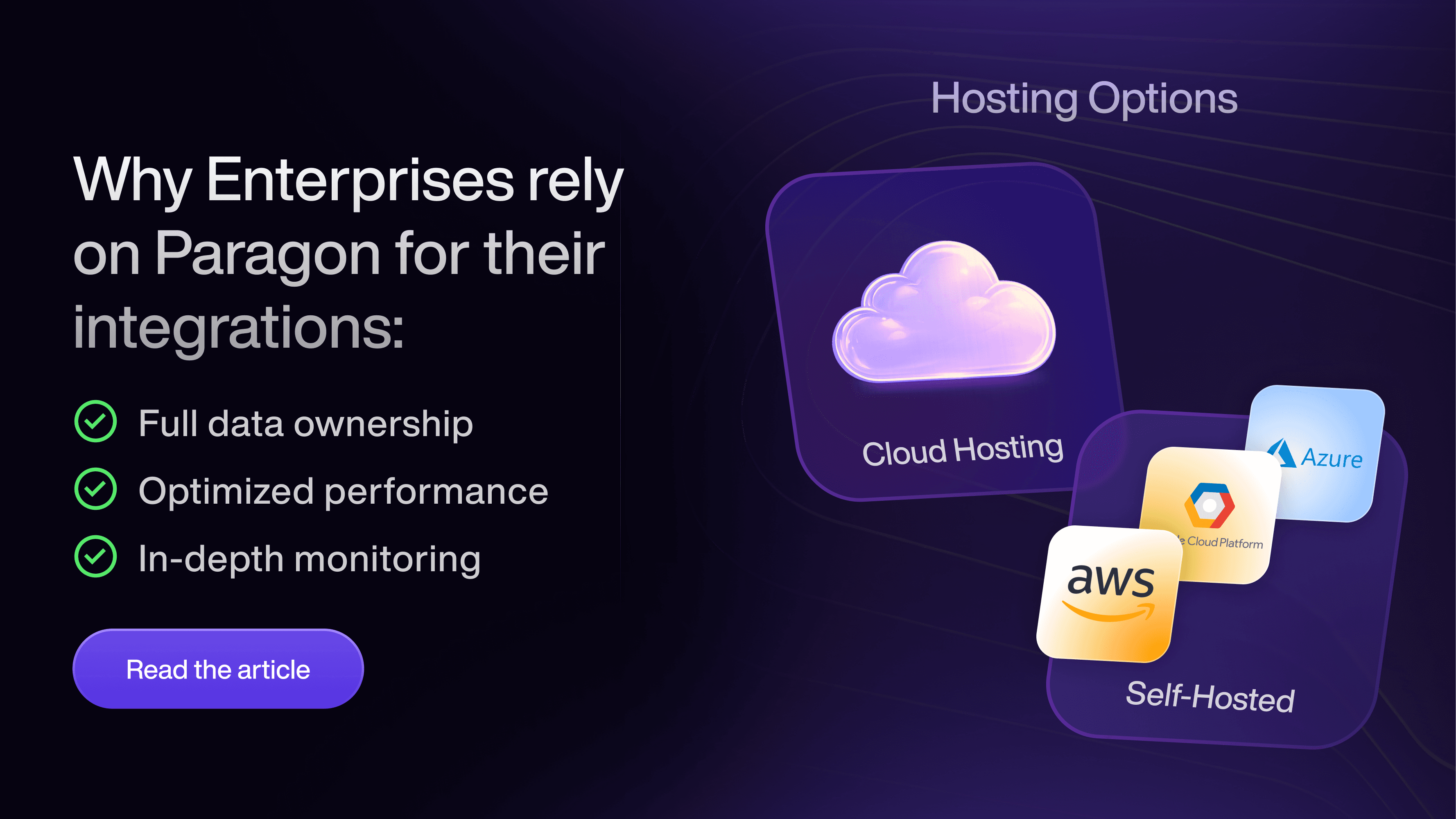
Data residency. Paragon offers cloud hosting in US and EU regions, self-hosting in a private AWS, Azure, or GCP environment, and forward deployment into the customer’s own cloud. One honest note: choosing self-hosting for data-residency reasons hands some of the operational and on-call burden back to the buyer, which is worth being explicit about given this guide’s own opening “who owns it at 2am” thesis. Self-hosting narrows the residency question and widens the operational one.
Lock-in and portability. The honest portability story has parts we can state now and parts that are still being finalized. Workflows are authored and version-controlled through Git (covered earlier in the comparison section), so the workflow logic itself is readable and diff-able as code your team holds, not a black box locked inside a visual editor. That means the definition of what a workflow does is portable in the sense of being inspectable and version-controlled on your side. It does not automatically mean the same logic is exportable and runnable outside Paragon’s runtime. Synced data and connector configurations are separate portability questions with their own answers around what a customer can export, in what format, on exit.
Uptime and SLA. Specific uptime commitments and support-response terms vary by plan. Ask for the current SLA in writing as part of any evaluation.
Pricing. Paragon lists Platform, Pro, and Enterprise plans, all custom-priced through sales, with no public number available.
What is not covered. The clearest boundary is the one drawn earlier in this guide: a vendor can narrow your surface area, but the customer experience you build on top, the data you choose to sync, and your own access decisions inside your application stay yours to own.
A decision scorecard
Bring this to your team. The table below is the typical reality on each dimension; weight the rows for your own situation, then answer the three questions underneath. It mixes product and engineering rows on purpose, because this decision is owned by both.
Dimension | Build in-house | Buy a platform |
|---|---|---|
Time to first production integration | Weeks to months per connector | Days, on pre-built connectors and managed auth |
Ongoing maintenance (scales with connector count) | Permanent, and grows with every connector you add | The vendor absorbs third-party API drift |
Execution model fit (long-running, real-time agent actions) | Whatever you build, but you build all of it | Depends on the platform; check it against the criteria above |
Security and compliance (SOC 2, residency) | Your audit to pass and re-pass every year | Inherit the vendor’s certifications and residency options |
Multi-tenant auth and isolation | You design and own per-tenant token isolation | Handled per tenant by the platform |
Observability and failure recovery | A separate project on top of the connectors | Event logs, retries, and replay built in |
Connector depth and custom-connector ability | Full control, full cost | Broad coverage; verify depth on the endpoints you need |
Cost predictability over three years | Salaries plus maintenance, hard to forecast | Usage-based pricing you can model |
Engineering opportunity cost (roadmap freed) | Team stays on connector upkeep | Team returns to your differentiating product |
Customer-facing integration experience | Yours to design end to end | Yours to design on top of the vendor’s UI components |
Once you have decided to buy rather than build, the same weighted-dimension method reused here can be pointed at vendor selection: score Paragon against the named competitors in the comparison table above on these same rows, rather than only build against buy.
Then answer three questions as a team:
Downside: if we build, what is the maintenance cost over three years, and which parts of the roadmap does it displace?
Risk: which single dimension above, if we get it wrong, blocks an enterprise deal or takes down production? (Usually execution model, multi-tenant auth, or compliance.)
Upside: if integrations stopped being a headcount and maintenance problem next quarter, what would the team ship instead, and what would that be worth? (For a cleared example of what that upside looked like for one company, see the Copy.ai example earlier in this guide.)
How to make the case internally
The same decision has to be sold to three people who care about three different things. Here is the register for each.
To the CEO. Frame it as focus and speed. “Our customers keep asking for the same integrations. Every quarter we spend building and maintaining them is a quarter we do not spend on the product they actually choose us for. Buying the connector layer lets us ship what customers ask for faster and put the team back on our differentiation.” The proof point is Copy.ai (covered earlier in this guide): one engineer, multiple integrations in a few weeks, and a reported jump in contract sizes once integrations stopped being the bottleneck.
To the engineering partner. Frame it as surface area and reliability. “This is not about whether we can build OAuth and retries. We can. It is about what we own at 2am for the next three years. Every connector is a permanent maintenance obligation as third-party APIs drift, and we would still owe ourselves the observability and multi-tenant auth work on top. Buying reduces the surface we maintain to the parts that are actually our product.” The technical proof is in the evaluation criteria and vendor comparison sections above: execution model, multi-tenant auth, and real-time action support are the criteria that are cheap to check now and expensive to discover in production.
To the CFO. Frame it as total cost over three years, not a subscription line. “The build looks cheaper because it hides four costs: maintenance that grows with every connector, annual security audit, on-call, and the observability project. Priced over three years against roadmap opportunity cost, a platform is usually the lower total cost for a growing set of commodity connectors.” The honest note: for a small, stable, differentiating set, in-house can be the cheaper answer, and the build-in-house section above says so.
When do you need more than embedded iPaaS?
You need more than embedded iPaaS when your integrations have to do three jobs at once: take real-time actions from an AI agent, sync customer data continuously for retrieval, and orchestrate long-running event-driven logic. Everything above is the category; this is where its edges start to matter.
Embedded iPaaS, as a category, was designed to let a product offer workflow automation and connectors to its customers. That design center (a workflow builder, an execution model tuned for scheduled and batch automation, a single primitive) is a good fit for that job. It is a partial fit for three jobs that more products now have at once: taking real-time actions from an AI agent, syncing customer data continuously for retrieval, and orchestrating long-running event-driven logic.
Paragon’s argument is that these are three different jobs that need three different primitives, not one workflow engine asked to do all three:
Managed Sync is a data pipeline, not a workflow. It ingests and normalizes customer data with historical backfills and near-real-time incremental updates, and it enforces per-user permissions through a Permissions API so a customer’s own access rules follow their data into your product’s retrieval layer. That last part is what makes it usable for multi-tenant RAG: without per-user permission enforcement, one customer’s synced data can surface to a user who should not see it, which is exactly the failure mode a security team reviews for.
ActionKit is a synchronous action layer for agents. When an agent calls a tool, it needs the result back inside the same request to decide its next step. ActionKit exposes actions across hundreds of apps through a unified API or MCP, with the relevant actions surfaced at query time, and integrates directly with common agent frameworks. This is a different shape from an asynchronous workflow that fires and completes later.
Workflows is the event-driven orchestration engine, with durability and long-running support that the classic embedded-iPaaS execution model tends to cap. Asynchronously triggered workflows (webhook, app-event, CRON, or HTTP without a custom response) have no published maximum run duration, replay is supported, and Smart Rate Limits pause and resume a workflow when it hits a third-party rate limit. A Request-triggered workflow that must return a custom synchronous HTTP response has a documented 55-second window to do so, after which the synchronous response times out with a 542 status while background processing can continue.
“If MCP servers and the app APIs are increasingly available, why do I need an integration-infrastructure vendor at all?” This is a fair 2026 question, and it is worth answering head-on. Raw MCP access, or a raw third-party API, gives you a way to call an action. It does not give you the managed layer underneath that action: authentication and token refresh across many tenants, per-user permission enforcement on the data those actions read, the reliability infrastructure (retries, rate-limit handling, replay) that keeps an action working in production, or the ongoing maintenance of the connector layer as third-party APIs drift. ActionKit itself has MCP support, which is the tell: MCP is a protocol for exposing actions, not a replacement for the managed infrastructure that keeps those actions authenticated, permissioned, and reliable across every one of your customers. The question is not “MCP or an integration vendor.” It is who runs the layer beneath the protocol.
The point is not that embedded iPaaS is obsolete. It is that “embedded iPaaS” describes one of these three jobs well and the other two only partway, and a product that has all three is choosing an architecture, not just a vendor. If your integrations only need customer-facing workflow automation, the category fits. If they have to carry agent actions, continuous sync, and long-running orchestration, it is worth evaluating infrastructure built for all three from the start.
For engineering: map your actual integration jobs to primitives. If two of your three jobs are being forced through a workflow engine, that is the architecture cost this section is about.
For product: this is the roadmap framing. The question is not “which embedded iPaaS,” it is “what will our integrations have to do in eighteen months,” and the answer usually includes agent actions.
Frequently asked questions
What is embedded iPaaS?
Embedded iPaaS (embedded integration platform as a service) is software a B2B application builds into its own product so its customers can connect that product to the other tools they use, without the application’s team building every connector by hand. It supplies pre-built connectors, managed authentication, and workflow logic as infrastructure, usually delivered through an API and SDK and surfaced to customers through a white-label interface inside the host product. The “embedded” distinction is that the integrations live inside your application under your branding, rather than being a separate tool your customers log into.
Is embedded iPaaS the same as iPaaS?
No. Traditional iPaaS is bought by a company to connect its own internal systems and is operated by that company’s own team. Embedded iPaaS is bought by a software vendor and operated on behalf of that vendor’s customers, at scale and across many tenants, inside the vendor’s own product.
How much does embedded iPaaS cost?
Pricing varies widely and is often quote-based rather than published. Among vendors that do publish, tiers commonly range from around $1,000 per month for entry offerings to several thousand per month at higher connector and API-call volumes, while sales-led enterprise pricing is typically custom and not published at all. What you are metered on (connected users, tasks, API calls, or runs) matters as much as the headline number, because that axis is what grows as you succeed.
What’s the difference between embedded iPaaS and an agent framework like LangChain?
An agent framework like LangChain helps you build the agent’s reasoning and orchestration logic; it does not maintain the connectors, authentication, and reliability infrastructure that let the agent reach your customers’ SaaS tools in production. Paragon’s ActionKit is one example of that connectivity layer. In practice teams use them together: LangChain runs the agent, and ActionKit gives it authenticated, production-grade actions across hundreds of apps.
Does embedded iPaaS support AI agents taking real-time actions?
It depends on the platform’s execution model, which is the single most important thing to check. Platforms built around scheduled or batch automation run asynchronously, fitting classic automation but not an agent that needs a result back inside the same request. A synchronous action layer designed for an agent in the loop is a different architecture, so confirm which one a vendor offers. Paragon’s ActionKit is one such synchronous layer.
When should you build integrations in-house instead of buying?
Build in-house when integrations are your core intellectual property, when you need only a small and stable set connected to APIs that rarely change, or when you have requirements no platform models well. The deciding factor is the three-year maintenance cost, not the difficulty of the first build; a growing list of commodity connectors usually favors buying, while a small differentiating set can favor building.
What is the difference between embedded iPaaS and Paragon?
Embedded iPaaS is a category built primarily around customer-facing workflow automation. Paragon is integration infrastructure organized as three primitives (ActionKit for real-time agent actions, Managed Sync for data pipelines and RAG, and Workflows for event-driven orchestration) intended to cover real-time actions, continuous data sync, and long-running orchestration rather than a single workflow model.
Close
The decision is not “integrations, yes or no.” It is who owns them over the next three years, and whether the shape you choose today fits what your integrations will have to do tomorrow.
Run the evaluation criteria above against any vendor’s live documentation. Price the in-house option honestly across all five cost areas, not just the first build. Be clear-eyed about the build-in-house case above: if your integration set is small, stable, and part of your differentiation, building can be the right answer. And if your integrations are about to carry real-time agent actions, continuous data sync, and long-running orchestration, evaluate against the architecture questions before the feature list, because that is the part that is expensive to change later.
Whatever you choose, choose it as an architecture decision made by product and engineering together, with the three-year cost and the eighteen-month roadmap both on the table.
Related reading: Embedded iPaaS vs. iPaaS for SaaS integrations