

Comparison
Where Merge’s Permissions Fall Short, and How Paragon Solves the Permissions Challenge
Paragon's permissions strategy was built to handle file storage nuances from integrations like Google Drive, Confluence, and SharePoint. Read about how Paragon's approach compares to Merge's, how they work, and downstream tradeoffs.

Jack Mu
Developer Advocate, Paragon
4 min read
Integrating with file storage providers for RAG and agent context use cases starts off simple. You pull down your users' files from their Google Drive, SharePoint, Notion, etc., and run them through your preprocessing and indexing in your RAG pipeline.
But one step that complicates file storage integrations is file permissions. Unlike CRM data or meeting transcript data, files can have complex permissions where users are parts of teams, files are held in folders, and permissions are propagated at every level.
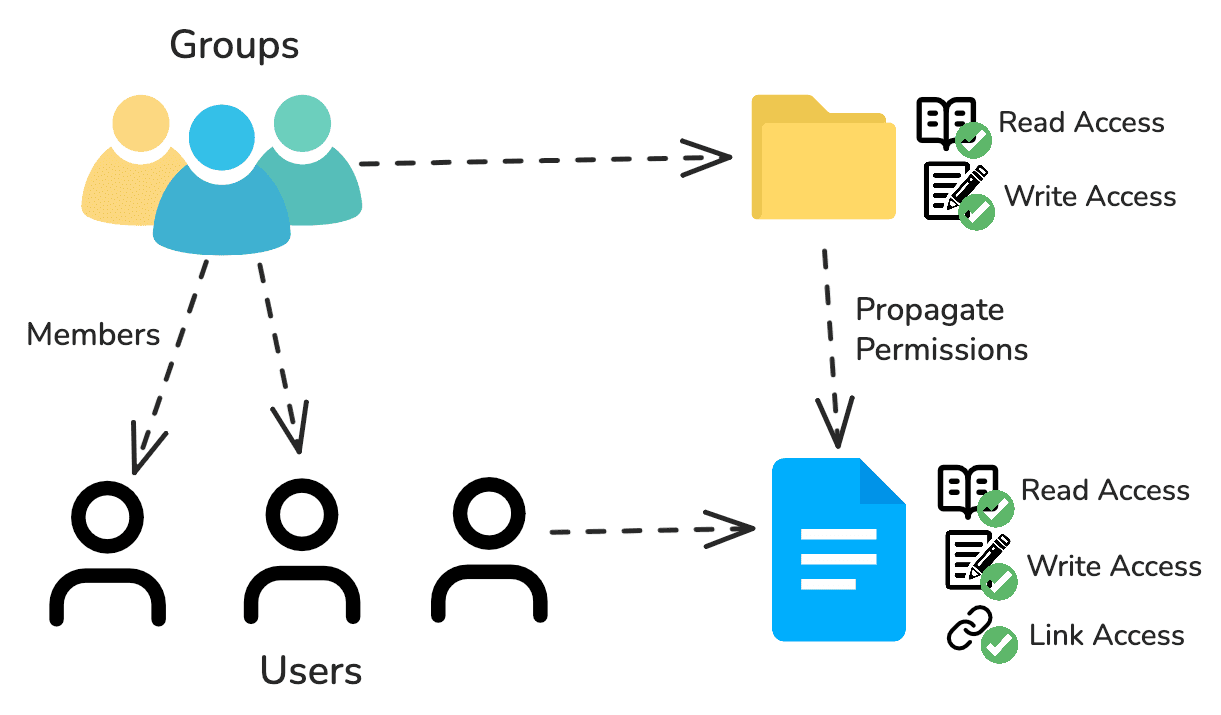
Both Paragon and Merge have managed solutions for syncing your users' file storage data and handling file permissions - Paragon with Managed Sync and Merge with Unified - but only Paragon’s approach is comprehensive enough to handle all the nuances and edge cases that are non-negotiable for enterprise usage. Whether it’s accuracy, developer experience, and traceability, Paragon’s permissions strategy beats out Merge across the board.
Paragon vs Merge's Permissions Approach
Before going into why Paragon’s approach is superior to Merge’s, let’s discuss the methodology each platform uses. These high-level design decisions have downstream effects on permissions accuracy, handling, and monitoring.
Paragon's Approach: Permissions API with FGA
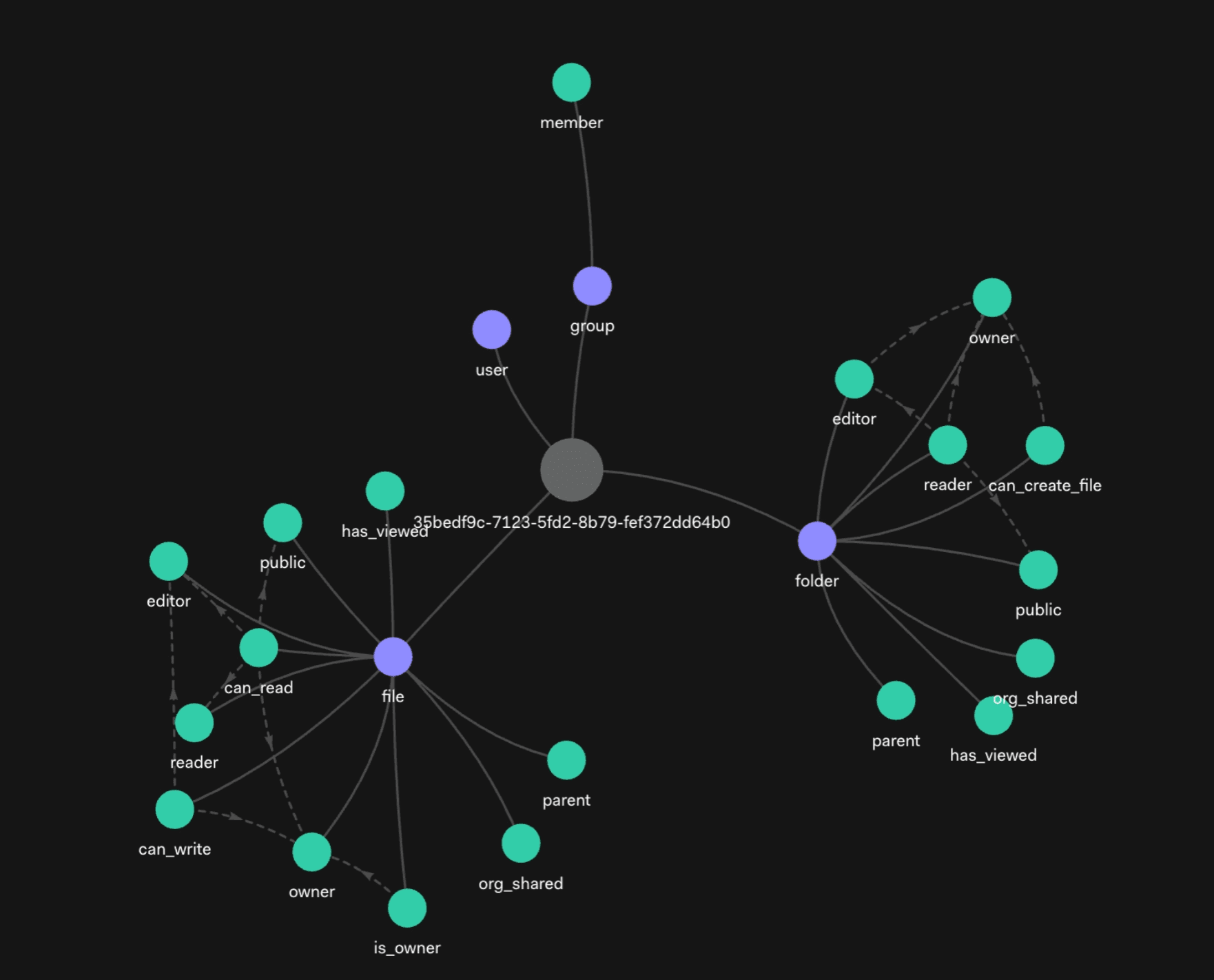
Paragon's Permissions API is built off Fine Grained Authorization (FGA) to manage permissions. Unlike RBAC, ABAC, and ACLs, Fine Grained Authorization uses relationship-based access control (ReBAC) to propagate and reconcile permissions for modeling hierarchies, subsets, and networks. Relationships could be direct to a file (users have a “can_read” relationship with a file) or indirect (users have a “is_member” relationship with a space, which has a “can_read” to a folder with a “parent” relationship to a file).
Many file storage solutions, like Google Drive, natively use ReBAC for their permissions. In fact, Google's entire authorization system is built off a ReBAC-based system called Zanzibar.
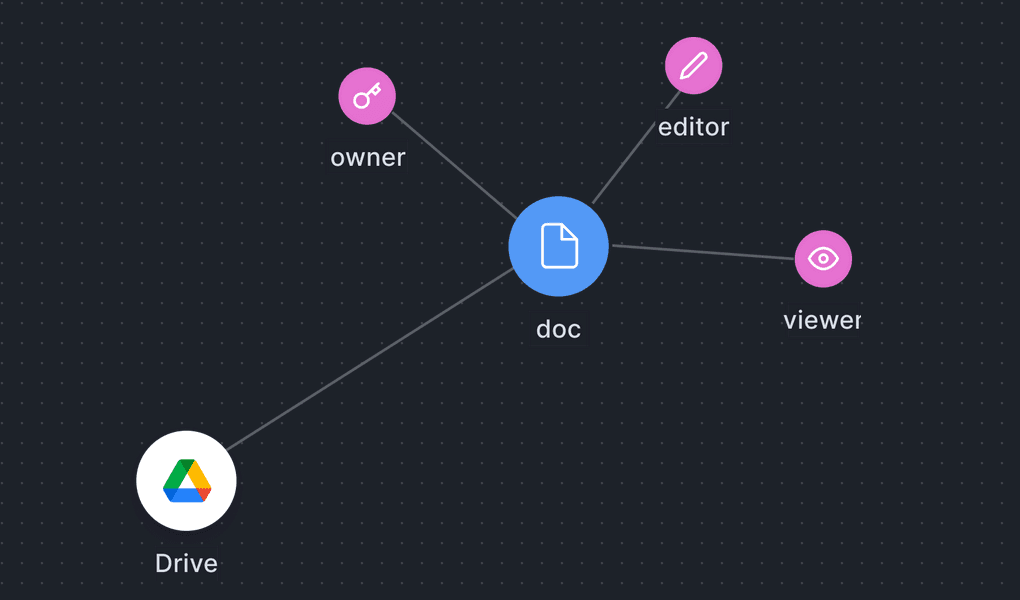
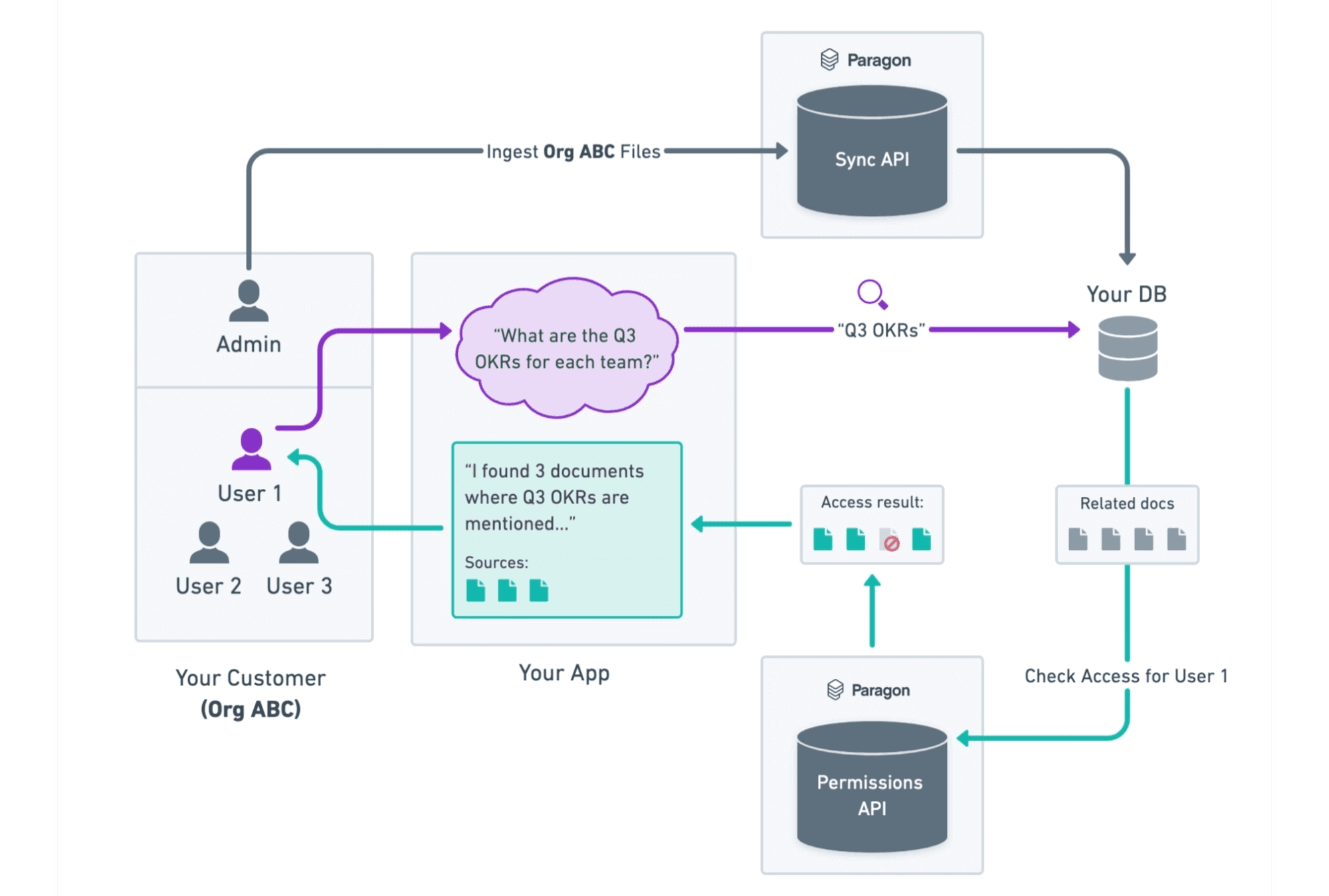
Paragon manages a highly performant and scalable FGA graph for our customers on our infrastructure as part of the file storage sync. Whenever you initialize a sync to start ingesting your users' files, Paragon starts indexing an FGA graph for that user and keeps that graph up-to-date for their lifetime.
From there, you can use Paragon's Permission Graph as the source of truth and check/query via the Permissions API.
Merge's Approach: ACL with their Files Object
Access Control Lists (or ACLs) are a simplistic, brute-force approach to permissions. When Merge syncs your users' files, they will flatten the native file storage permissions into a list with every user and group with access to that file.
These permissions are a field in Merge's File object, which you can store in your databases or query from Merge's API at retrieval-time.
Accuracy Tradeoffs
File storage permissions are complex. They are also filled with edge cases. Offloading that work while guaranteeing accurate access control is what your integration infrastructure should do.
Paragon's ReBAC-based FGA uses the same native approach as the most popular file storage providers. If Google, SharePoint, Box use ReBAC, the most accurate representation of their permissions should also be ReBAC, not ACL.
FGA allows Paragon to handle the same nuances that the file storage provider handles. Some real examples of edge cases we covered:
In Google Drive, files can be shared via links for any user even if they do not have an explicit reader, writer, or owner role. Paragon will pull all of the viewers of a specific file and add permissions to them in your managed FGA.
In SharePoint, deny lists can override permissions from inheriting folder permissions. Paragon adds these relationships to the FGA graph so synced permissions behave the same way as they would in SharePoint.
Merge's ACLs will not cleanly model these edge cases and will require you to pull down permissions from Merge's file objects, folder objects, and group objects to build logic for these edge cases yourself. This manual method is the only way to accurately represent all of the integration-specific edge cases with Merge.
This is logic that your integrations platform should do for you, and why Paragon’s managed FGA approach is superior to Merge’s ACL.
Performance Tradeoffs
Permissions are pervasive across your application, whether you need to check permissions when a user needs to export a file or an agent needs to retrieve data for RAG.
On Paragon's managed FGA approach, the Permissions API is used to check permissions at retrieval time. However, this doesn’t add significant latency at retrieval-time. The Permissions API comes with a /batch-check endpoint to check permissions for multiple files with just one API call. You can further optimize performance by self-hosting Paragon’s highly performant infra (capable of handling 10M+ requests/month) in your VPC to reduce latency between your Paragon-managed FGA and your backend infrastructure.
With Merge, you could either store Merge’s ACL permissions or, similar to Paragon’s Permissions API implementation, query at run-time. If you're planning on storing these permissions on your infrastructure, this introduces the risk of stale permissions and re-indexing your permissions data from Merge to capture changes. In this case, your engineering team is doing a lot of the heavy-lifting, lifting your integration infrastructure platform should be doing for you.
If you're not planning on storing these permissions to enforce retrievals on your infrastructure at retrieval-time, you will have to use Merge's /files endpoint to check file permissions. Except unlike Paragon's managed FGA approach, Merge:
Does not offer a
/batch-checkendpoint to check multiple filesMay require 1+ API calls at retrieval-time to cover edge cases
Auditability Tradeoffs
Integration platforms need to be able to allow you to debug access control. If your users are denied context from a file they should have access to, you should be able to track the lineage of permissions and explain why permissions were enforced on a file asset.
Paragon's FGA approach makes sure access control can always be audited by mapping out the underlying relationships from the file storage integration provider. Using the /expand endpoint, Paragon displays how a user was granted access to a document (role, link, folder, group, etc.). The /expand endpoint has helped us audit exceptions and edge cases like Confluence's deny lists and Google Workspace nested groups.
With Merge, you can neither audit permissions nor have any visibility into how Merge built their ACL list. While the ACL data structure can be simpler for straightforward use cases, Merge's approach does not allow you to debug permission errors, expand how access was granted, and confirm if a permission was correctly given. Your only choice on Merge is to trust their permissions indexing without the ability to audit how access is given through groups, folders, deny lists, or links.
Wrapping Up
Paragon has taken a meticulous approach to file permissions, as permissions is a non-negotiable feature that has to be done right. The Paragon team is confident that the FGA approach is the best approach for accuracy, scalable performance, and auditability. Paragon's managed FGA and Permissions API maintains the complexity of mapping native permissions and keeps permission data up-to-date while providing a simple way to access that data.
To learn more about how Paragon fits with your integration strategy, sign up for a free trial or schedule a call with our integrations team.
TABLE OF CONTENTS
Ship native integrations 7x faster with Paragon
Related articles







Ship integrations 10x faster with enterprise-grade infrastructure.
Trusted by enterprise platforms and AI products to handle integrations at scale.