

Guides
How to Keep RAG Data Fresh with Incremental Sync and Deduplication
How to keep RAG data fresh with incremental sync, stable chunk IDs, backfill correctness, and re-embedding cost control, per tenant.

Garrett Scott
Head of Marketing, Paragon
12 min read
How to Keep RAG Data Fresh with Incremental Sync and Deduplication
Keeping RAG data fresh requires incremental sync that continuously detects source changes, updates only affected documents or chunks, removes deleted content, and avoids re-indexing unchanged data.
Garrett Scott, Head of Marketing — 17 mins to read
Paragon Managed Sync is the ingestion layer built to keep RAG data fresh: it runs incremental sync that continuously detects source changes, emits only the records that changed, flags deletions with tombstone events, and never syncs the same file twice, so your vector store stays current without reprocessing everything on every run. It tracks sync state per source and tenant, indexes source-access permissions for query-time checks, and runs periodic full-refresh validation to catch anything incremental sync missed. The prototype version of this problem is easy to build; keeping it correct in production, continuously, and per customer, is the part Managed Sync exists to solve.
The prototype workflow for RAG is simple. You fetch the documents you want your LLM to reference, chop them into chunks, turn those into vector embeddings, and load them into a vector database. Straightforward enough. The problem is that those documents change.
Products get updated. Pricing shifts. Policies get revised. And the RAG data you initially fetched goes stale, producing retrievals that look right while the model answers from outdated information.
How incremental sync keeps RAG data fresh
Managed Sync continuously delivers source changes with per-tenant sync state, so you can sync customer data into a vector database incrementally rather than with a one-time dump, and your LLM keeps answering from current information.
A one-time dump is attractive for a prototype: little state to manage, easy reruns while the corpus is small. It breaks down in production, where every run reprocesses unchanged content, data goes stale between runs, and repeated imports create duplicate chunks unless updates are handled correctly.
Incremental sync starts with a full backfill, records a checkpoint, and then processes only records created, updated, or deleted since that checkpoint, the same basic pattern as change data capture: instead of repeatedly copying the entire dataset, the pipeline tracks and applies source-level changes over time.
There are three broad strategies for RAG freshness: full re-sync, scheduled incremental, and event-driven incremental. Each comes with trade-offs.
RAG sync strategies compared
Approach | How it works | Freshness | Cost / complexity |
|---|---|---|---|
Full re-sync (batch dump) | Re-ingest and re-embed everything on a schedule | Stale between runs | Simple to start; expensive at scale; reprocesses unchanged data |
Scheduled incremental | Poll each source for changes on an interval, update only changed vectors | Fresh to the last interval | Moderate; needs change detection and per-tenant sync state |
Event-driven incremental | React to source events as changes happen, update on change | Near real-time | Higher; needs event infrastructure, ordering, and dedup |
Each option trades freshness for complexity in a straight line: full re-sync is simplest and staleest, scheduled incremental is the common middle ground, and event-driven is freshest but demands the most infrastructure to run correctly.
Track RAG sync state per source and tenant
A cron interval alone does not make a sync strategy. Each run still needs durable state: where the last successful run stopped, what changed since then, what failed, and what has already been written downstream.
It also doesn't guarantee freshness: the real measure is source-to-retrieval lag, the time from a source change to that change being detected, processed, written downstream, and visible to retrieval. Track that lag per source and tenant instead of treating the polling schedule as the guarantee.
That state usually takes one of two forms: a cursor (an opaque token from the source) or a watermark (a timestamp, sequence number, or event offset you track yourself), often both, the cursor to request the next page of changes and the watermark for observability and recovery.
Whatever form it takes, sync state can't be global: scope it to the tenant, integration source, connected account, and object type. Customer A's Google Drive cursor is meaningless for Customer B, and one customer's failed sync should never advance another's position.
Store this, at minimum, per pipeline and per customer:
Current cursor or watermark
Backfill status
Last successful and last attempted run
Current error or retry state
Source version or content hash per record
Vector chunk IDs derived from each record
Storing which chunk IDs came from which source record is what lets you delete the right vectors when that record changes or disappears.
Commit order matters too: read the changes, apply the writes, then save the cursor, never before. Save it first and a failed write gets silently skipped on the next run; save it last and a crash just replays the same changes safely, as long as your writes are idempotent.
The "source version or content hash per record" line above describes the record as a whole. It says nothing about the chunks inside it, and that gap is worth its own look.
What record-level hashing misses inside a chunked document
A content hash per record tells you a document changed, not which chunk changed, and that distinction decides how much work an update costs.
Hashing the whole document catches exact document duplicates, but misses a duplicate paragraph inside an otherwise-unique document, and it can't localize a change: edit one paragraph in a hundred-page policy document and a record-level hash flags the entire record, forcing a full re-chunk and re-embed because there's no way to tell which chunk moved. A chunk-level hash would show ninety-nine unchanged chunks and one changed one, so only that one needs a new embedding. Stopping at record-level buys simplicity and far less state to reconcile, at the cost of cheap updates to large records.
Chunk identity has a second failure mode: whether the ID survives a re-chunk. Positional IDs (doc_id plus a chunk index) get reassigned entirely when chunk size, overlap, or the splitter changes, even though the content didn't. A hash-per-chunk comparison run right after shows every chunk as changed, triggering a full re-embed that looks like a correctness bug but is really a chunking-boundary artifact. Distinguish "the source changed" from "our chunking changed" before you re-embed.
The fix: derive the chunk ID from the source record ID plus a content hash of the chunk, not a positional index alone. Unchanged chunks then keep the same ID across a re-chunk regardless of where they land, and only genuinely changed chunks get a new ID and trigger re-embedding.
Detecting change when the source has no delta feed
Cursor and watermark tracking assumes the source can tell you what changed. Many source systems can't: no updated_at field, no delta or changes endpoint at all. You can list current records, but not "records changed since X," so the polling model above has nothing to poll against.
The fallback is the same mechanism this page already uses for deletes, generalized to updates: list-and-diff against stored state. Pull the current record list, compare each against its stored hash or version, and treat any mismatch as changed, the same reconciliation pass, run more often, used as the primary detection path rather than a periodic backstop.
Where the source supports it, conditional requests are a cheaper middle ground: an If-Modified-Since header or ETag check on a per-record GET returns a 304 Not Modified instead of the full payload. That still costs one round trip per record, so it helps most when you already know which records to check, not as a substitute for a corpus-wide delta feed.
Either approach gets expensive applied uniformly. Tier the checks instead of scanning the whole corpus every interval: examine high-churn or high-value objects more often than the long tail, using any partial signal available (a folder's own modified timestamp, for instance) even when the API can't say what changed inside a record. Microsoft's own Graph delta query documentation lists which specific resources support delta queries and which don't, inside one well-documented API, a sign that support varies even more across the dozens of systems a RAG pipeline connects to.
List-and-diff and conditional requests are both slower and more expensive than a true delta feed or webhook. Reserve them for sources that genuinely don't expose anything better, and move to a proper change feed once one exists.
How to handle deleted records in RAG
Deleted is broader than hard-deleted: a record may be permanently removed, archived, or soft-deleted; moved outside the connected scope; unshared from the user; or hidden because an account was disconnected. For retrieval, all of them mean the same thing: gone. If a source record disappears, every vector derived from it has to disappear too, or the system keeps answering from content that no longer exists.
Handling deletes is harder than handling updates because there may be no current record to fetch. With hard deletes, you depend on the provider exposing a deletion event or tombstone. When it doesn't, use periodic reconciliation: compare the source IDs stored locally against the IDs the source currently returns, and treat missing records as candidate deletions.
This is why you store which vector IDs came from each source record. When a deletion is detected, you mark the record unavailable in metadata first, so it stops being served even while the vector store catches up, then delete its vectors and cached content, and record the deletion so a retried job never reprocesses it. A vector that outlives its source is zombie data: gone from the source app, still alive in retrieval.
The backfill window is its own correctness problem
Backfill gets treated as a solved starting step: run it once, then switch to incremental. It's actually an operational problem with its own failure modes, and the state list earlier on this page tracks only "backfill status" as a single field, hiding most of what can go wrong inside that phase.
The first constraint is rate-limit budgeting across tenants: a backfill for one large customer can consume an entire shared integration credential's rate limit, starving incremental syncs and other tenants' backfills on the same source. Budget backfill throughput as a fraction of the total limit, not "as fast as possible," or one onboarding quietly stalls everyone else's freshness.
The second is partitioning: split a large backfill by natural boundaries (folder, object type, date range, or ID range) so it runs across parallel workers, and a failure in one partition doesn't restart the whole job. That enables resuming a dead backfill by checkpointing progress per partition rather than per whole job, so a restart picks up from the last completed partition instead of re-pulling everything already ingested. Skip partition-level checkpointing, and a crash near the end means redoing nearly all of the completed work.
The question this page hasn't asked yet: what happens to changes landing during the backfill itself. Say the backfill lists records as they stand at time T0 but takes hours to process, and a record changes thirty minutes later, before the backfill reaches it. Old version or new? That depends on whether the backfill listed once up front or re-lists as it goes.
The fix is to stop treating backfill and incremental sync as sequential phases: start incremental sync (or at least start capturing change events) from a checkpoint at or before T0 and run it concurrently, so any change landing during the backfill window gets reconciled once the backfill completes, rather than lost or overwritten by a stale record processed later.
Deduplicate exact, near-duplicate, and conflicting RAG content
Deduplication is not a storage optimization. It exists to stop retrieval from degrading. Duplicate chunks waste top-k slots, crowd out distinct evidence, inflate embedding and reranking costs, and make repeated claims look better supported than they are.
There are three cases, and they are not equally serious: the first two cost you efficiency; the third costs you correctness.
Dedup types
Type | Detects | Resolution |
|---|---|---|
Exact duplicate | Identical content, usually caught with hashing | Keep one copy; preserve provenance |
Near-duplicate | Similar content above a lexical or semantic threshold | Cluster the records, or pick a winner using explicit rules |
Conflicting versions | Similar records whose key claims disagree | Keep the authoritative, current version in normal retrieval |
Exact duplicate: identical content, usually caught with hashing. Keep one copy and preserve provenance.
Near-duplicate: similar content above a lexical or semantic threshold. Cluster the records, or pick a winner using explicit rules.
Conflicting versions: similar records whose key claims disagree. Keep the authoritative, current version in normal retrieval.
Resolving conflicts needs explicit rules, and the same provenance data that supports dedup pays off again once an embedding model changes.
Re-embedding costs come in two different orders of magnitude
"Expensive at scale" undersells what happens when an embedding model changes. Ongoing incremental re-embedding costs scale with the rate of source change: a small, continuous cost tied to how much content gets edited each day.
An embedding-model migration is a different problem: switching models or providers, or absorbing a deprecation, requires re-embedding the entire index, because vectors from two different models aren't comparable in the same vector space, and there's no mixing old and new. That makes migration cost scale with the size of the entire corpus, all at once, on a single event, rather than with the rate of ongoing change, the same bulk-load problem the initial backfill solved, now applied to every record ever ingested instead of just the new ones.
Chunk provenance pays for itself twice here: knowing which source record and raw content each chunk came from turns a migration into a bulk re-embed job over content you already have a clean map to, pull the stored text, run it through the new model, replace the vectors. Lose that provenance and keep only bare vectors, and a migration instead forces re-fetching everything from source, slower, and dependent on every source API and rate limit still being reachable years later.
Setting a freshness target per source
The right freshness target depends on: how often the source actually changes; what users expect; the harm a stale answer may cause; the source API's rate limits; the embedding and infrastructure cost you're willing to carry.
Decide the winner by source status and version, approved over draft, current over archived, authoritative source over secondary, not simply whichever copy was ingested most recently, which is a last-resort tie-breaker at best.
Two caveats. Don't deduplicate across tenants: two customers holding identical text doesn't make it one shared object, and collapsing them mixes separate permissions and provenance. Pinecone's own namespace documentation makes the same case at the infrastructure layer, recommending one namespace per customer for isolation, a physical analog to the same logical rule. And don't rely on a single similarity threshold for everything: boilerplate-heavy legal documents and short support articles behave differently enough that one cutoff will over-merge one and miss duplicates in the other.
Source type to freshness target
Source type | Typical freshness target |
|---|---|
Active support tickets | Minute-level |
CRM notes | 15-30 minutes |
Internal documentation | Hourly |
Historical archives | Nightly |
Different sources tolerate different levels of staleness, as the table above shows.
Freshness isn't one number. Updates, deletes, permission changes, and reconciliation each warrant their own target. Deletes and permission revocation usually need tighter targets than edits because mistakes can expose data, not just stale text.
The point is to set freshness as a measurable target per source and per operation, not to chase real-time as a blanket goal.
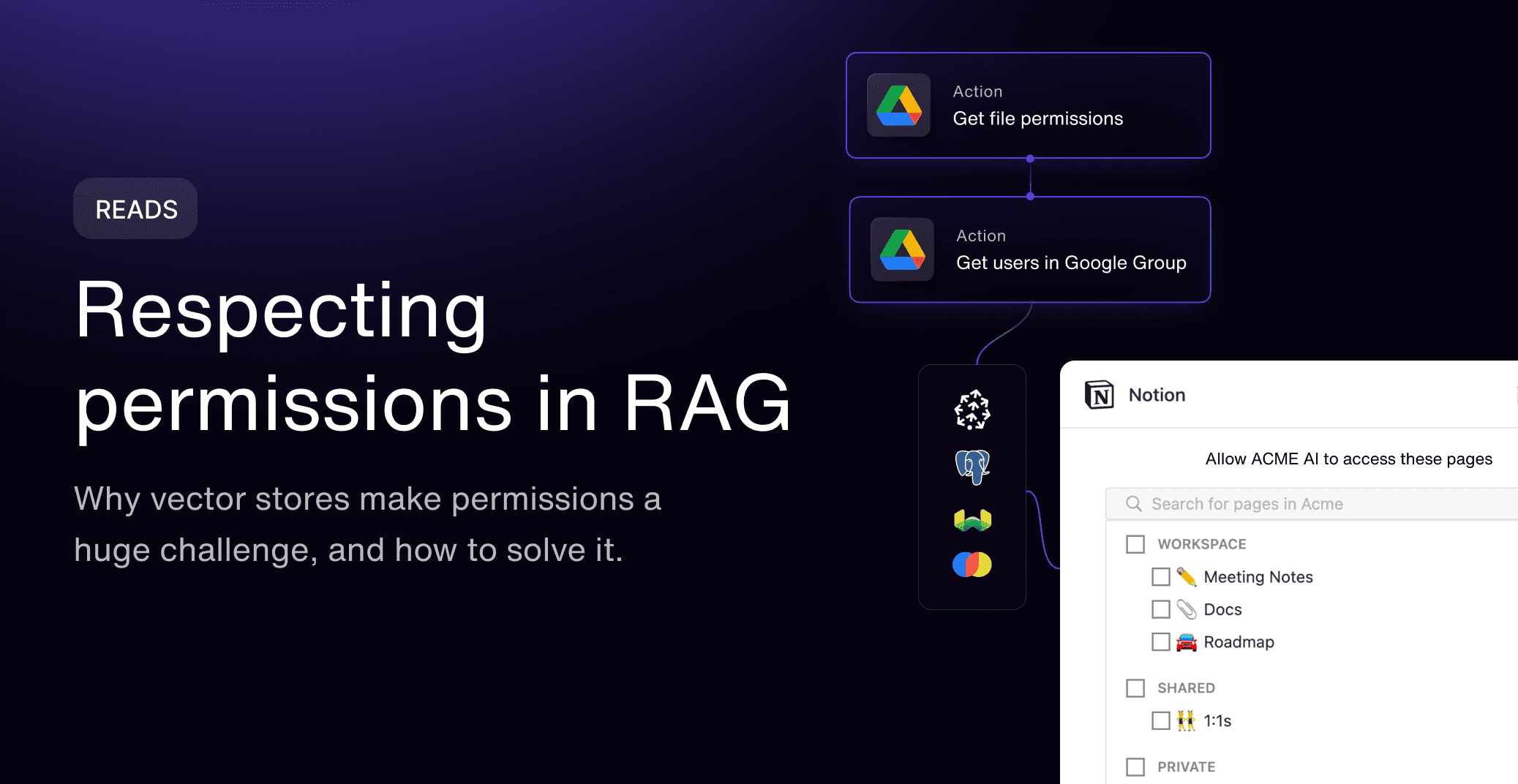
Freshness interacts with permissions
A document can stay textually identical even when its access scope changes completely. A user is removed from a group, a file is moved into a restricted folder, org-wide access is revoked, or the document is unshared from the connected account; the text is unchanged, but who's allowed to see it is not.
That gap is how leaks happen. Current content paired with an outdated ACL serves information to someone who's lost the right to it. And tenant isolation alone won't save you: two users in the same tenant routinely have access to different documents.
So access has to be checked at query time. Apply the tenant boundary first, before retrieving candidates. Then verify that the user requesting the data still has permission, drop anything they're not authorized to see, and send only what remains to the LLM.
Index-time permissions are fragile because access is a graph: direct sharing, folder inheritance, groups, org-wide rules, and public links can all change independently, the same relationship-based model Google's Zanzibar paper describes for authorization at scale. A static allowed_user_ids list on each chunk goes stale quickly; only the live source resolves the graph correctly.
Enforce this by pre-filtering before vector search, post-filtering the results, or both: a hybrid design, coarse tenant boundary before search, fine-grained document checks after, is usually the practical choice. Treat unsharing as removing content from that user's retrieval scope, and fail closed: if access can't be confirmed, exclude the content.
Search engines outside the vector-database world scope access differently: Meilisearch's tenant tokens carry the filter inside the credential itself rather than applying it per request, and its docs are explicit that "tenant tokens only restrict the search endpoint," not indexing or settings, so the permission check still has to live above the search layer itself.
For a deeper look at user-level access checks, see our guide to multi-tenant auth for customer-facing integrations, and for a broader walkthrough of what a security reviewer will ask about an ingestion pipeline, see our security review of RAG data ingestion.
Offload incremental RAG ingestion with Managed Sync
Go the DIY route, and you own the ingestion layer for every connected source: auth, backfills, cursors, pagination, rate limits, retries, deletes, deduplication, reconciliation, normalization, and permissions, then repeat the process for every new integration, since Salesforce, Google Drive, and Slack each handle these differently, and keep every one working as the underlying third-party APIs change. Our guide to how long it actually takes to build RAG ingestion in-house costs out the backfill, dedup, and reconciliation mechanics above in engineering time.
RAG frameworks such as LlamaIndex and LangChain can help you build ingestion and retrieval workflows, and vector databases such as Pinecone and Weaviate provide the record operations needed to update or remove indexed content. Pinecone's own documentation recommends switching from individual upserts to its bulk import API past 10 million records, the same threshold an incremental sync layer has to track per source, and the same bulk-load shape a post-migration re-embed takes on. Production freshness still depends on coordinating source-specific change detection, retries, deletes, permissions, tenant isolation, and reconciliation across every connected system.
What remains yours is the part that differentiates your product: parsing and chunking, embeddings, vector-store design, retrieval and reranking, version-selection rules, and the freshness targets appropriate for each source.
Managed Sync absorbs that complexity as the ingestion layer feeding your pipeline. It handles the repeatable work by:
Handling initial backfills and incremental syncs
Supporting change-event webhooks and cursor-based retrieval
Normalizing source data into common synced-object formats
Preserving source-access metadata
Managing rate limits with exponential-backoff retries and error recovery
Running periodic full refreshes to catch drift and missed deletions
Never syncing the same file twice
Indexing permissions for query-time access checks
Helping applications enforce tenant and user-level access boundaries
The integration and pipeline fields define what to sync. The Paragon User Token scopes the request to a specific customer, and the optional incrementalAccumulatorFrequency field controls how often Managed Sync checks for changes, defaulting to every minute if you omit it:
For Managed Sync specifically, your Paragon User Token must include an aud claim set to your instance hostname and project ID. It is required here even though Paragon's other APIs do not need it, so a token without it will be rejected.
The self-serve hosted demo environment, Paragon's Managed Sync playground, is the fastest way to see the process in action. Current as of July 2026: the Pinecone, LlamaIndex, Weaviate, and Microsoft Graph details above reflect each vendor's published docs as of this date; re-check a source's own docs before relying on a specific parameter or threshold.
For choosing a managed RAG ingestion platform, see our guide to the best managed RAG ingestion platform for multi-tenant SaaS.
Conclusion
A RAG system is only as trustworthy as the data freshness and access controls behind it.
A demo can work from a static data dump. A production RAG system needs an ingestion layer that incrementally syncs changes, tracks state per source and tenant, propagates deletes, deduplicates conflicting content, enforces permissions at query time, and sets freshness targets based on product risk rather than a vague goal of being real time.
The work is not conceptually hard, but it is operationally repetitive. Every source needs its own version of the same ingestion layer, which is why it is worth deciding deliberately whether to build it yourself or offload it.
FAQ
How do I keep RAG data fresh with incremental sync and deduplication?
To keep RAG data fresh with incremental sync and deduplication: Detect source changes continuously, including new, updated, and deleted content. Update only affected documents or chunks instead of re-indexing unchanged data. Remove deleted content from the index so stale context is not retrieved. Deduplicate exact and near-duplicate chunks to reduce redundant or conflicting results. Choose a canonical version when multiple versions of the same content exist. Track sync state per source and tenant so retrieval stays accurate across users, workspaces, and connected systems. Paragon Managed Sync runs this loop automatically as the ingestion layer beneath your RAG pipeline.
What is the difference between full re-sync and incremental sync?
Full re-sync reprocesses the entire source on every run, so its cost scales with the size of the whole corpus. Incremental sync tracks a cursor or watermark and touches only new, updated, or deleted records, so its cost scales with the amount of change, which makes it far cheaper to run and far fresher in practice.
How do you keep a vector database in sync with its source?
Track sync state per source and tenant, use stable source and vector IDs, upsert changed chunks, delete obsolete ones, and periodically reconcile the index against the source to catch anything the incremental path missed. Managed Sync handles this cursor/watermark tracking and reconciliation as part of its sync.
How do you handle deleted records in RAG?
Map each source record to the vector IDs derived from it. When the record is deleted, archived, unshared, or otherwise becomes inaccessible, remove that complete set of vectors so it can't be retrieved, and log the deletion so retries stay idempotent. Managed Sync propagates these deletes automatically so retrieval never serves removed content.
What is deduplication in RAG ingestion?
Exact dedup removes identical chunks. Near-duplicate detection flags similar versions. Version rules then decide which record is current and authoritative, by source status and version, not just whichever was ingested most recently, so conflicting copies don't both surface at retrieval.
How fresh does RAG data need to be?
Freshness needs vary with user expectations, how the source behaves, and the harm a stale answer causes. Set freshness as a measurable target rather than chasing as fast as possible, and give updates, deletes, and permission changes their own targets; revocation usually needs a tighter one than an ordinary edit.
How do permissions interact with freshness?
Access can change while content stays identical. Sync permission changes and enforce the user's current access at retrieval, failing closed when access can't be confirmed, so unauthorized documents never reach the model context. Managed Sync indexes source-access permissions specifically so this check can run at query time.
Related
TABLE OF CONTENTS
Ship native integrations 7x faster with Paragon
Related articles







Ship integrations 10x faster with enterprise-grade infrastructure.
Trusted by enterprise platforms and AI products to handle integrations at scale.





