

Etched into every conversation about building AI products is the Model Context Protocol (MCP). It’s an exciting standard that allows LLMs to reliably receive prompts, data schemas, and tools. Almost as soon as MCP was released, developers began building MCP servers for all sorts of use cases - an MCP server for Slack, a server for Google Drive, a server for Notion.
This brings up the natural question: Can I build all the integrations I need with MCPs?
And followup questions like:
How exactly does MCP work for integrations?
Is MCP all I need to build integrations?
What value does an integration platform offer over MCP?
The answer is nuanced. Let’s go through the details on MCP and how it relates to your product’s integration strategy. We’ll cover:
How MCP works
Where MCP is limited for building integrations
The problems that Paragon solves
How MCP works
“Think of MCP like a USB-C port for AI applications.”
-Official MCP documentation
This is a great starting point from official MCP docs. To extend this analogy, the MCP USB-C port connects two parties - an MCP server with an MCP client. The MCP client is the AI application that receives custom prompts and tools from an MCP server. The MCP server can be a local or remote server, and can have much of the same functionality as a web server, including auth and session management.
When developers build a 3rd-party MCP server like a GitHub MCP server, the MCP server will have tools that work directly with the 3rd-party API so the MCP client’s agent can perform actions like creating pull requests and getting issues.
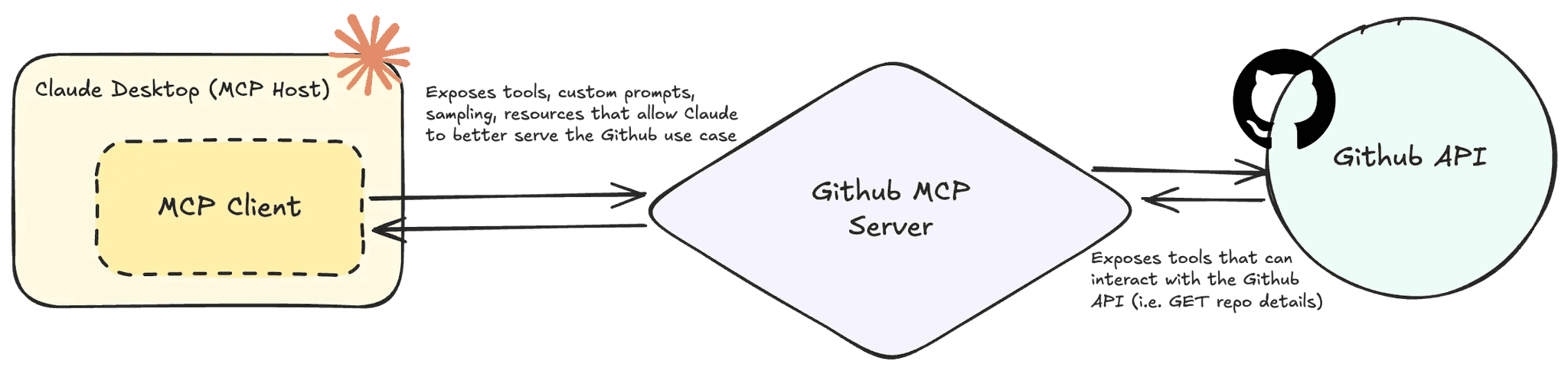
With OAuth 2.1 in the new MCP server release, secure 3rd-party authentication can be used so that agents can perform actions on users’ behalf. And the beauty of the MCP is that your AI application as the MCP client can plug into any available MCP server with very little engineering effort.
That’s what makes the MCP the “USB-C port for AI applications.”
Where MCP is Limited for Building Integrations
MCPs standardized the way agents can use APIs. This standard means building integrations to 3rd-party APIs takes less code and is many times open sourced. You can even have your users bring their own custom MCP giving users a plugin-like experience.
MCP is a great protocol to start building your AI integrations, but it may not be enough for your multi-tenant application. Here are a few limitations of relying on MCP servers for your full integration requirements, whether your team is connecting to pre-built 3rd-party MCP servers or connecting to your users’ MCP servers.
Leveraging Pre-Built MCP Servers
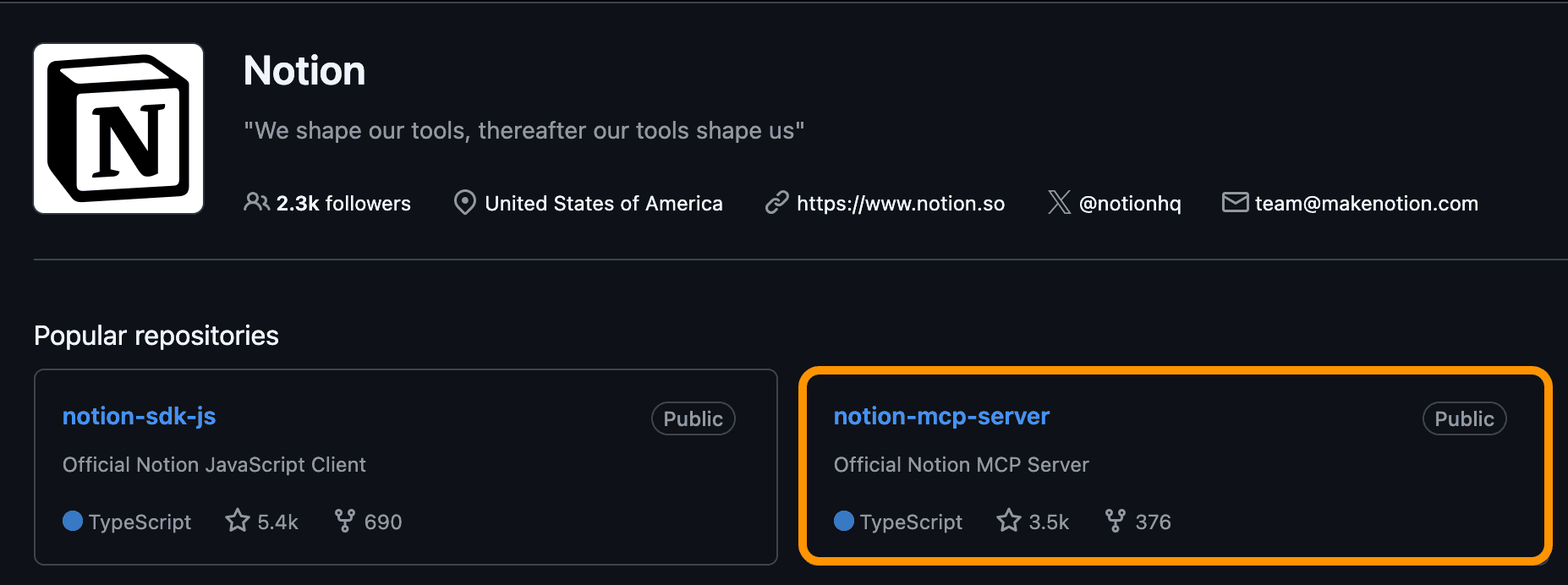
Pre-built MCP servers are servers that were built either by an official 3rd-party provider or the open-source community. An example of an official MCP server is Notion’s MCP server.
The Google Drive MCP server is a community-built server, as Google themselves have not built their own server.
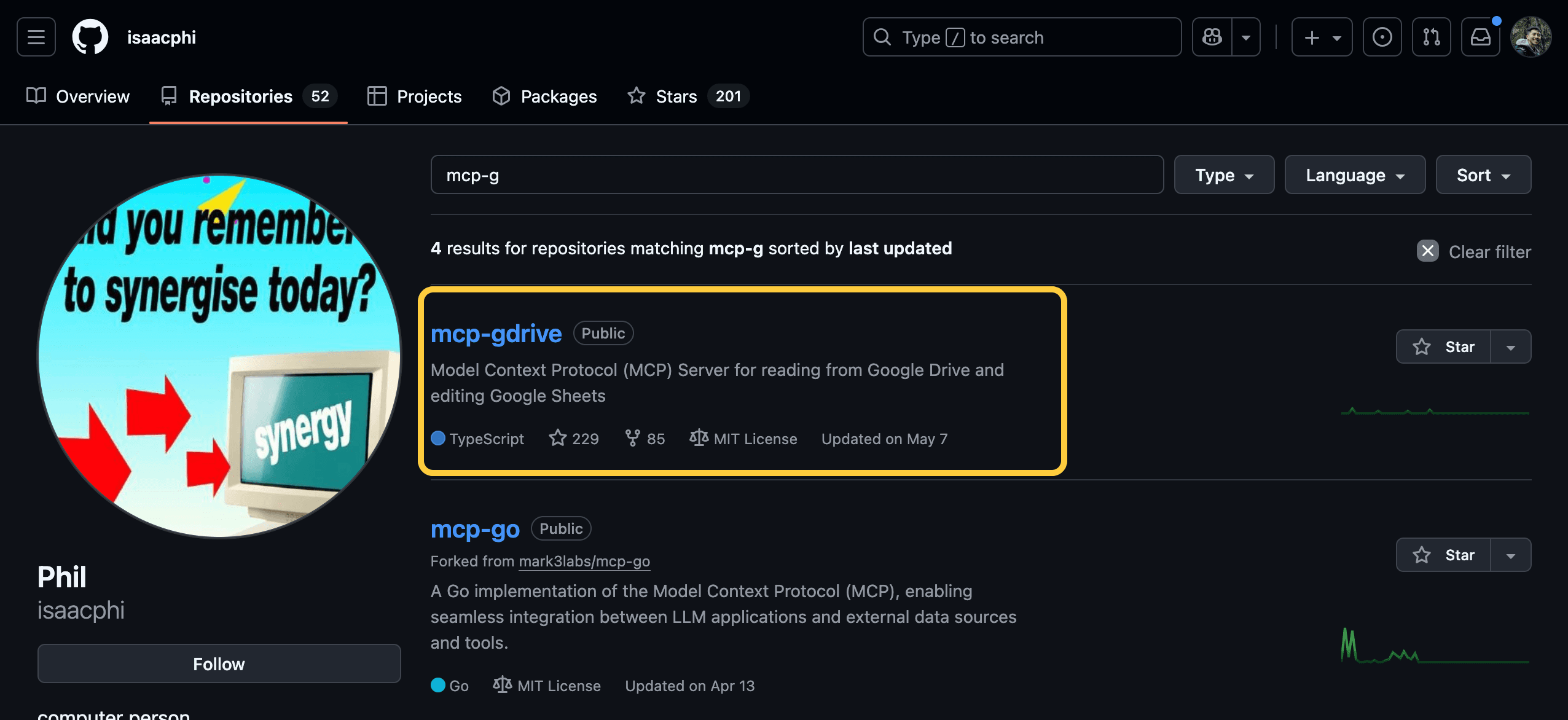
If you’re leveraging official 3rd-party or open-source-built MCP servers, there are a few limitations to watch out for:
1) Lack of Standardization
MCP is still a fairly new standard despite its roots in established technology (JSON-RPC, SSE, Express). Because of its fast-moving development, MCP has a few different iterations of supported features. One such feature is transports. The first iteration of remote servers only supported SSE with no auth standard. Later remote servers support streamable HTTP and OAuth.
Even though MCP is a standard, those standards have changed! Building your integration catalog may have you rely on 5+ MCP servers, as MCP servers generally cover only one integration provider (i.e. it’d be hard to find an MCP server that has both Slack and Notion tools. There’s no promise that each MCP server has OAuth capabilities or uses a remote server implementation. There’s actually no promise that there is an MCP server for an integration at all.
Lastly, while this is a pro and a con, relying on open-source project means that you may have to/get to roll up your sleeves and add any functionality you need in an MCP yourself. Open-source MCP servers rely on contributors, so upgrading to new MCP specs, optimizing prompts, and adding tests may be a contribution your team must make.
2) Multiple Authentication Management
The MCP team’s adoption of OAuth 2.1 has made the native integration experience more seamless for users. When you connect to the Notion MCP, a popup browser opens, initiating the OAuth process.
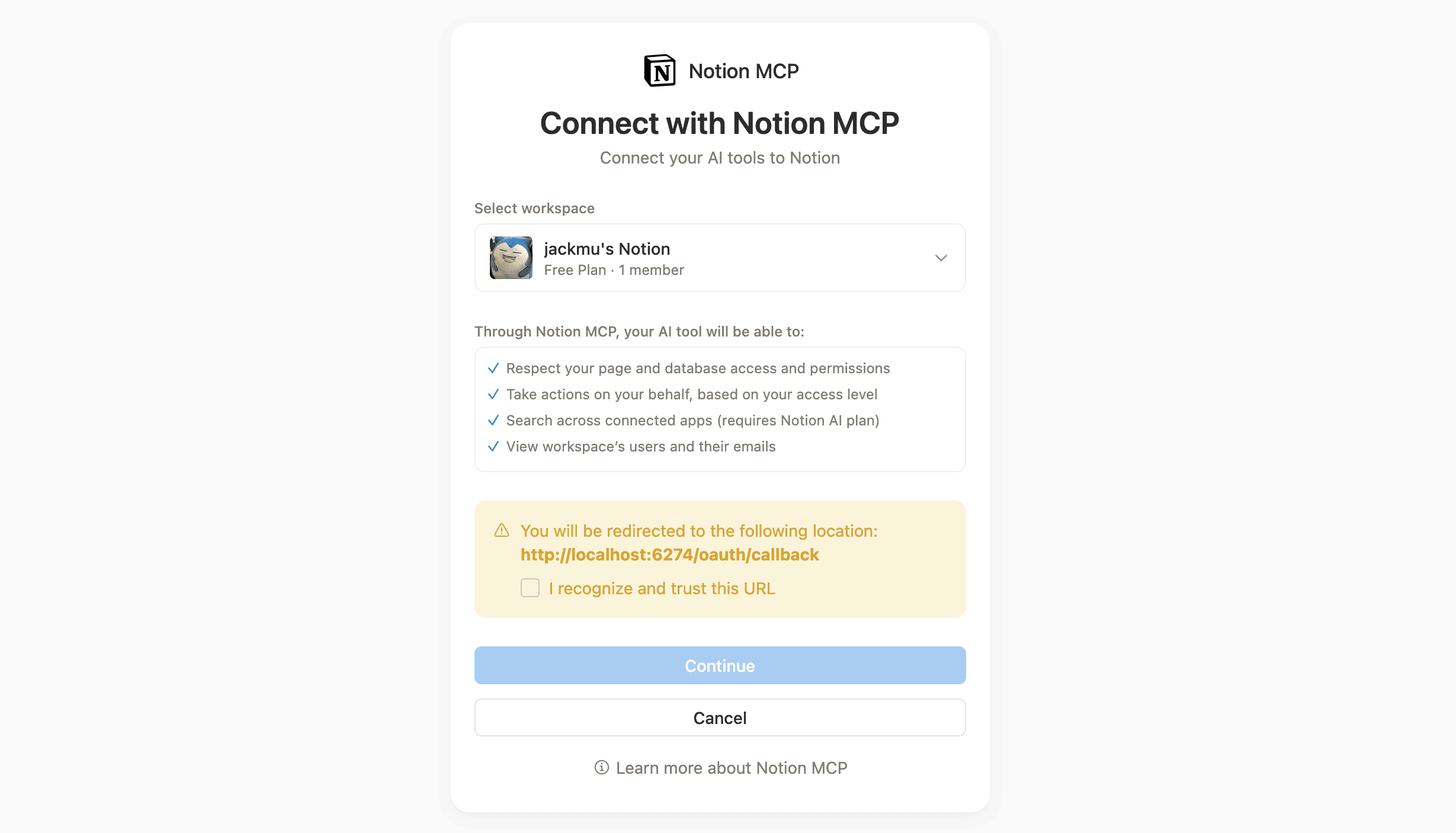
Behind the scenes, access and refresh tokens are used to authenticate API requests when 3rd-party tools are called. For a seamless integration experience, your users should be able to authenticate once and use your agent’s tools over multiple sessions, which means storing, encrypting, and refreshing tokens is something that your development team needs to cover. This is less of a limitation and more of a consideration as your engineering team thinks about building integrations with MCP servers.
3) Non-Agentic Use Cases
The last limitation for building integrations solely with MCP servers is that the MCP standard is solely for AI applications with the following primitives:
Tools - functions that an LLM can run
Prompts - additional instructions to modify LLM behavior
Resources - additional context like file contents, database schemas, and documentation
These MCP primitives can enable your LLM applications with 3rd-party integration tools with proper instructions and resourcing, but there are other features and optimizations you may want for your agent to perform. Features like data ingestion, vector search, and data permissions are not covered in MCP’s tools, prompts, and resources.
Additionally, MCP tools are built for LLM applications, not for non-AI use cases. Non-AI features like bi-directional sync, workflow builder actions, and data ingestion are more suited for traditional APIs than for MCP server tools.
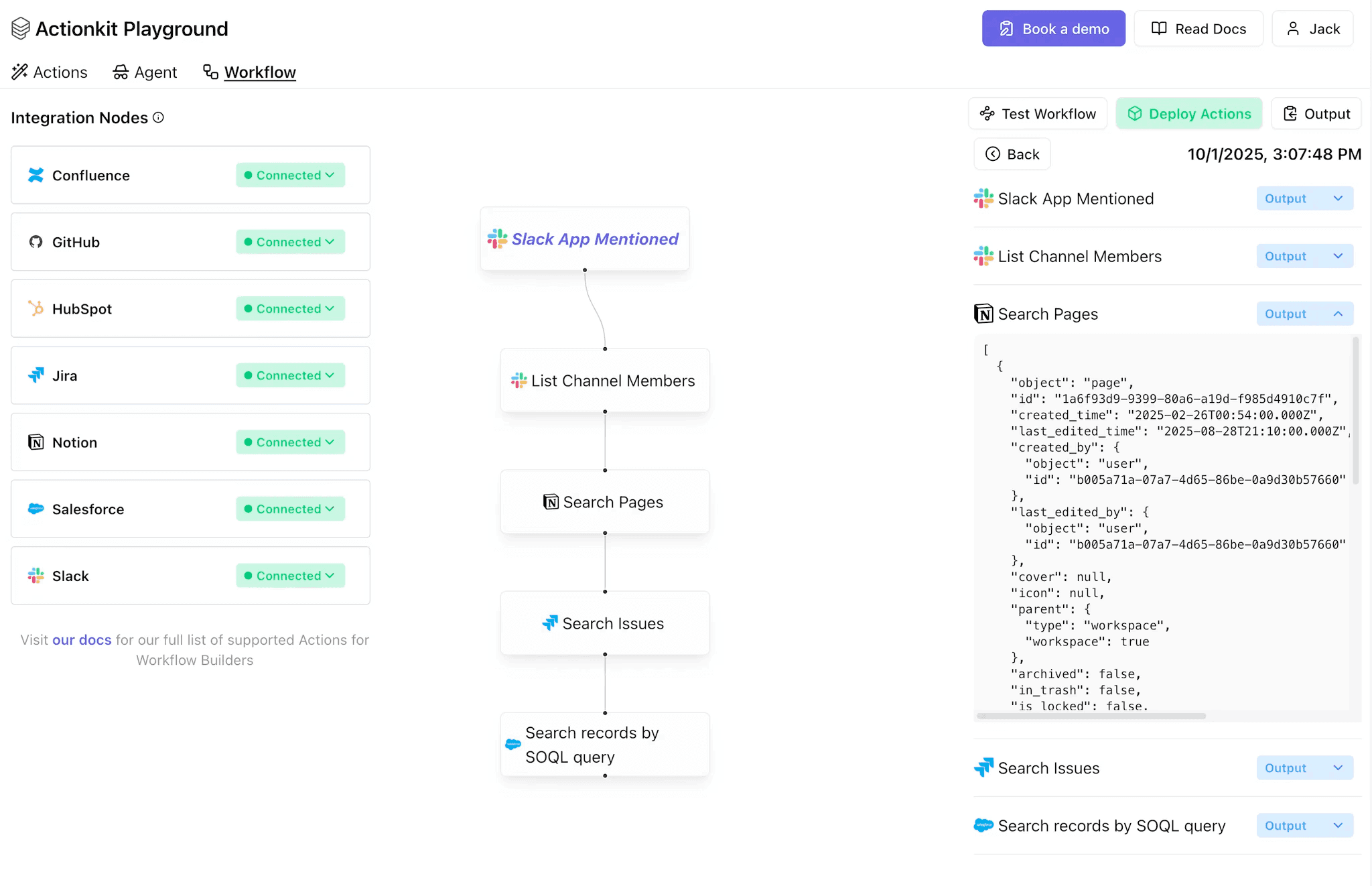
In a product like a workflow builder, users don’t need LLMs to non-deterministically action on every step. Instead, 3rd-party APIs are more than enough.
Leveraging User-Built MCP Servers
The “bring-your-own MCP server” design isn’t as popular as predetermining a set of MCP servers that your product team has curated. However, it’s a cool way to have your users bring tools and prompts that are unique to their context and use cases. With this implementation, your users can use OAuth, API keys, or hard-coded credentials in their MCP server to call 3rd-party tools they care about.
As you can imagine, this approach has a few limitations, namely:
1) Technical Requirements For this approach to work, your users need to be highly technical and have the capacity to build their own MCP server and tools. This won’t work for everyone, and so relying on users to essentially “bring your own integrations” should not be cornerstone to your integration strategy.
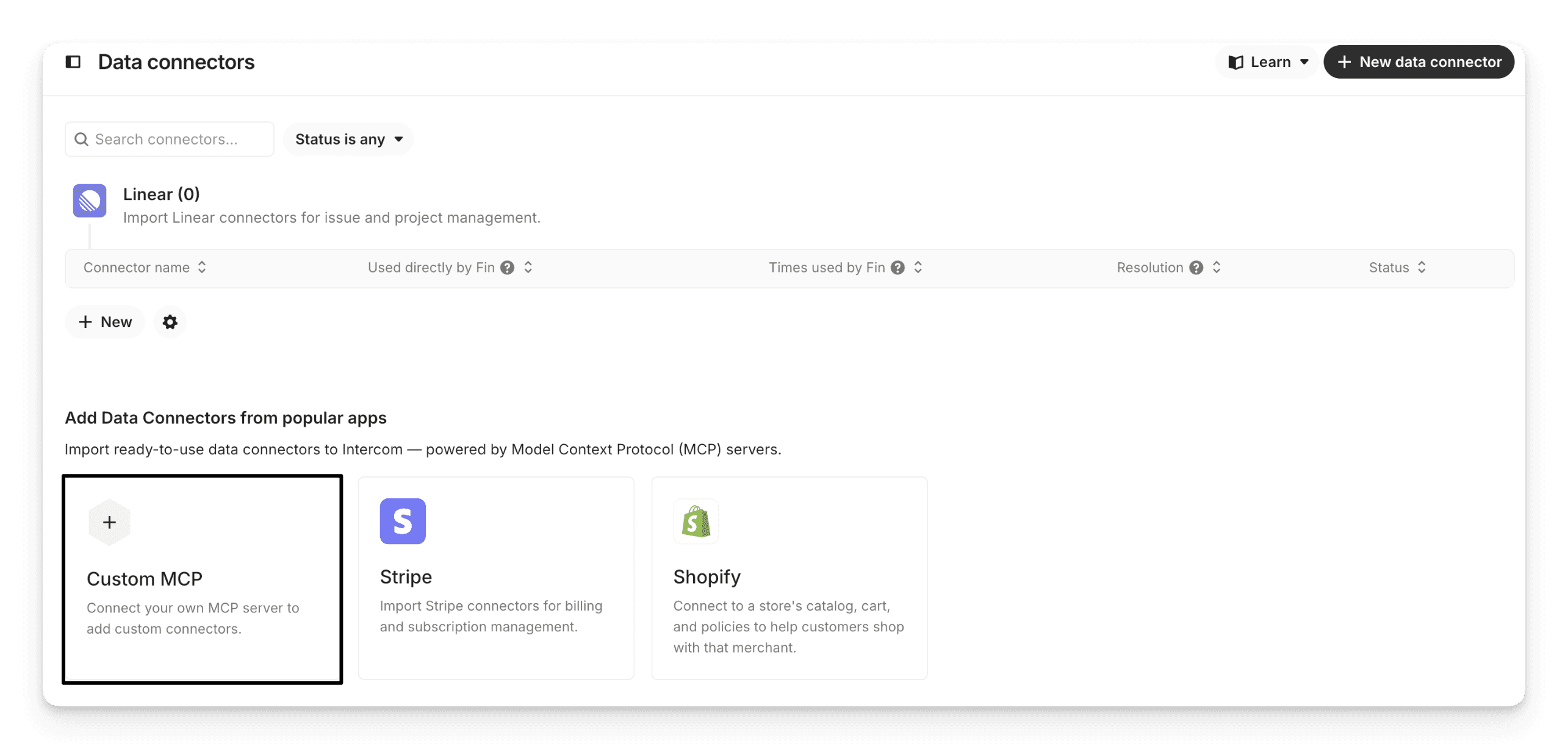
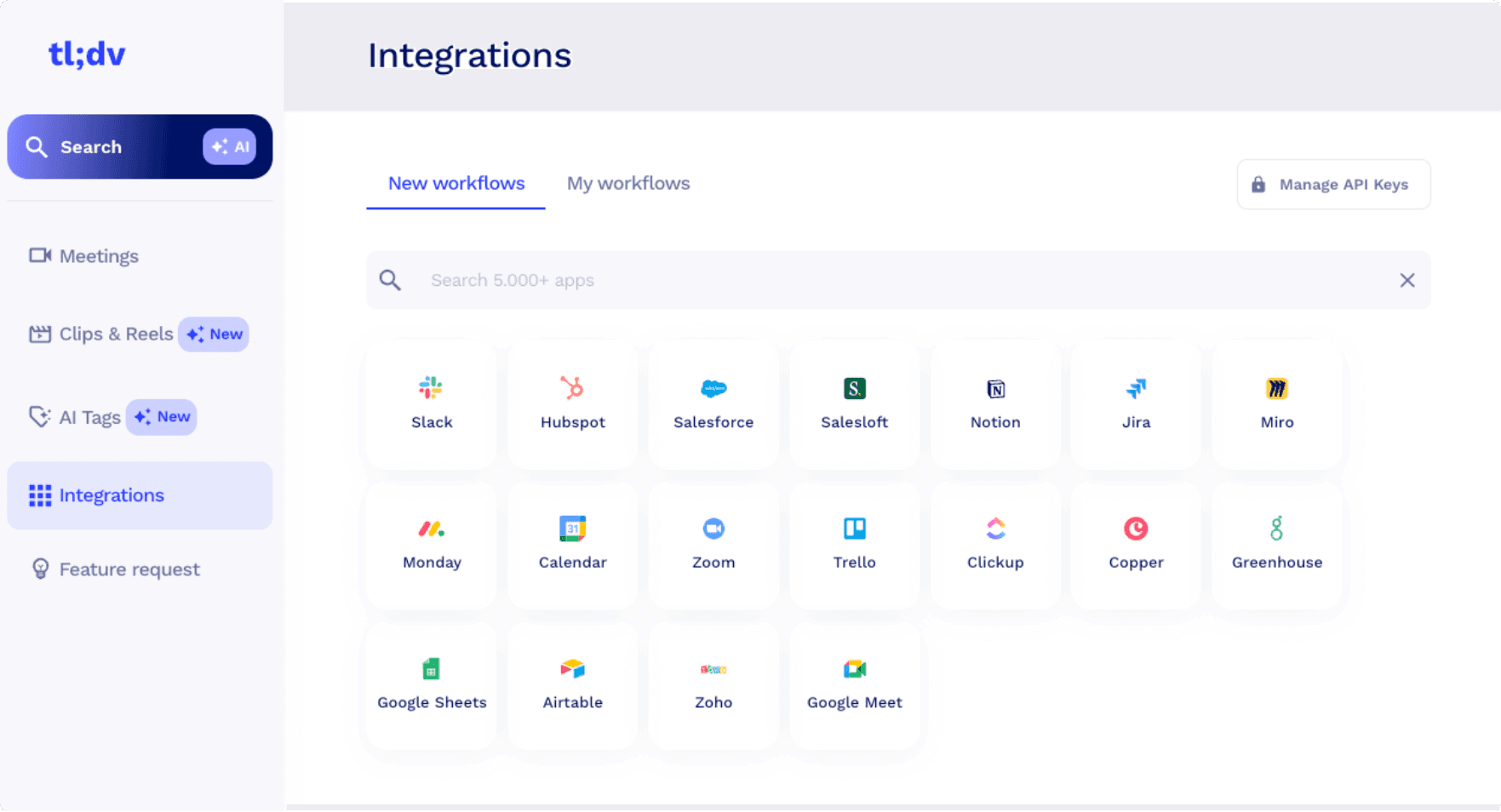
2) Zapier-like Experience Even if your users can and want to bring their own MCP server, building their own integrations, tools, and logic is a Zapier-like experience that isn’t a native experience within your product. Products generally feel more cohesive and purpose-built with native integrations where functionality in 3rd-parties can be enabled and performed in-app, like in an integration catalog (pictured from tl;dv).
The Problems that Paragon Solves
Paragon encapsulates all the integration use cases your SaaS application has. Built for AI, multi-tenancy, and B2B use cases, Paragon offers MCP for the use cases the standard specializees in and purpose-built APIs for use cases that MCP is limited in.
The benefits Paragon offers as a full platform (and not just an MCP server) are:
Managed Auth across our MCP, APIs, and Workflows
Primitives built for every integration use case, like syncing data for RAG and 3rd-party event triggers
Native integration experience tying your AI features with your non-AI features
Managed Auth across our MCP, APIs, and Workflows
As mentioned in the authentication limitation section, MCP servers still use OAuth to authenticate tools and API calls. Access and refresh tokens need to be managed for each of your tenants and the unique integrations they enable.
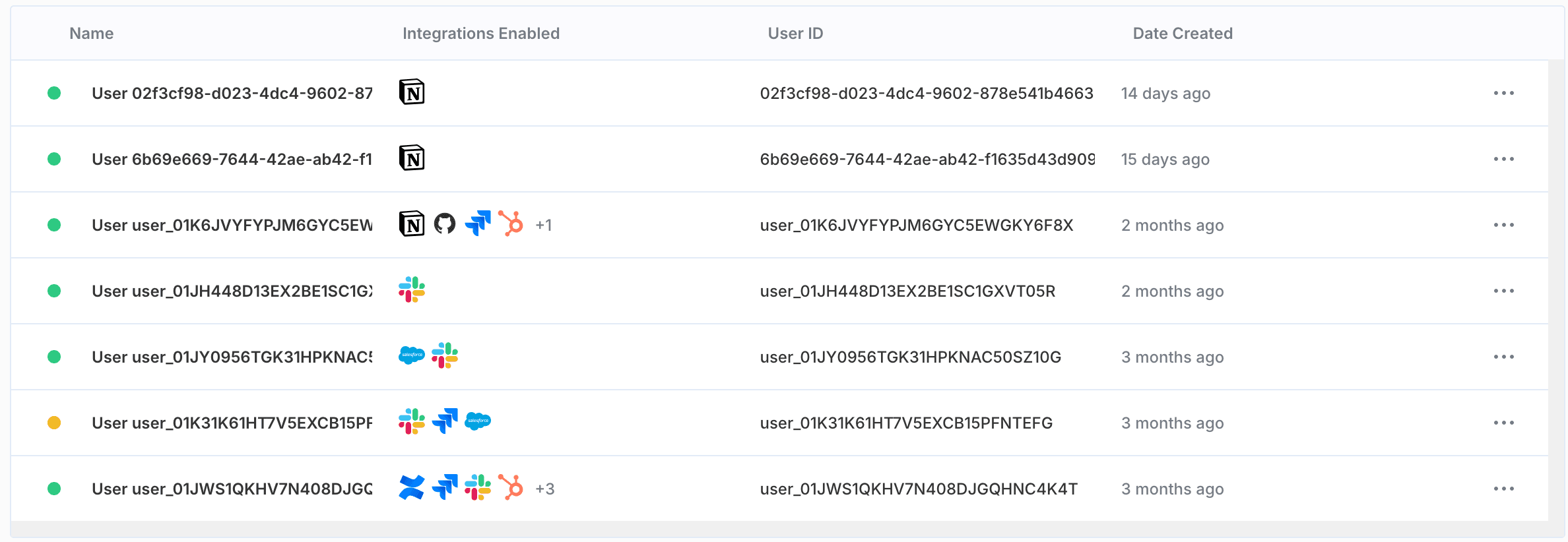
You can imagine that one of your customers enables their Slack, Salesforce, and HubSpot integrations in your app. That would mean managing three sets of credentials - ensuring credentials are encrypted and tokens refreshed according to each integration provider.
Paragon manages those authentication details for your growing number of users and integrations. And not just for Paragon’s MCP-provided tools, but also in any 3rd-party API calls you use throughout your application.
That brings us to our second point, integration-building primitives that work with AI and non-AI features alike.
Built for Every Integration Use Case
Integrations do not reside in just an AI agent’s scope. Integration features touch many parts of your application, like workflow and table interfaces. When you’re building these non-agentic features, you don’t want to solely rely on the MCP standard. Instead, you want other standards to help you build for all of your integration use cases.
Paragon offers three primitives to help you build AI and non-AI features alike.
ActionKit and ActionKit MCP
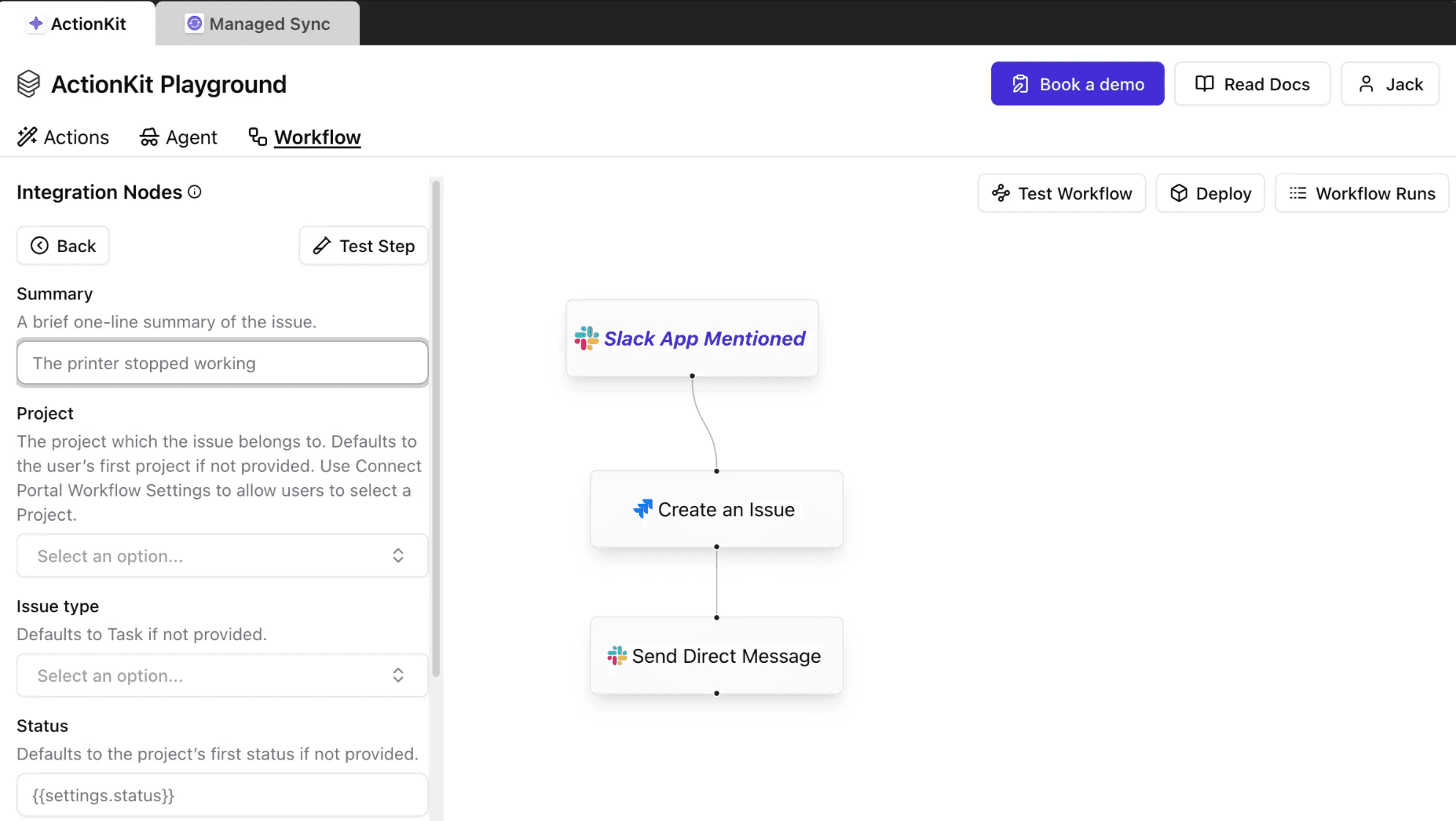
ActionKit is a set of APIs that provide hundreds of actions across dozens of integrations. Actions are an operation like getting a Notion page’s contents or sending a Slack message.
ActionKit Actions have human and LLM-readable inputs and descriptions perfect for describing agent tools or user-facing use cases like workflow actions.
Managed Sync
Managed Sync is a service that syncs all of your users’ data across an integration category like file storage, CRMs, and ticketing. For agents, index all of your users’ Google Drive files, SharePoint files, or Jira tickets in your vector database for RAG. For a non-AI use case, like a CRM platform that uses data from a users’ CRM, sync all of your users’ Salesforce and HubSpot records in your database.
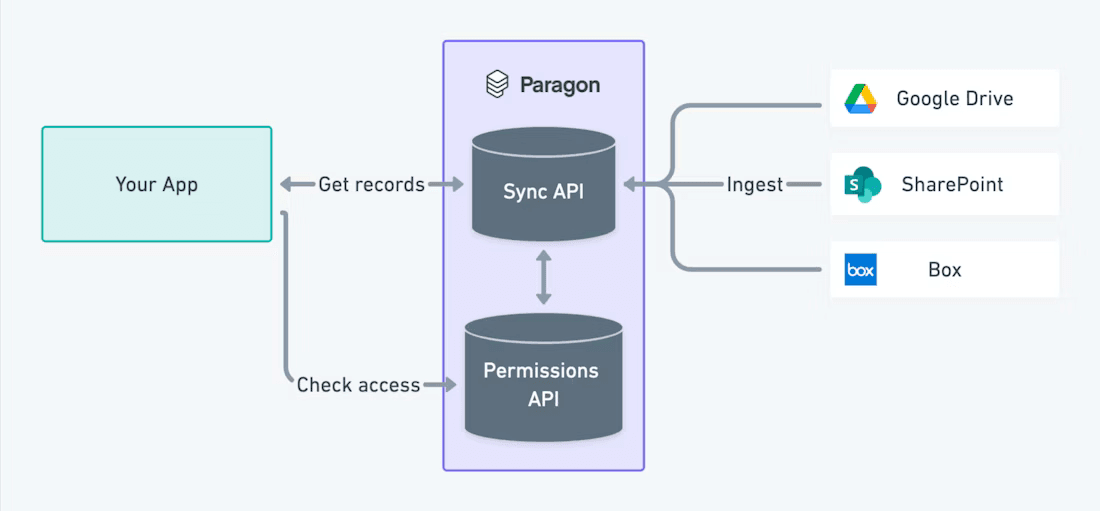
For any use case where you need a consistently up-to-date version of your users’ data from an integration provider, Managed Sync’s APIs make it easy to retrieve that data.
Workflows
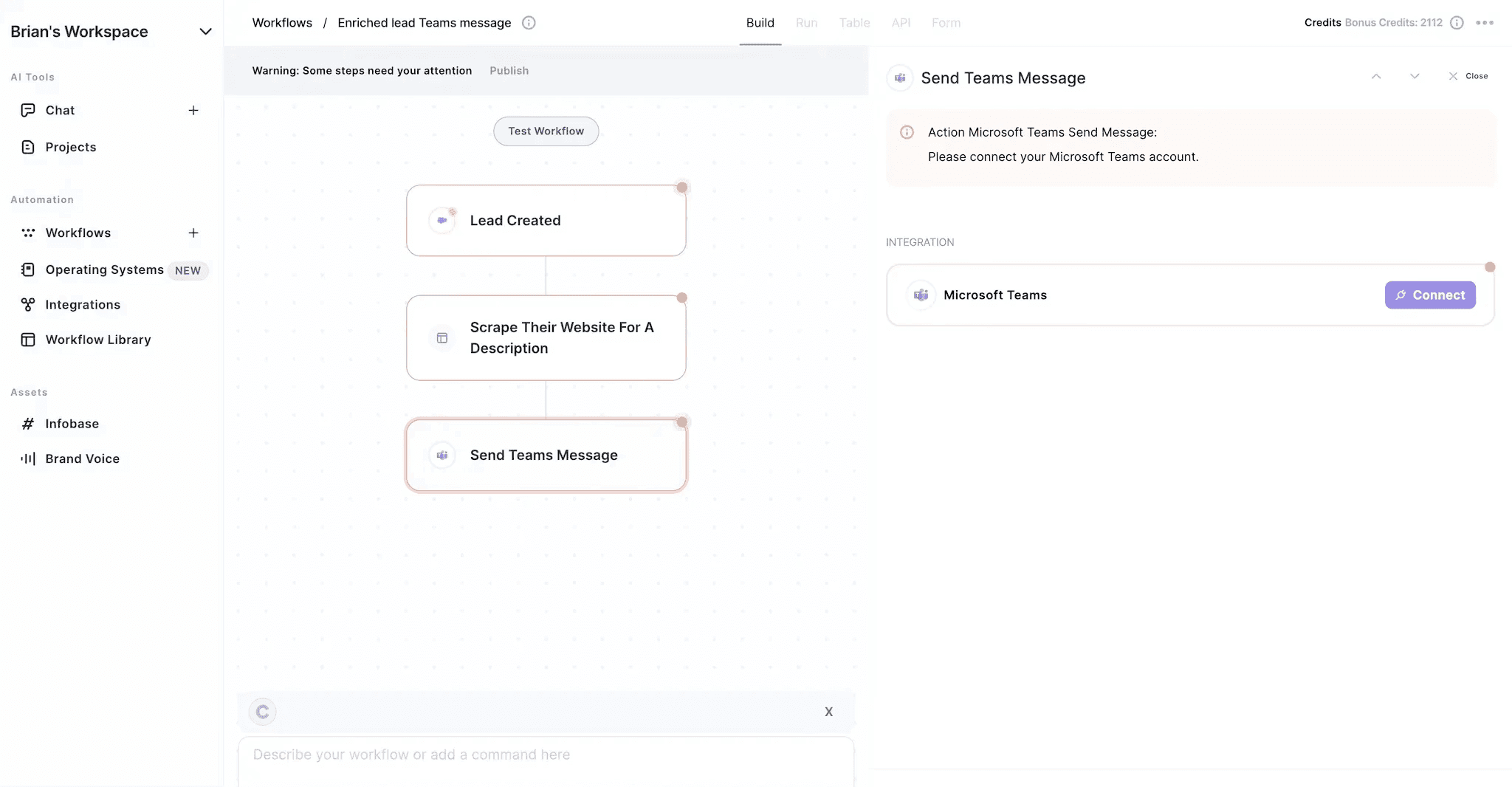
Paragon Workflows are automations and processes built on Paragon’s low-code workflow builder. MCP servers and tool APIs like ActionKit can perform 3rd-party actions in your application, but can’t listen to 3rd-party events to trigger your application to kick off an agent or process. ****
Workflows cover any use case that requires responding to 3rd-party events. Here are a few popular examples that Paragon covers across our hundreds of integrations:
Your user creates a new Salesforce record
Your user mentions @your-app in Slack
A new PR was created in Github
Workflows can also perform additional steps via javascript functions, for loops, conditionals, and integration actions. Use Workflows to take 3rd-party event data and forward that data to your application.
In AI use cases, this can be used to trigger your agents whenever a 3rd-party event is triggered by one of your users. One or our customers, Copy.ai, uses Paragon to forward 3rd-party events to their application so that their AI workflows can run any time one of their users creates a new lead.
Native Integration Experience: Tying Your AI features with Your Non-AI Features
Part of building native product integrations is a seamless user experience. This means your users can authenticate their integrations in-app, configure their integration with any options like field mappings or file pickers, and integration features just work. Paragon’s managed authentication and each of our integration-building products (ActionKit, Managed Sync, and Workflows) are all tied together.
Your users authenticate their integration on Paragon’s Connect Portal, and then your application can use ActionKit, Managed Sync, and Workflows without worrying about authentication, monitoring, and webhooks. These are all covered under Paragon’s platform.
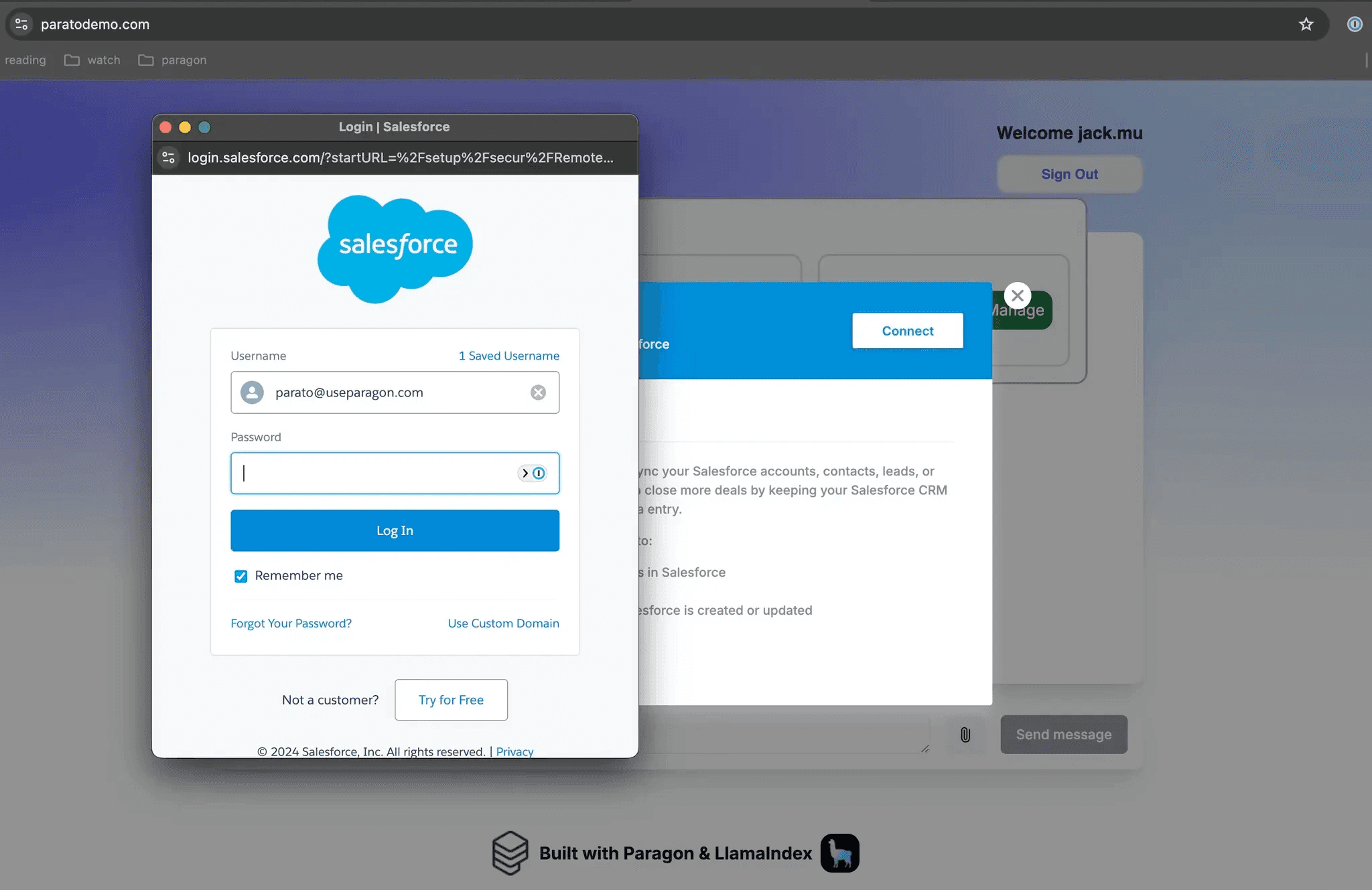
Your users don’t need to re-authenticate to integrations. Your users don’t need to build Zapier workflows or MCP servers. Your users should feel like your product was built to integrate with their other platforms.
Wrapping Up
MCP is a strong standard for building AI products, and you should consider where MCP fits into your integration strategy. But MCP is not a catch-all solution for all of the integration use cases you want to build, both now and in the future.
Product integrations aren’t just a checkbox to mark when your agent can use 3rd-party tools. Integrations are essential infrastructure - the bridge to connect to your users’ 3rd-party platforms, the pipes for your product to get and send data externally, the highway to a set of features and user experiences that wouldn’t be possible with your app alone. Let Paragon help you build that integration infrastructure.
Get started building with Paragon’s free trial or book a call with a Paragon team member.
For a broader breakdown of integrations for AI agents, see our guide to the main build options.